

Custom CMMS software development is the design and build of a computerized maintenance management system (CMMS) around one company's assets, work processes, spare parts and compliance duties. Instead of adapting the plant to a generic subscription tool, the software is shaped around how maintenance actually works on your floor: your asset hierarchy, your approval steps, your sensors and the ERP your finance team already runs.
Most manufacturers start with an off-the-shelf CMMS or a spreadsheet, and many should stay there. The case for a custom build appears when per-user fees grow with the workforce, when integrations with ERP, MES or condition-monitoring sensors become the real work, or when auditors ask for records the tool cannot produce. At that point a CMMS stops being a standalone app and becomes part of a wider custom manufacturing software development program, which is why it has to be planned like one.
Downtime is what makes this worth the effort. Siemens' True Cost of Downtime 2024 report estimates that unplanned downtime costs the world's 500 largest companies about $1.4 trillion a year, roughly 11% of their revenue, and an idle automotive line can lose up to $2.3 million per hour. Maintenance software is one of the few levers a plant fully controls.
This guide covers when building beats buying, the modules and integrations a custom CMMS needs, how IoT and predictive maintenance fit in, which compliance records it must produce, the build process, cost and how to choose a CMMS software development company.
What is custom CMMS software development?
Custom CMMS software development is building a maintenance management system that you own, configured to your assets and processes, rather than licensing a packaged product per user. The result covers the same core jobs as any CMMS: tracking assets, planning and assigning work, scheduling preventive maintenance, managing spare parts and reporting on reliability. The difference is in fit, data ownership and how deeply it connects to the rest of the plant.
A CMMS answers four questions every maintenance team asks daily:
- What do we own? An asset register with locations, parent-child hierarchy, criticality, manuals and history.
- What needs doing? Work requests, work orders and preventive maintenance (PM) schedules based on time, meter readings or condition.
- Who does it, with what? Technician assignment, skills, permits, tools and spare parts reserved from stores.
- How are we doing? Downtime, mean time between failures, mean time to repair, PM compliance and maintenance cost per asset.
A custom build answers those questions in your own vocabulary and data model. It can also enforce plant-specific rules, such as blocking a work order from closing until a lockout/tagout step is signed, that packaged tools only support through workarounds.
Custom CMMS vs off-the-shelf: when does building pay off?
Building a custom CMMS pays off when subscription costs scale with a large user base, when integrations and compliance rules dominate the scope, or when maintenance data is a competitive asset you want to own. For a single site with a few technicians and standard equipment, an off-the-shelf CMMS is usually the faster and cheaper choice.
Per-user pricing is the clearest signal. Leading SaaS products list their mid and upper tiers at roughly $55 to $75 per user per month when billed annually (list prices checked in November 2026):
| Product and tier | List price per user per month | Annual cost for 40 users | Five-year cost for 40 users |
|---|---|---|---|
| MaintainX Premium (annual billing) | $65 | $31,200 | $156,000 |
| UpKeep Premium | $55 | $26,400 | $132,000 |
| Fiix Professional | $75 | $36,000 | $180,000 |
These figures exclude enterprise tiers, add-ons, integration work and price increases, and they assume a stable headcount. A custom CMMS swaps that recurring fee for a build cost plus hosting and support, so the comparison only makes sense over a three to five-year horizon. Use the checklist below to decide.
| Signal | Off-the-shelf fits | Custom build fits |
|---|---|---|
| Users | Under about 20, stable | Dozens to hundreds, growing or seasonal contractors |
| Sites | One site, simple layout | Several plants with different hierarchies and rules |
| Integrations | Email, CSV export, a standard ERP connector | Two-way ERP, MES, historian, SCADA or sensor feeds |
| Compliance | Basic audit history is enough | FDA 21 CFR Part 11, GMP, ISO 55001 or customer audits |
| Workflows | Vendor's standard request and work order flow | Plant-specific permits, approvals, LOTO and shift handover |
| Data | Reports inside the vendor tool are enough | Maintenance data feeds analytics, ML models or customer SLAs |
A middle path exists: keep a packaged CMMS and build custom pieces around it, such as a mobile app, an integration layer or an analytics service. Our broader comparison of custom software vs off-the-shelf walks through that hybrid option in more detail.
CMMS vs EAM vs MES: where does a CMMS fit?
A CMMS manages day-to-day maintenance work on assets, an EAM (enterprise asset management) system manages the full asset lifecycle and its financials, and an MES (manufacturing execution system) runs production itself. They overlap, so a custom project has to decide where its boundaries sit before any code is written.
| System | Main job | Typical users | Time horizon |
|---|---|---|---|
| CMMS | Work orders, PM schedules, spare parts, maintenance history | Technicians, planners, maintenance managers | Shifts to months |
| EAM | Asset lifecycle: acquisition, depreciation, risk, replacement planning | Asset managers, finance, reliability engineers | Years to decades |
| MES | Production orders, WIP, quality and OEE on the line | Operators, production supervisors | Seconds to shifts |
| ERP | Purchasing, inventory valuation, cost centers, payroll | Finance, procurement, management | Weeks to years |
In the ISA-95 model used across manufacturing, maintenance operations sit at Level 3 next to MES, with ERP above at Level 4 and sensors, PLCs and SCADA below at Levels 0 to 2. That placement explains why a CMMS needs two kinds of integration: business data going up to ERP and machine data coming up from the shop floor. Many custom builds start as a CMMS and grow EAM features such as lifecycle cost and replacement planning later.
What modules does a custom CMMS need?
A custom CMMS needs six core modules: asset management, work orders, preventive maintenance scheduling, MRO inventory, a mobile technician app and reporting. Safety and compliance features such as lockout/tagout run across all of them. The first release should cover the core well rather than every module thinly.
Asset register and hierarchy
The asset register is the foundation of a CMMS: every other module hangs off it. A practical hierarchy runs site, area, line, machine, component, with criticality ratings, nameplate data, manuals, warranties and meter readings attached at the right level. Getting this structure right early prevents years of messy reports, because downtime and cost roll up through the same tree.
Work requests and work orders
Work order management turns a problem report into tracked, accountable work. Operators submit requests from a phone or terminal, planners convert them into work orders with priority, failure codes, labor estimates and parts, and technicians close them with time spent, cause and photos. Failure codes deserve special care: consistent problem, cause and remedy codes are what make later reliability analysis possible.
Preventive maintenance scheduling
Preventive maintenance scheduling generates work automatically before equipment fails. Triggers can be calendar-based (every 30 days), usage-based (every 500 operating hours or 10,000 cycles) or condition-based (vibration above a threshold). A good scheduler handles shift calendars, planned shutdowns, task lists with checklists and the rule that a late PM should not generate a pile of duplicates.
MRO inventory and spare parts
MRO (maintenance, repair and operations) inventory tracks spare parts, consumables and tools across storerooms. The module handles reservations against work orders, minimum and maximum stock levels, reorder points, bins, serial-tracked rotables and purchase requests that flow to ERP. Our guide to inventory management software development covers the stock logic in more depth.
Mobile technician app
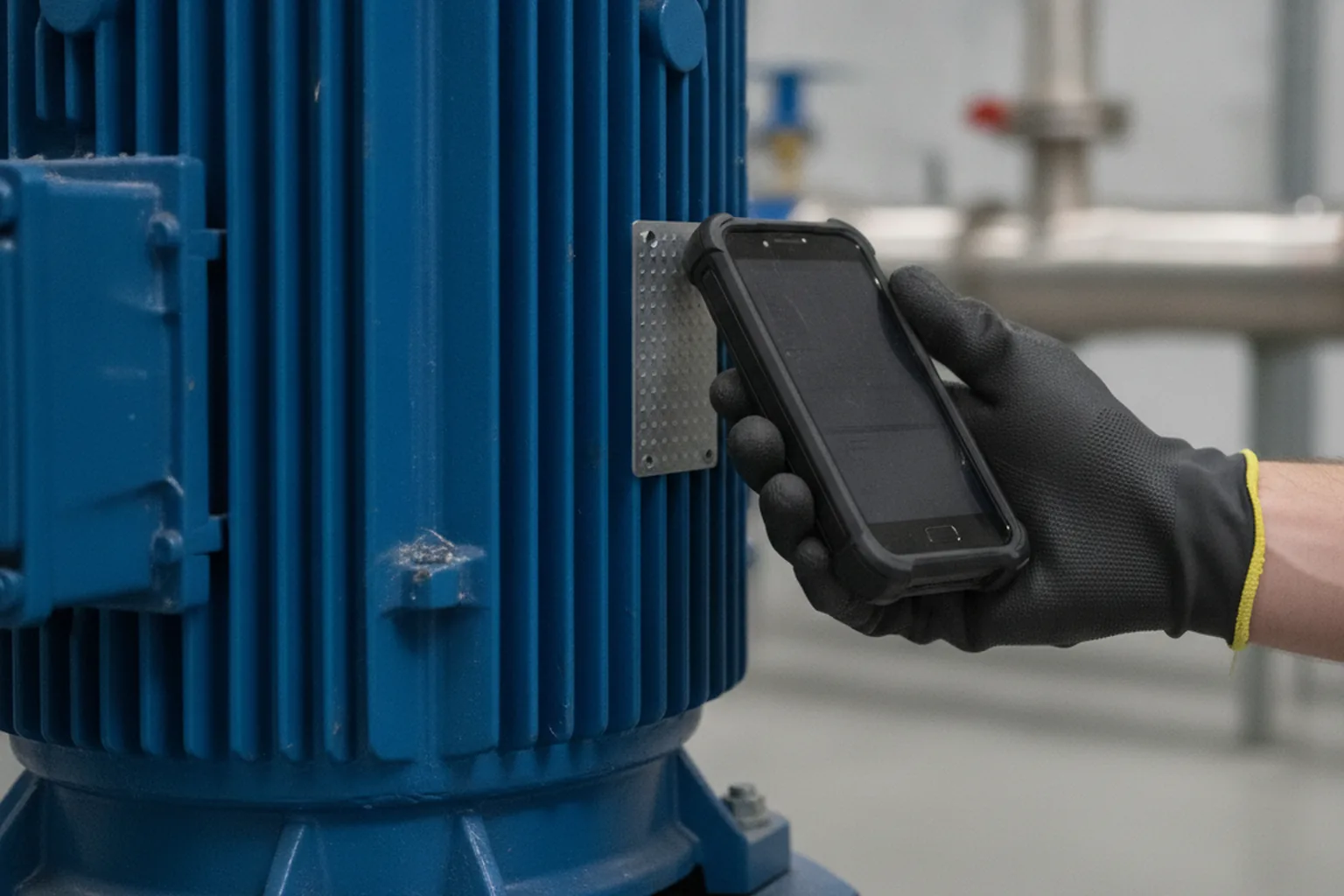
The mobile app is where a CMMS succeeds or fails, because technicians spend their day at the machine, not at a desk. It should work offline in basements and shielded areas, scan barcodes, QR codes or NFC tags to open the right asset, capture photos and readings, and sync when the network returns. Large buttons, glove-friendly controls and fast search matter more than visual polish.
Reporting and dashboards
Reporting turns maintenance records into decisions. Standard views include backlog by priority, PM compliance, downtime by asset and cause, top failure modes and maintenance cost per asset or line. Role-based dashboards help: a technician needs today's work list, a planner needs next week's capacity, and a plant manager needs trends and cost.
Safety, permits and lockout/tagout
Safety features connect maintenance work to the rules that protect technicians. In the United States, OSHA 29 CFR 1910.147 requires energy control procedures, certified training and identification of who applied each lockout or tagout device. A CMMS can store LOTO procedures per asset, require the steps before a work order starts and keep the training and inspection records that prove compliance.
How do IoT and predictive maintenance fit into a custom CMMS?
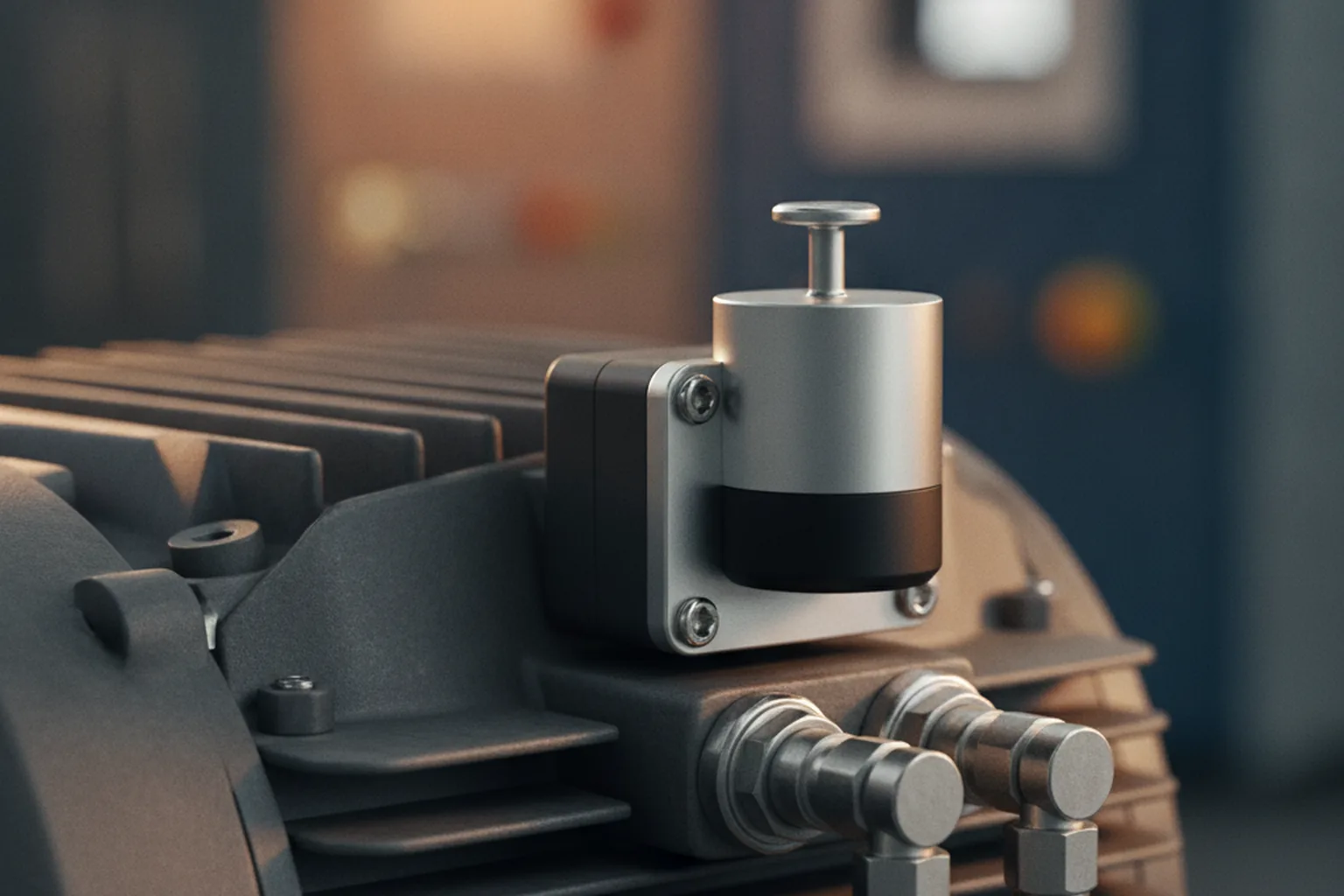
IoT turns a CMMS from a record of past work into a system that triggers work from live equipment condition. Sensors measure vibration, temperature, current or pressure, an edge gateway collects the data, and rules or machine learning models raise a work order when a reading or trend crosses a limit. This is one of the strongest reasons to build rather than buy, because sensor setups differ from plant to plant.
The savings are well documented. The US Department of Energy's Operations and Maintenance Best Practices Guide estimates that preventive maintenance saves 12% to 18% compared with purely reactive maintenance, and that a working predictive program saves a further 8% to 12% over preventive maintenance alone, with unplanned downtime cut by roughly 35% to 45%.
Two industrial protocols do most of the work:
- OPC UA carries structured, secure data from PLCs and SCADA inside the plant, with an information model that describes what each value means.
- MQTT is a lightweight publish-subscribe transport suited to sending sensor telemetry from the edge to a cloud or central platform.
A common pattern uses OPC UA on the shop floor and MQTT from the edge gateway to the CMMS backend. Start with simple threshold rules on a few critical assets, prove that the alerts are trusted by technicians, and add anomaly detection or remaining useful life models only when there is enough labeled failure history. Our guide to IoT software development covers device management and edge architecture.
Which systems should a CMMS integrate with?
A CMMS should integrate with ERP for costs and purchasing, with MES and historians for production context, with sensors for condition data and with identity systems for access control. Integrations are usually the largest and riskiest part of a custom CMMS, so they should be scoped one by one with a clear owner for each data object.
| System | Data exchanged | Direction | Typical method |
|---|---|---|---|
| ERP (SAP, Oracle, Dynamics, NetSuite) | Cost centers, purchase requests and orders, parts valuation, labor costs | Two-way | REST or OData APIs, middleware, scheduled batch |
| MES | Line status, downtime events, production schedule windows | Two-way | APIs or message queue |
| Historian and SCADA | Runtime hours, cycle counts, alarms, process values | Inbound | OPC UA, historian API |
| IoT sensors and gateways | Vibration, temperature, current, pressure readings | Inbound | MQTT over TLS |
| Identity provider | Users, roles, single sign-on | Inbound | SAML or OpenID Connect |
| EHS and quality systems | Incidents, permits, calibration and CAPA records | Two-way | APIs or file exchange |
Decide early which system is the source of truth for each record. Parts master data usually lives in ERP, the asset hierarchy in the CMMS and production schedules in MES. Our enterprise system integration guide and ERP software development guide explain the patterns in more depth.
What architecture and tech stack suit a custom CMMS?
A custom CMMS works best as a modular web platform with an offline-first mobile app, a relational database for transactional records and a separate pipeline for sensor time-series data. This split keeps work orders fast and consistent while letting telemetry scale independently.
| Layer | Common choices | Why it matters |
|---|---|---|
| Web frontend | React or Angular with TypeScript | Planner and manager screens with heavy tables, calendars and filters |
| Mobile app | Flutter, React Native or native Swift and Kotlin with a local database | Offline work, scanning, camera and sync |
| Backend | Java, .NET, Node.js or Python services with REST APIs | Business rules, scheduling engine, integrations |
| Transactional data | PostgreSQL or SQL Server | Work orders, assets and audit trails need strict consistency |
| Time-series data | TimescaleDB, InfluxDB or a plant historian | High-volume sensor readings and trends |
| Messaging | MQTT broker, Kafka or a cloud message queue | Decouples sensors, rules and integrations |
| Hosting | Cloud, on-premises or hybrid with an edge gateway | Some plants require data to stay on site |
Multi-site companies should design for multiple plants from day one: separate hierarchies, local calendars and units, and role-based access by site. Retrofitting multi-site support later is one of the most expensive changes a CMMS can face.
Security needs the same early attention, because a CMMS that reads sensor and SCADA data touches the plant network. Keep the CMMS on the IT side of a segmented network, let only the edge gateway talk to operational technology, encrypt every connection and follow IEC 62443 practices for industrial security. Role-based access, single sign-on and a complete audit log protect both safety records and the business data that flows to ERP.
Which industries benefit most from a custom CMMS?
Custom CMMS development benefits most the industries where equipment is critical, regulated or highly specific: discrete manufacturing, process industries, life sciences, food and beverage, energy and large facilities. Each one stresses a different part of the system, which is exactly where packaged tools tend to fall short.
| Industry | Typical assets | What the custom CMMS has to handle |
|---|---|---|
| Discrete manufacturing and automotive | CNC machines, robots, presses, conveyors | Line-level downtime, changeover windows, tooling life, MES and OEE links |
| Process industries and chemicals | Pumps, compressors, heat exchangers, valves | Permit-to-work, inspections of pressure equipment, shutdown and turnaround planning |
| Pharma, biotech and medical devices | Bioreactors, cleanroom HVAC, filling lines, lab instruments | Calibration, equipment qualification, Part 11 audit trails and e-signatures |
| Food and beverage | Mixers, ovens, refrigeration, packaging lines | Sanitation tasks, food safety records, allergen changeovers |
| Energy and utilities | Turbines, transformers, substations, pipelines | Geographically spread assets, GIS links, regulator reporting |
| Large facilities and campuses | HVAC, elevators, fire systems, building automation | Floor-plan navigation, tenant requests, contractor access |
The common thread is that the asset model and the workflow rules differ more between these industries than the basic work order screen does. A custom build lets you model those differences directly instead of forcing them into generic fields and naming conventions that nobody follows after the first year.
What compliance records must a CMMS produce?
A CMMS must produce trustworthy, time-stamped records showing that maintenance and safety work was planned, done and verified by the right people. Which rules apply depends on the industry and market, and the requirements are much easier to build in from the start than to retrofit.
| Rule or standard | Who it affects | What the CMMS needs |
|---|---|---|
| OSHA 29 CFR 1910.147 (lockout/tagout) | US employers servicing machines | LOTO procedures per asset, training certification, device application records, periodic inspections |
| FDA 21 CFR Part 11 | Pharma, biotech, medical device and some food manufacturers in the US | Audit trails, electronic signatures, access controls and system validation for electronic maintenance and calibration records |
| EU GMP Annex 11 | Regulated manufacturers in the EU | Similar controls for computerized systems, data integrity and validation |
| ISO 55001 | Companies certifying an asset management system | Asset lifecycle data, risk-based planning and documented processes |
| ISO 9001 and IATF 16949 | Quality-certified and automotive suppliers | Calibration schedules, equipment maintenance evidence, traceability |
For FDA-regulated plants, validation is a project in its own right: requirements, risk assessment and test evidence for the system itself. Budget time for it, and agree with your quality team which records count as GxP before the data model is final. This section is a planning guide, not legal advice, so confirm obligations with your compliance team.
How do you build a custom CMMS step by step?
A custom CMMS is built in eight steps, from discovery on the shop floor to a staged rollout and continuous improvement. The steps below assume an agile delivery with working software every two weeks, which lets technicians test real screens long before launch.
- Discovery on the floor. Walk the plant, interview technicians, planners and stores staff, and map today's work order flow, including the paper and spreadsheet steps.
- Asset and data audit. Inventory existing asset lists, PM plans, parts catalogs and history, and decide what is worth migrating.
- Scope and release plan. Define the minimum release, usually assets, work orders, PM and mobile, and push analytics and predictive features to later releases.
- UX with technicians. Prototype the mobile flows and test them with gloves on, in the noise and light of the real environment.
- Build in sprints. Develop modules and integrations incrementally, with automated tests for scheduling rules and integration contracts.
- Integrate and validate. Connect ERP, identity and sensors in a test environment, and run validation or acceptance testing where regulations require it.
- Pilot on one line or area. Run the new CMMS on a limited scope, measure adoption and data quality, and fix friction before scaling.
- Roll out and improve. Extend to other areas and sites, train super users and keep a backlog driven by maintenance KPIs.
A focused first release typically takes three to six months. Multi-site rollouts, heavy integrations or FDA validation extend that, often in stages over a year.
How do you migrate from spreadsheets or a legacy CMMS?
Migration succeeds when you clean and restructure asset data before moving it, rather than copying old problems into a new system. Most legacy data has duplicate assets, inconsistent names, missing criticality and free-text failure descriptions.
- Rebuild the asset hierarchy first, then map old asset IDs to the new structure.
- Standardize naming, units and failure codes with a simple, agreed taxonomy.
- Migrate open work orders and active PM plans in full; summarize old closed history if detail is not needed.
- Load spare parts with current stock counts taken during a physical count, not from stale records.
- Run old and new systems in parallel for a short, fixed period and then retire the old one.
Plan data cleanup as real work with an owner on the maintenance side. In our projects it can take as long as building the first module.
How much does custom CMMS software development cost?
The cost of custom CMMS software development depends mainly on the number of modules, the depth of integrations, mobile offline requirements and any validation duties. At YuSMP, fixed-scope pricing starts from $2,900 for a corporate system with roles, an admin panel and one or two integrations (6 to 10 weeks) and from $10,400 for a portal or multi-role web service with external integrations (14 to 22 weeks).
A full multi-site CMMS with a mobile app, ERP write-back, sensor feeds and validation is a larger program delivered in stages, and it is quoted after discovery. The main cost drivers are:
- Integrations: each two-way ERP or MES connection adds design, testing and error handling.
- Mobile offline sync: conflict handling and secure local storage add significant effort.
- IoT and analytics: gateways, time-series storage and alert rules form a separate workstream.
- Compliance: audit trails, e-signatures and validation documentation add both build and test time.
- Data migration: cleaning legacy asset and parts data is often underestimated.
- Multi-site and multi-language support: more hierarchies, calendars and roles to model.
Compare total cost over five years, not launch cost. Add hosting, support and change requests to the build, then set that against the subscription table above plus the integration work you would still pay for with a packaged tool. The manufacturing software development guide gives wider budget ranges for plant software.
Which maintenance KPIs should a CMMS track?
A CMMS should track a small set of reliability and efficiency KPIs that managers actually act on, calculated automatically from work order and downtime data. Calculating them consistently is only possible if work orders capture start, stop and cause properly.
| KPI | What it measures | How it is calculated |
|---|---|---|
| MTBF | Reliability of an asset | Operating time divided by number of failures |
| MTTR | Speed of repair | Total repair time divided by number of repairs |
| PM compliance | Discipline of the PM program | PM work orders completed on time divided by PM work orders due |
| Planned maintenance percentage | Share of proactive work | Planned maintenance hours divided by total maintenance hours |
| Backlog | Workload waiting | Estimated hours of open work divided by weekly crew capacity |
| Maintenance cost per asset | Where the money goes | Labor, parts and contractor cost rolled up the hierarchy |
| OEE (with MES data) | Production effectiveness | Availability multiplied by performance and quality |
What are the most common custom CMMS mistakes?
In our experience, CMMS projects stall on adoption and data quality far more often than on technology. The same patterns repeat across plants:
- Designing for the office. Screens built for planners at desks frustrate technicians on the floor, who then stop logging work.
- Too many fields. Every mandatory field lowers completion rates; ask only for what feeds a report or a rule.
- No failure code discipline. Free-text causes make reliability analysis impossible later.
- Launching everything at once. A big-bang rollout across all sites hides problems until they are expensive.
- Predictive before preventive. Machine learning cannot fix a PM program that is not followed.
- Unowned integrations. Without a clear source of truth, parts and costs drift between CMMS and ERP.
How do you choose a CMMS software development company?
Choose a CMMS software development company that has built industrial or field-service software before, can show working mobile offline apps and can talk confidently about ERP and OT integration. Generic web development experience is not enough for plant software.
- Ask for examples of maintenance, field service or manufacturing systems, including the integrations they handled.
- Check how they run discovery: a serious partner wants to see the floor and talk to technicians.
- Ask how they handle offline sync conflicts, OPC UA and MQTT data, and ERP master data ownership.
- For regulated plants, ask about validation deliverables and audit trail design.
- Confirm that you own the source code and data, and that the stack is mainstream enough to hire for later.
- Prefer a staged plan with a pilot over a single fixed launch date for all sites.
A partner who asks hard questions about your asset data and failure codes in the first meeting is usually a better sign than one who promises every feature at once.
Custom CMMS software development: FAQ
What is custom CMMS software development?
Custom CMMS software development is building a computerized maintenance management system around your own assets, work processes, spare parts and compliance records, instead of licensing a packaged tool per user. It covers asset registers, work orders, preventive maintenance scheduling, MRO inventory, a mobile technician app and reporting, connected to your ERP and shop-floor systems.
When should a manufacturer build a custom CMMS instead of buying one?
A custom CMMS makes sense when per-user subscription fees grow with a large workforce, when two-way integrations with ERP, MES or sensors are central, when regulated records such as FDA 21 CFR Part 11 are required, or when several plants need different hierarchies and rules. Small single-site teams with standard equipment are usually better served by an off-the-shelf CMMS.
How long does it take to build a custom CMMS?
A focused first release with assets, work orders, preventive maintenance and a mobile app typically takes three to six months. Multi-site rollouts, deep ERP and MES integrations, IoT condition monitoring or FDA validation extend the timeline, and these are usually delivered in stages over a year.
How much does custom CMMS development cost?
Cost depends on modules, integrations, mobile offline needs and validation. At YuSMP, fixed-scope pricing starts from $2,900 for a corporate system with roles and one or two integrations and from $10,400 for a portal or multi-role web service. A full multi-site CMMS with ERP write-back and sensor feeds is quoted after discovery.
What is the difference between a CMMS and an EAM system?
A CMMS focuses on day-to-day maintenance work: work orders, preventive maintenance schedules, spare parts and maintenance history. An EAM system covers the whole asset lifecycle, including acquisition, depreciation, risk and replacement planning. Many custom builds start as a CMMS and add EAM features later.
Can a custom CMMS support predictive maintenance?
Yes. A custom CMMS can receive sensor data through OPC UA or MQTT, apply threshold rules or machine learning models and create work orders automatically when equipment condition crosses a limit. The US Department of Energy estimates that a working predictive program saves 8% to 12% more than preventive maintenance alone.
What should I look for in a CMMS software development company?
Look for experience with industrial or field-service software, proven offline-first mobile apps, ERP and OT integration skills, and validation experience if you are FDA-regulated. Confirm that you will own the code and data, and prefer a partner who proposes discovery on the floor and a staged pilot.
Sources
- Siemens, The True Cost of Downtime 2024
- US Department of Energy, Federal Energy Management Program, Operations and Maintenance Best Practices Guide, Release 3.0
- OSHA, 29 CFR 1910.147, The control of hazardous energy (lockout/tagout)
- eCFR, 21 CFR Part 11, Electronic Records; Electronic Signatures
- ISO, ISO 55001, Asset management: Management systems: Requirements
- Siemens, ISA-95 framework and layers
- Vendor pricing pages checked November 2026: MaintainX, UpKeep, Fiix