Studios on a map
City, studio and distance
Fitness · Studio Chain · iOS + Android
An app for clients of a stretching and fitness studio chain: pick a studio and class type, browse a filtered schedule, book, reschedule or join a waitlist, buy memberships, freeze them and manage an auto-renewing subscription. We designed and built the product from scratch, 22 screens for iOS and Android.
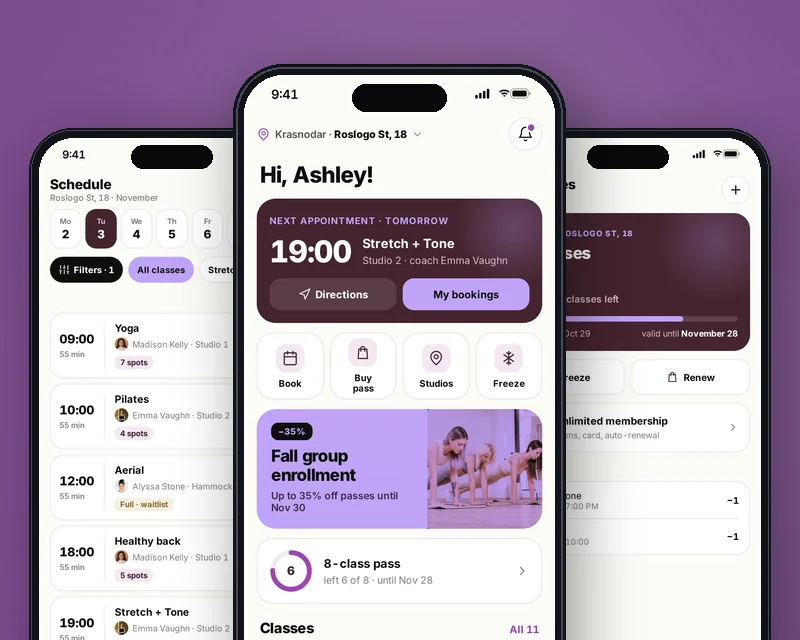
In short: what the product is and who we built it for.
FlexLab is an app for a stretching and fitness studio chain: 27 studios in 12 cities and 11 class types, from classic stretching to aerial hammocks and Pilates. Clients book group classes, buy memberships and often reschedule.
We built an app in which clients find a nearby studio, pick a class from the schedule, book it or join the waitlist, and then buy or freeze a membership without calling the front desk.
The chain needed to take load off studio front desks: most calls were about booking, rescheduling and memberships. The app had to handle these flows on its own while also selling memberships, subscriptions and trial classes.
With many studios and instructors, clients need fast filtering, and studios need full classes with no empty spots after cancellations.
Studios and class types. Choose a city and a studio on a map or in a list, browse class cards with descriptions and intensity, and view instructor profiles with ratings and upcoming classes.
Schedule and booking. Filters by class type, instructor and time, plus the number of open spots. If a class is full, the client joins the waitlist and gets a push when a spot opens.
Memberships. Class packs and an Unlimited subscription, payment by card, Apple Pay or Google Pay, receipt by email. Remaining classes and expiry date are always visible on the home screen.
Flexibility. Reschedule without losing a class, freeze a membership for up to 14 days with dates picked in a calendar, and manage auto-renewal and notifications.
We mapped the journeys of new and returning clients, broke them into screens and built the interface from design system components: class cards, filters, payment sheets and calendars are reused across all sections.
The app is built in Flutter for iOS and Android with a Laravel backend for bookings, memberships and subscriptions. Integration with the studio management software keeps schedules, bookings and memberships in sync with the system the front desk already uses. Payments, waitlist alerts and freezes were tested on both platforms before launch.
 FlutteriOS and Android from one codebase
 LaravelBackend: bookings, memberships, subscriptions
In a fitness app, every extra second before booking hurts. We counted the taps from opening the app to a confirmed class and cut everything that did not help: the next booking and remaining classes sit on the home screen, and filters remember the client's choices.
We also turned the chain's rules into clear interface states. Rescheduling, cancellations, the waitlist and freezes behave the same in every studio, and the client sees limits and fees before confirming, not at the front desk.
Key capabilities that solved the business problem.
City, studio and distance
Filters by class type, instructor and time
No class lost, pick a new time
Push when a spot opens
Class packs and Unlimited subscription
Up to 14 days, pick the dates
Visits, payment methods, notifications
Key app screens, step by step.
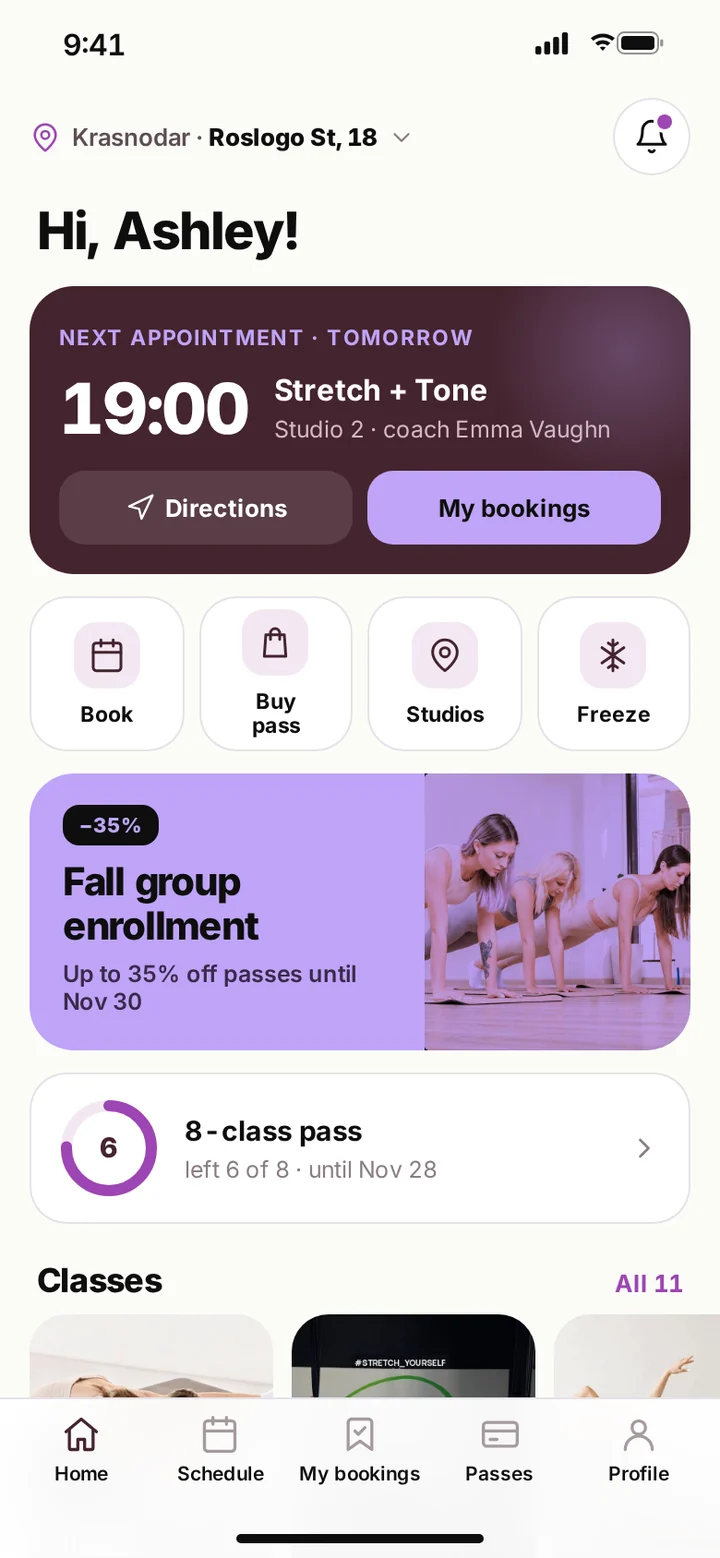
The next booking with directions to the studio, quick actions, a promotion and the classes left on the membership. Everything used most often is on one screen.
Below are the studio's class types as cards, each leading to the schedule for that kind of class.
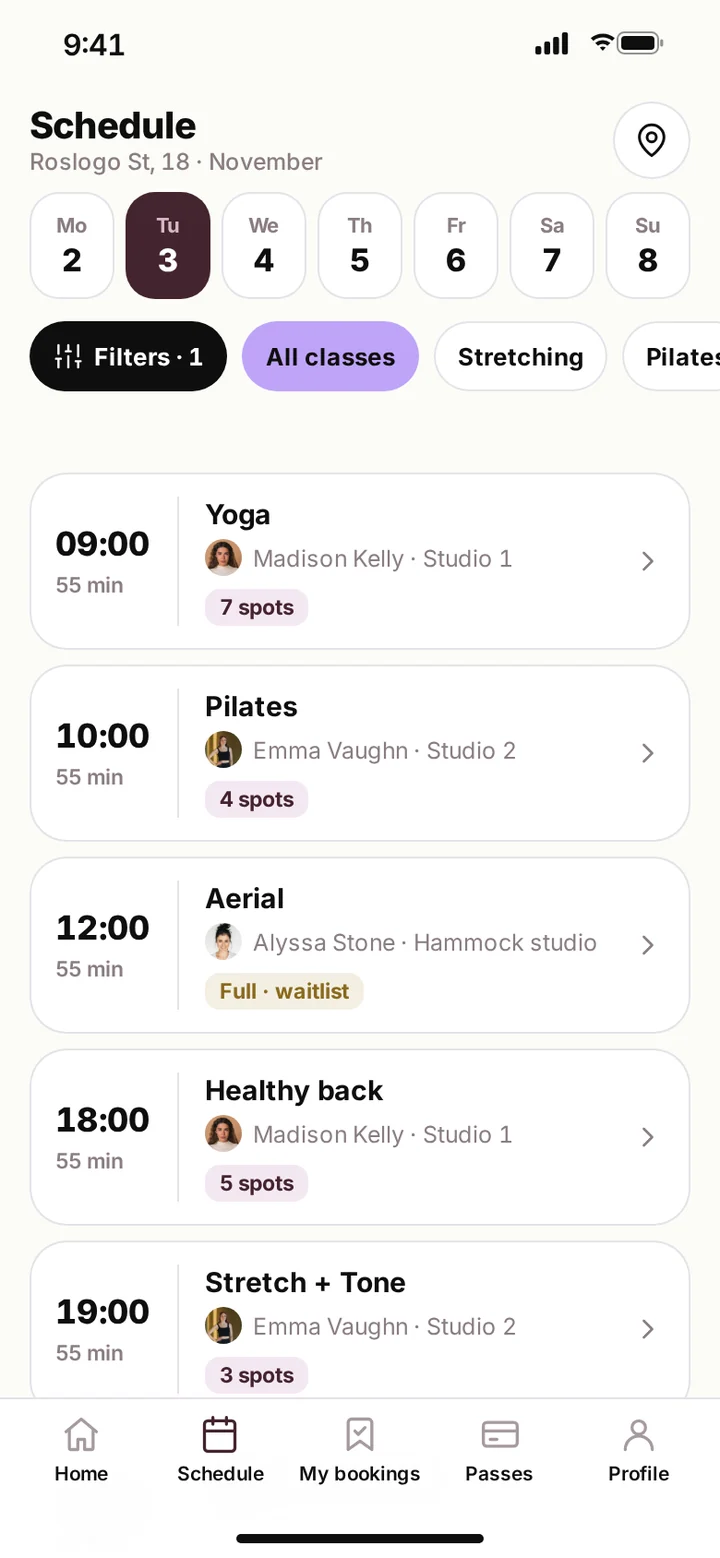
The week by day with filters by class type and instructor. Each class shows the room, instructor and number of open spots.
When a class is full, a waitlist badge appears next to it, and joining the queue takes one tap.
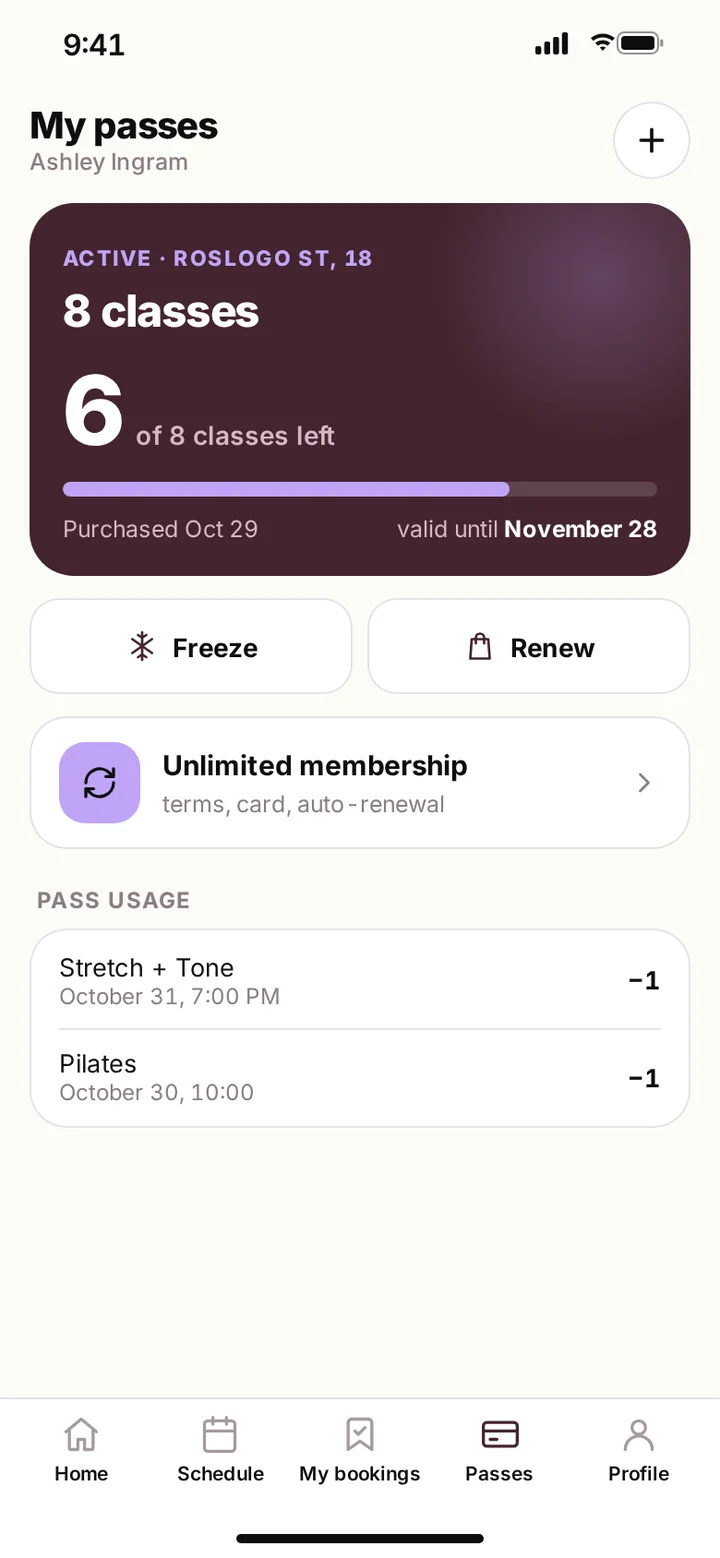
The active membership with classes left and expiry date, the subscription, and a history of deductions for each visit.
From here the client can freeze or renew a membership without involving the front desk.
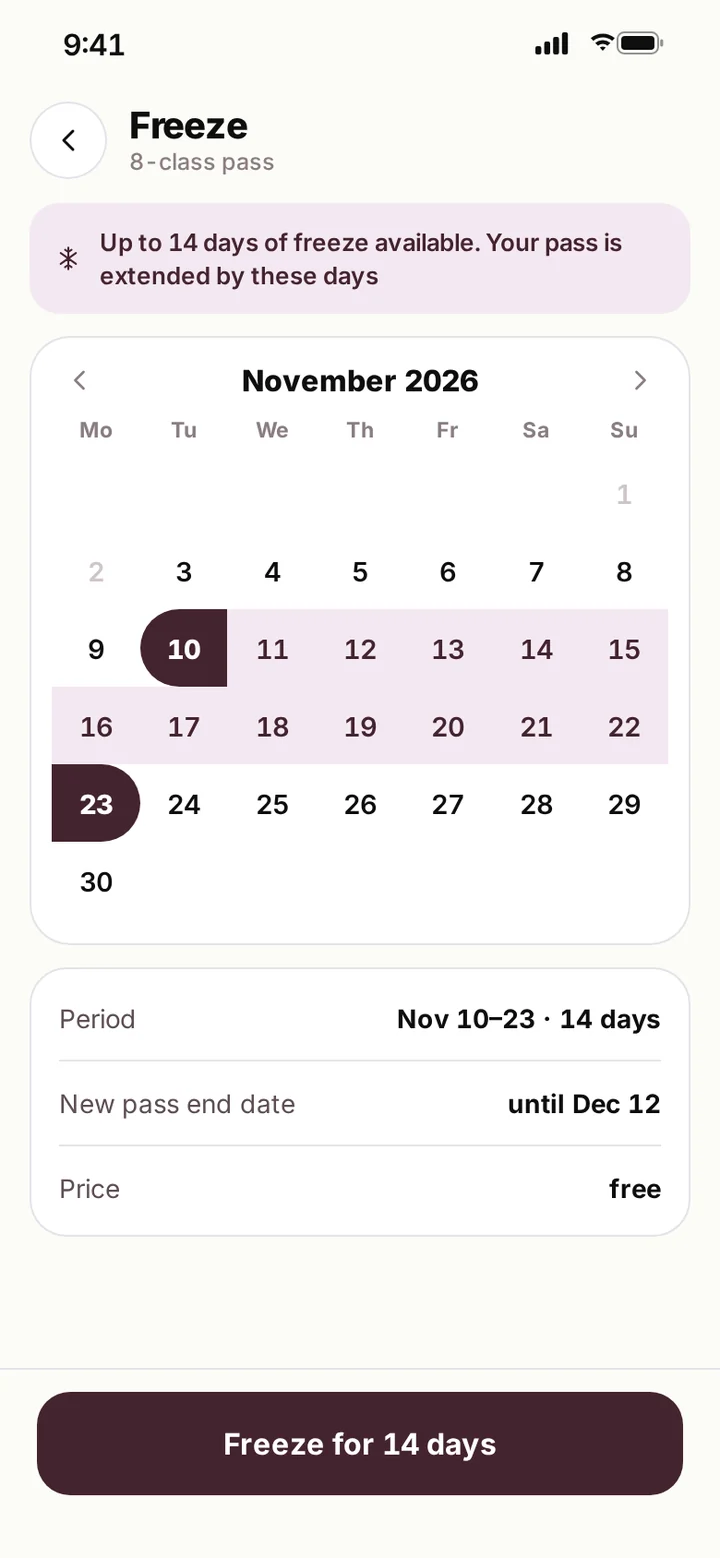
The client picks a period in the calendar, and the app instantly shows the new membership end date.
The 14-day limit and the freeze fee are shown before confirmation, which means fewer disputes at the front desk.
The demo runs in your browser, no install needed. Walk through the key flows yourself: screens are linked, and buttons, fields, sheets and error states all work. It is best viewed on a phone; on a desktop it is shown inside a device frame.
The app stores client contacts, visit history and linked cards. Sign-in uses an SMS code, card data is never stored in the app, and payments go through a secure payment gateway.
Personal data processing follows the client's jurisdiction, GDPR in the EU and applicable US state privacy laws, and subscription and auto-renewal terms are shown to the client before payment.
22 screens in the app.
27 studios in 12 cities, on a map or in a list.
Filtered schedule with a waitlist.
Memberships, an auto-renewing subscription and freezes of up to 14 days.
Push and SMS notifications about classes and open spots.
One Flutter codebase for iOS and Android.
Show the schedule, book classes, reschedule and cancel visits, run a waitlist, sell memberships and subscriptions, freeze memberships and send class reminders.
Yes. The live demo opens via the link on this page in a phone or desktop browser, no install needed.
Yes. Schedules, bookings and memberships sync with your studio management software via API, and the front desk keeps working in the system it knows.
Yes. The city and studio picker is simply hidden, and all other flows work the same way.
Usually from 3–4 months, depending on the feature set, integrations and payment flows. After a short discovery call, we prepare a timeline and budget estimate.
Companies from retail, medtech, logistics and e-commerce that we helped build digital products.












The full spectrum of development — from native mobile apps to web platforms, AI and cloud. Pick a direction or order a turnkey project.
Native iOS & Android plus cross-platform Flutter and React Native — from MVPs to apps with millions of installs.
Learn moreNative Swift / SwiftUI iOS apps — with Apple Pay, Sign in with Apple, App Store Connect deployment pipelines.
Learn moreNative Kotlin / Jetpack Compose Android apps — Material 3, Google Play release pipelines, Firebase integration.
Learn moreSingle Dart codebase across iOS, Android, web and desktop — with native modules where needed.
Learn moreProduction web apps on React, Next.js, Vue and Node — SaaS dashboards, B2B portals, marketing-conversion stacks.
Learn moreREST, GraphQL and gRPC APIs — designed for partners, mobile clients and internal microservices.
Learn moreBespoke platforms for mid-market and enterprise teams — internal tools, vertical SaaS, mission-critical backends. Discovery to launch in 12–36 weeks.
Learn moreFocused MVPs in 12–20 weeks — one or two integrations, real users on day one, telemetry built-in.
Learn moreEnd-to-end ownership of a digital product — design, build, ship and continuous evolution.
Learn moreTool-using agents that plan, retrieve, act and self-evaluate — in customer service, ops automation, internal copilots.
Learn moreAWS, Azure and GCP architecture, Kubernetes, Terraform/Pulumi, CI/CD and observability — SRE-grade operations for product teams.
Learn moreTechnical SEO, Core Web Vitals, structured data, internal-link architecture — built into your engineering process.
Learn moreRelated cases
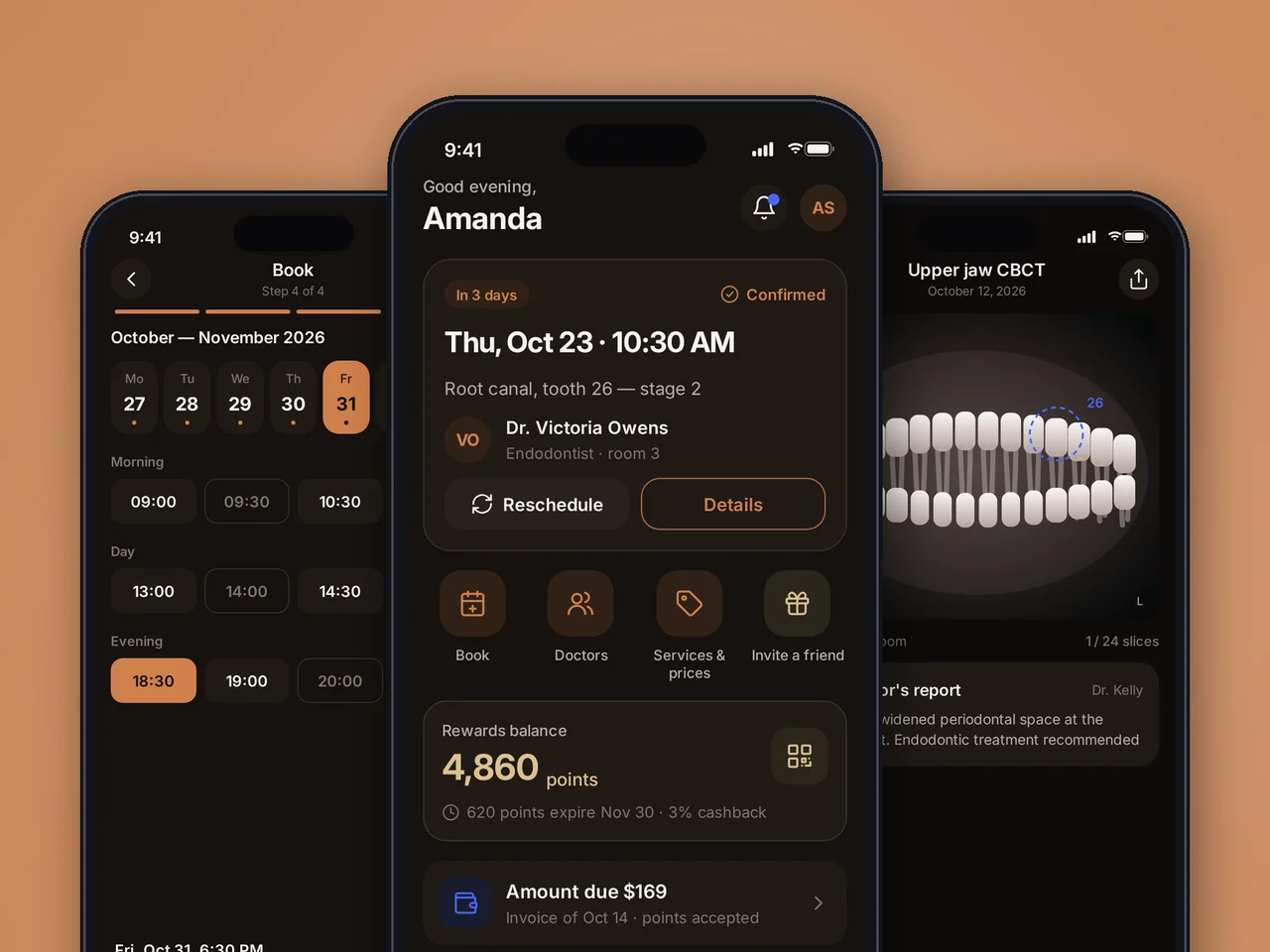
Dental patient app: online booking, medical records with scans, paying with reward points. 73 screens, iOS and Android.
View case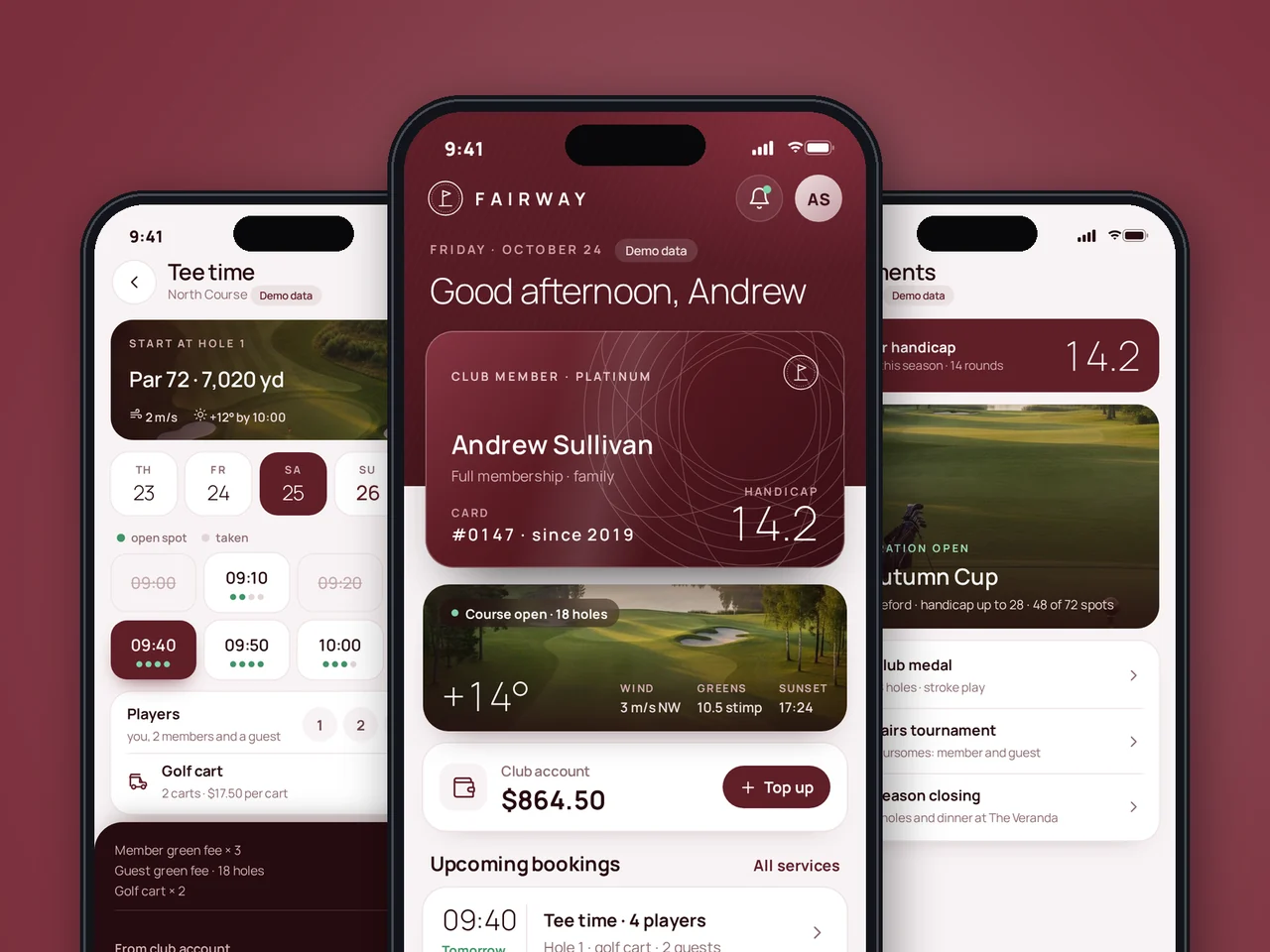
Golf club member app: tee time booking, guest passes, spa, dining and tournaments. iOS and Android.
View case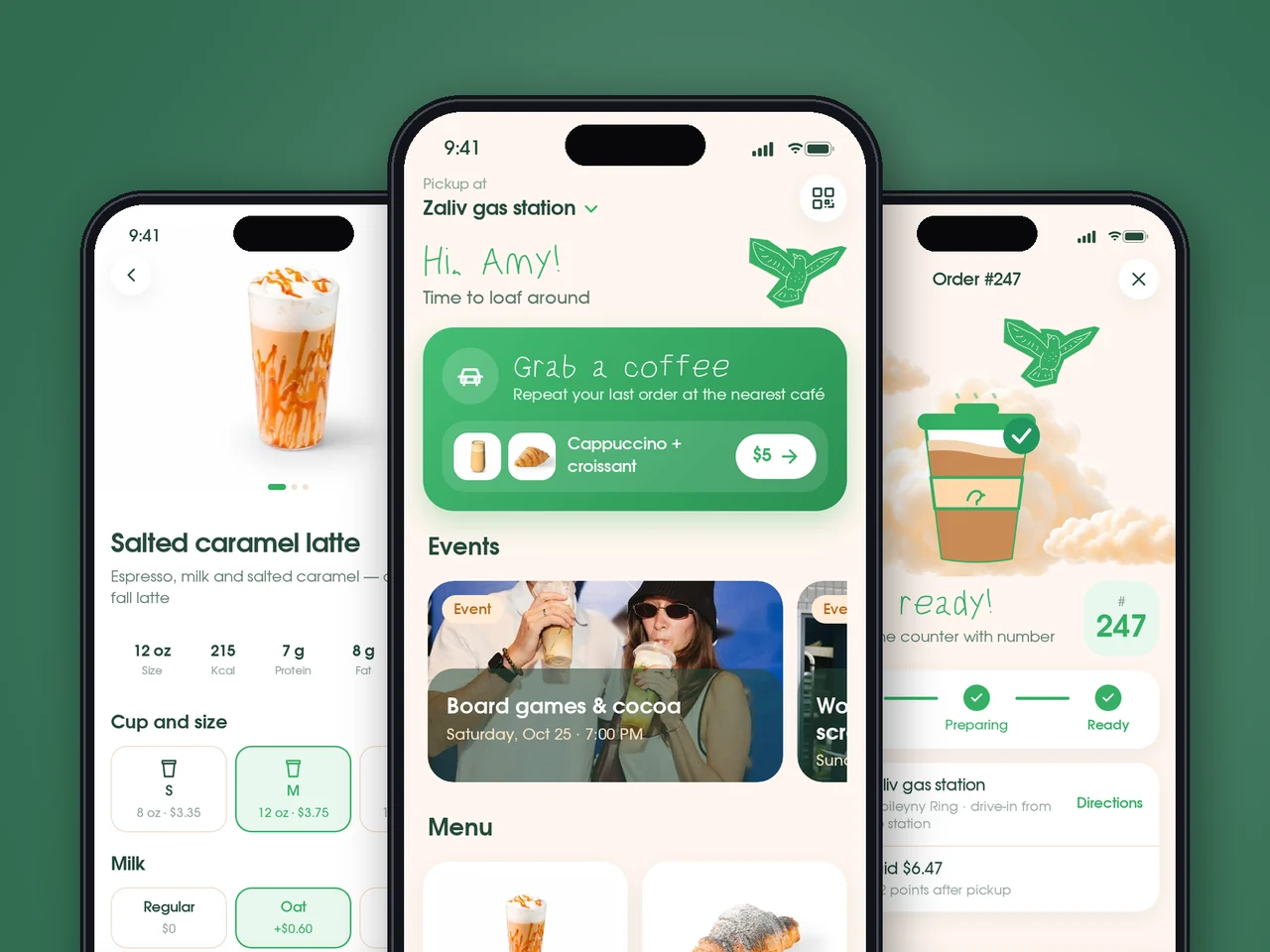
Bakery cafe app: order ahead for pickup, one-tap reorder, order status and QR rewards. 46 screens, iOS and Android.
View case20 articles across 5 categories — engineering-led guides on AI, SaaS, MVP, compliance and mobile for US and EU product teams.

Performance-tested comparison of RN (New Architecture) and Flutter (Impeller) across hiring, time-to-market and EU/US compliance.
Read article
Real cost ranges by region (US onshore, Western EU, EU nearshore), team and feature scope. With a worked fintech example.
Read article
Data-driven framework for choosing iOS-first or Android-first in 2026 — US & EU market share, ARPU, review timelines, EU DMA.
Read articleTell us about your product: we will map the key user flows, design the interface and estimate development timeline and budget within 1–2 business days.
Share a few details and a senior consultant will reply within one business day.
Email: sales@yusmpgroup.com
Phone: +374 44 871 811
Offices: KAMAR Business Center, Vazgen Sargsyan St. 2, Yerevan, Armenia · Remote — East-Coast US overlap (9 AM–1 PM ET)