

Watercraft catalog
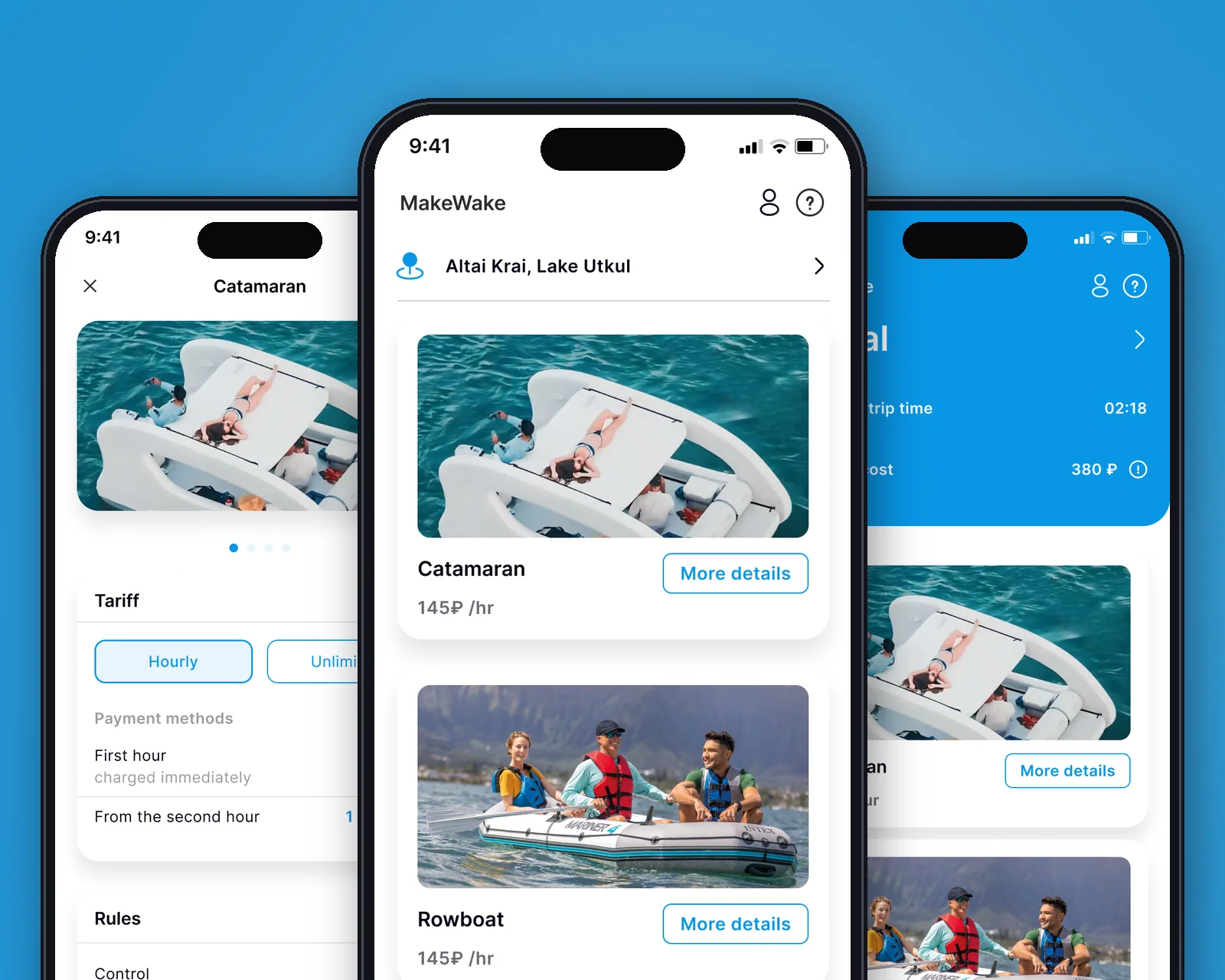
A list of the available fleet with hourly prices, pedal boats and rowboats, linked to the user’s lake.
Watercraft rental · Android
MakeWake is a watercraft rental app: users pick a boat, book it and pay from their phone, while the operator runs the whole rental in one system. A ride starts with a QR scan on board, pricing is hourly, payment by card or SBP. Stack: Kotlin (Android), PHP back end, 1C integration.
In short: what the product is and who we built it for.
MakeWake is a mobile app that turns a smartphone into a single point of rental for watercraft on a lake. The user opens a catalog of nearby boats, browses the available pedal boats and rowboats, picks one and starts the rental by scanning a QR code right on board. Everything that used to go through the cash desk and an attendant, from choosing and booking to pricing and payment, is packed into one on-screen flow.
The project was built around a real rental business in Altai (Lake Utkul): the app shows the fleet with an hourly price, a pricing plan with the first hour charged upfront and per-minute billing from the second hour, plus operating and safety rules. Data on boats, prices and rides is synced with the operator’s 1C accounting system, so the cash desk and the app work with the same availability and prices.
A traditional watercraft rental depends on an attendant: the customer comes to the pier, waits for a free staff member, gets the rental filled out by hand, pays in cash and has the ride closed out manually as well. In peak season this means queues, lost time and accounting errors: how many pedal boats are on the water, who took a boat and for how long, and how much time actually passed.
The goal was to design and develop an Android app that lets people rent a boat from their smartphone without a cashier: choose a craft, book it with an automatic availability check, pay online and end the ride themselves. At the same time, everything had to stay under the operator’s control and flow into its accounting system.
How we built the product, from architecture to process.
We built an end-to-end rental flow on a single device: a fleet catalog geo-linked to the lake, a boat card with photos, pricing and rules, a QR-code ride start, an active rental with a timer and running cost, and finally ending and paying. Each step is designed so the customer can complete it alone, without an attendant at the pier.
The client side is written natively in Kotlin for direct access to the phone’s system APIs: maps and geolocation (to show the fleet on the nearest lake or let the user pick a lake manually), the camera for QR scanning and push notifications. The PHP back end exposes a REST API and does not store card data: payment goes to an external payment gateway, while rides and availability are synced with the operator’s 1C.
Tools chosen to fit the product’s goals.
The client side is built in Kotlin, the official Android language, with full access to system APIs, push notifications and background processes without limitations. For a rental app this means reliable maps and geolocation, a fast, responsive interface and clean payment queues.
The PHP back end provides a reliable REST API for data exchange with 1C: the catalog, boat status and payment confirmations. Alternatives were considered: React Native (faster start, but a weaker payment UX and limited access to native payment APIs) and Flutter (similar capabilities, but a separate build chain). Native Kotlin was chosen because of the payment flow and UX requirements.
Key capabilities that solved the business problem.
A list of the available fleet with hourly prices, pedal boats and rowboats, linked to the user’s lake.
Start a ride by scanning the QR code on board, with no paperwork through an attendant.
The first hour is charged upfront, then per-minute billing; the ride cost is calculated in real time.
Sign in with a phone number and an SMS confirmation code, no password needed.
Pay by card (Mir, Visa, Mastercard) or via SBP; card details can be saved, but the app does not store them.
The app shows the fleet on the nearest lake by geolocation or lets the user choose a lake manually.
Key product screens, step by step.
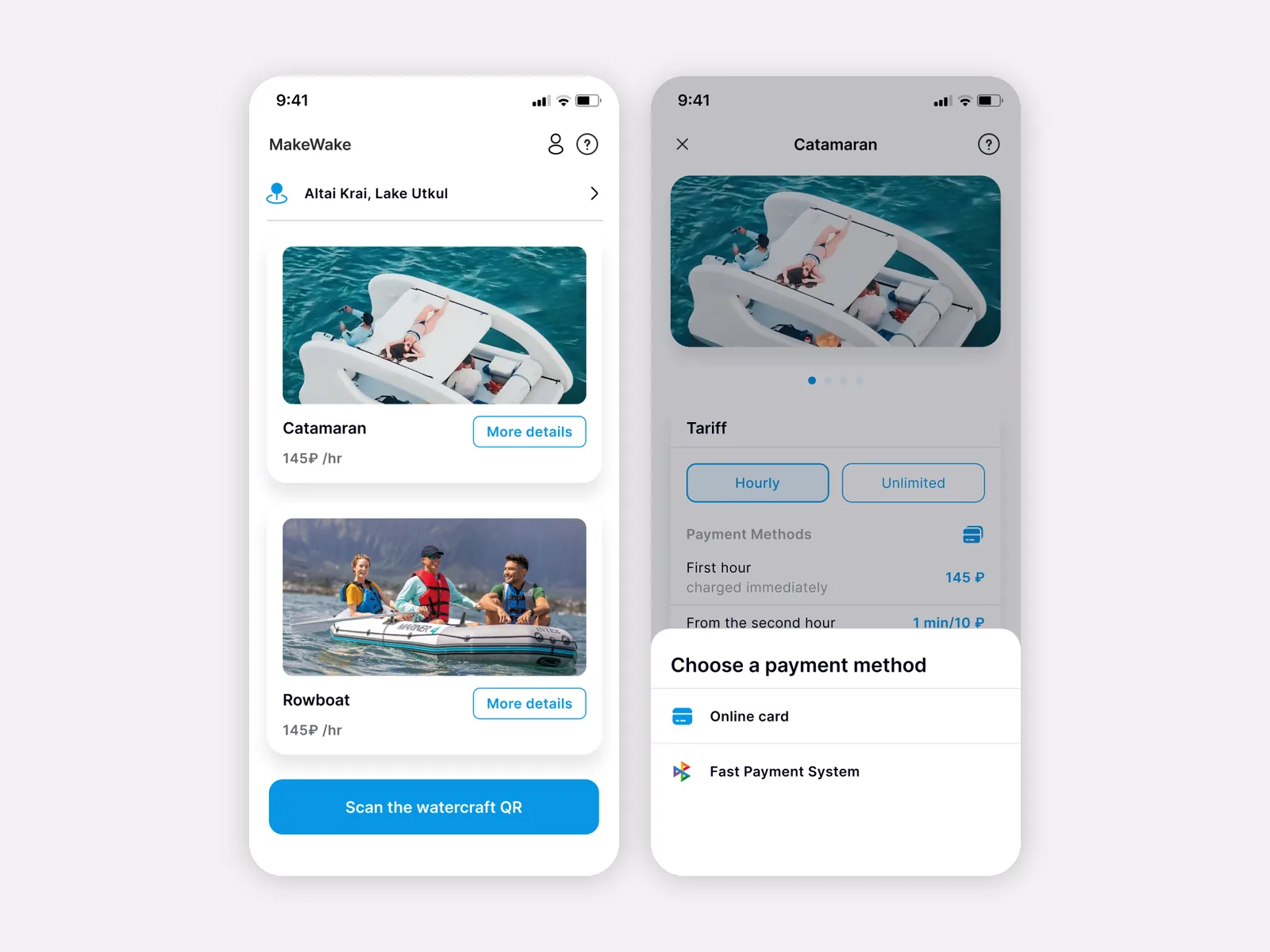
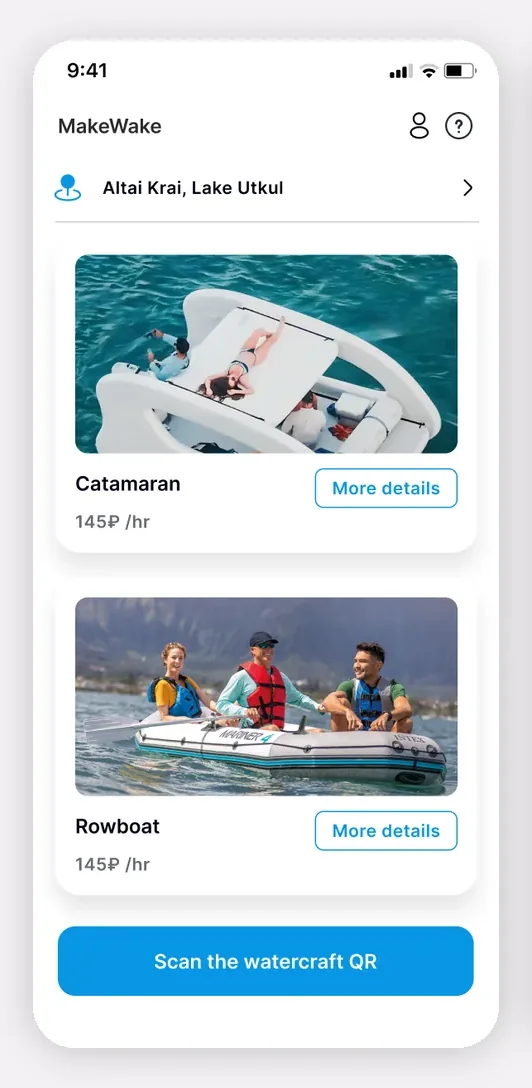
The home screen opens with the user’s location, “Altai Krai, Lake Utkul”, and a feed of the available fleet: “Pedal boat” and “Rowboat”, each with an hourly price, a photo and a “Details” button.
Pinned at the bottom is the main call-to-action button, “Scan the boat’s QR code”, which starts a rental right on the water without going to an attendant.
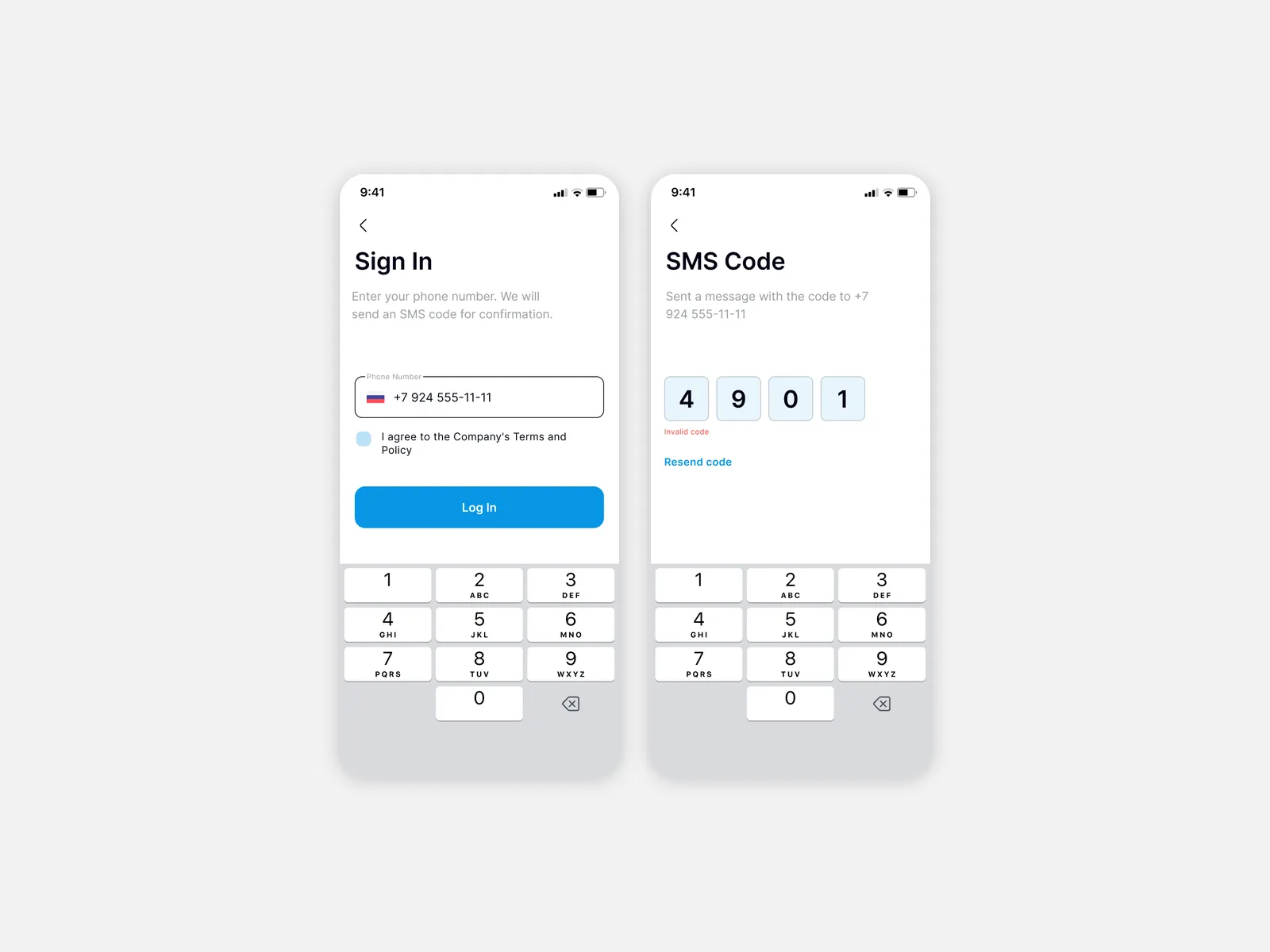
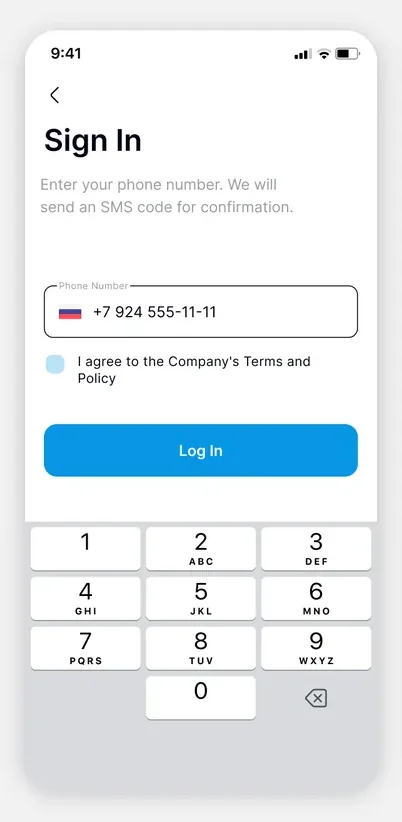
Sign-in is passwordless: on the “Sign in” screen, the user enters a phone number, accepts the company’s Terms and Privacy Policy and receives an SMS code.
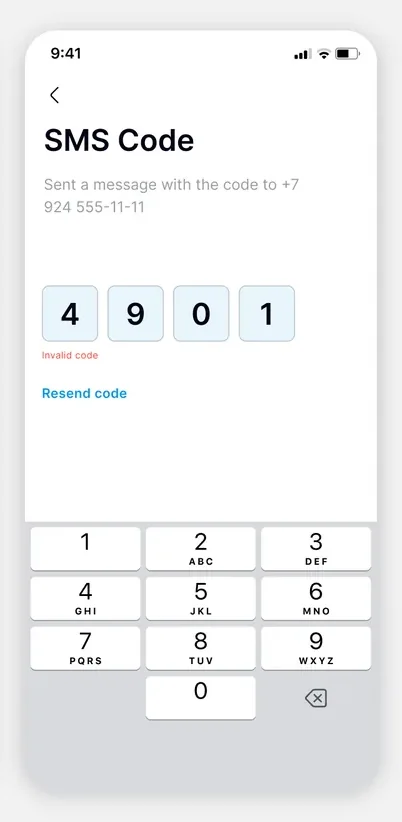
A separate “SMS code” step confirms the code and allows resending it. The app’s badge, a pedal boat, also appears here.
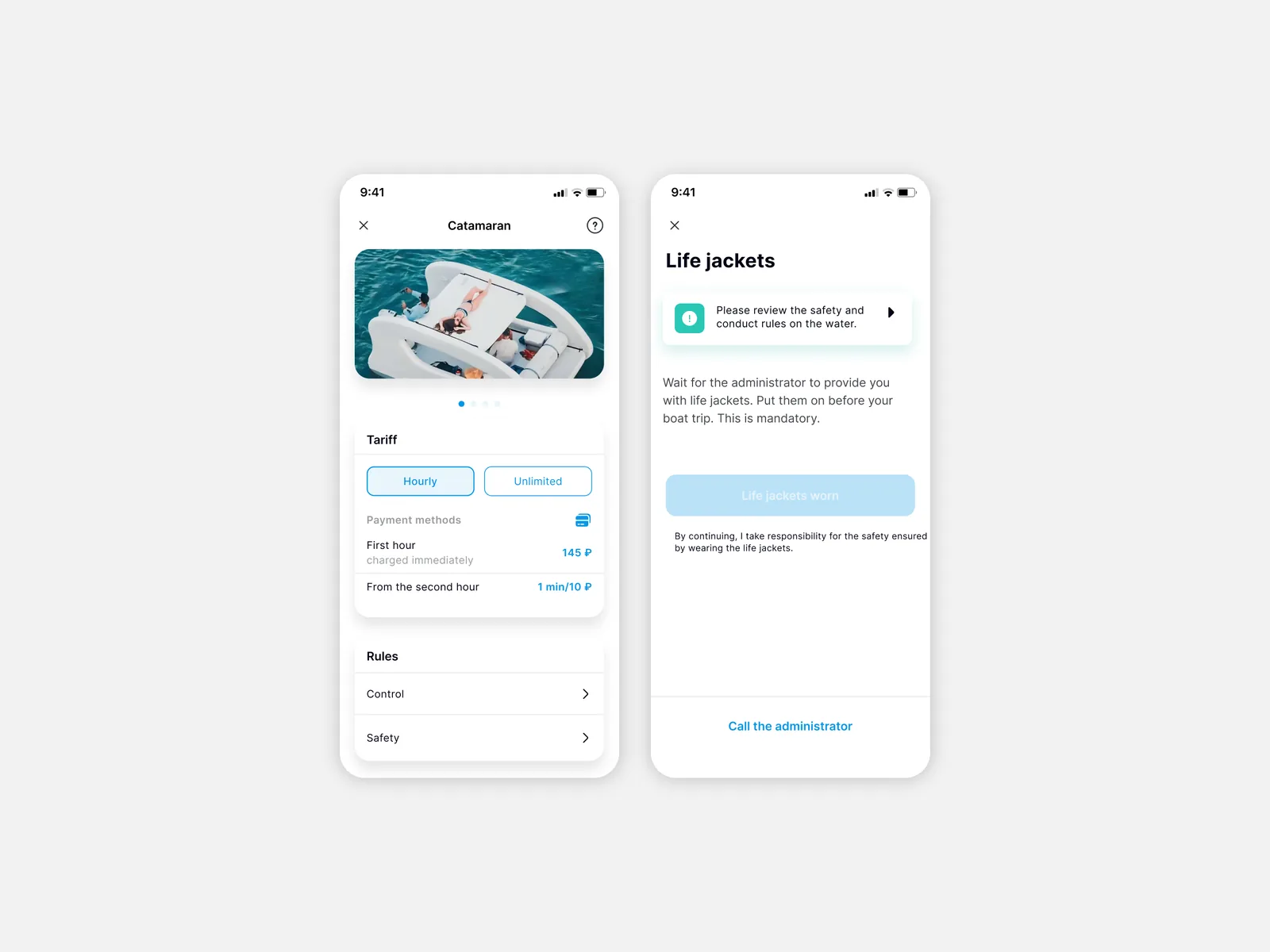
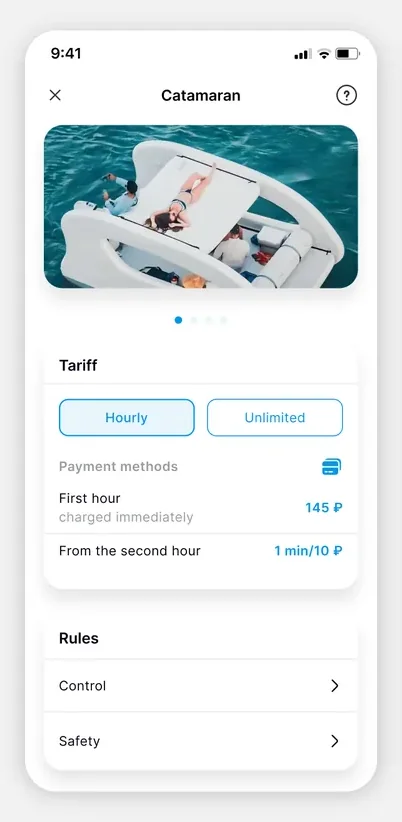
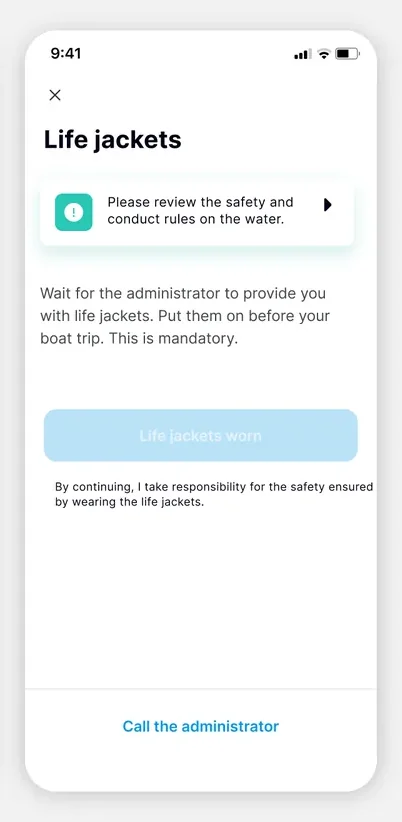
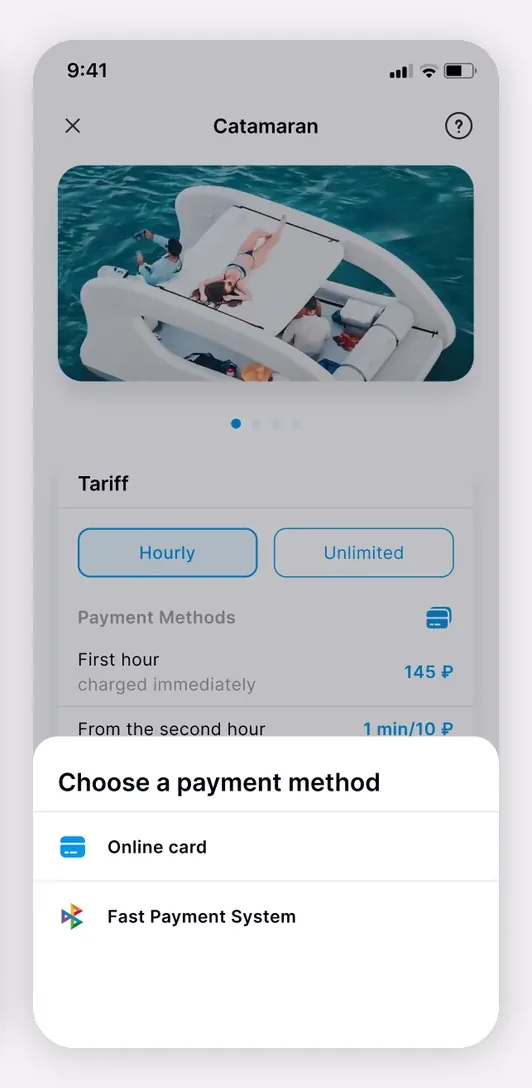
The “Pedal boat” card features a photo carousel, an “Hourly / Unlimited” plan switch and a “Payment terms” block: the first hour is charged upfront, and per-minute billing applies from the second hour.
Below is a “Rules” section with “Operation” and “Safety” items, so the user understands the conditions and how to use the boat before renting.
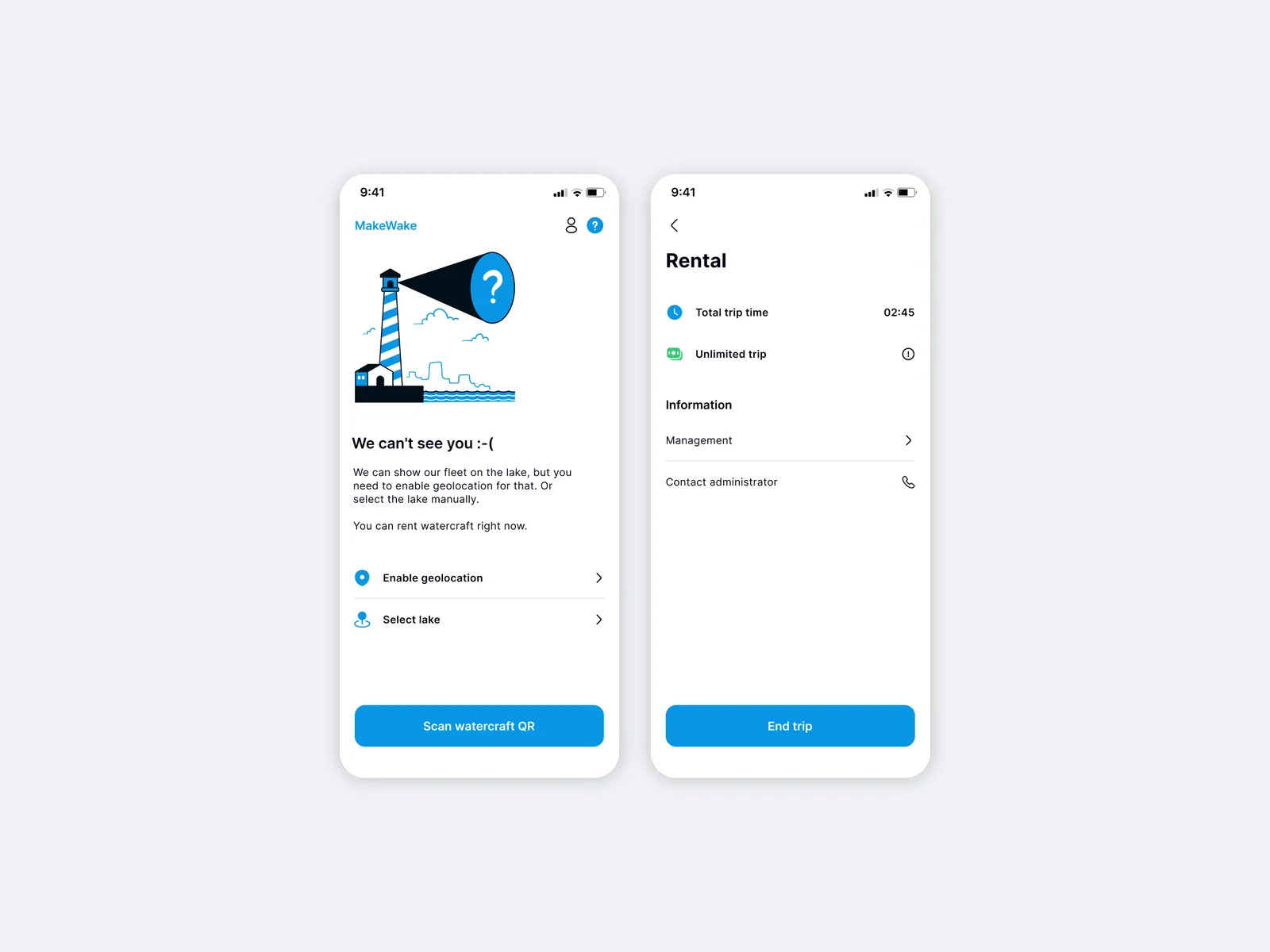
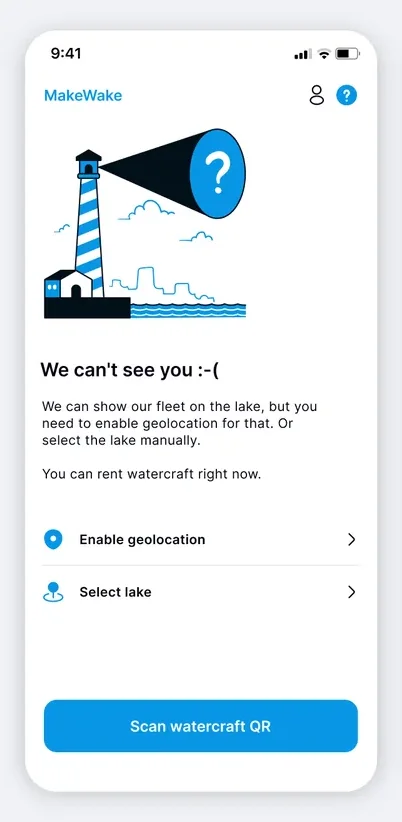
If geolocation is off, the app shows a “We can’t see you :-(” screen offering to turn on geolocation or choose a lake manually, while a boat can still be rented right away with the “Scan the boat’s QR code” button.
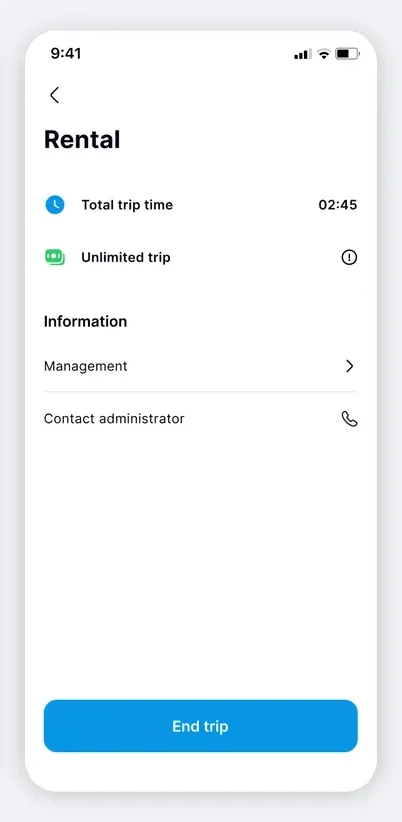
During the ride, the “Rental” screen shows total time and the running cost in real time (02:45, unlimited ride) along with an “End ride” button.
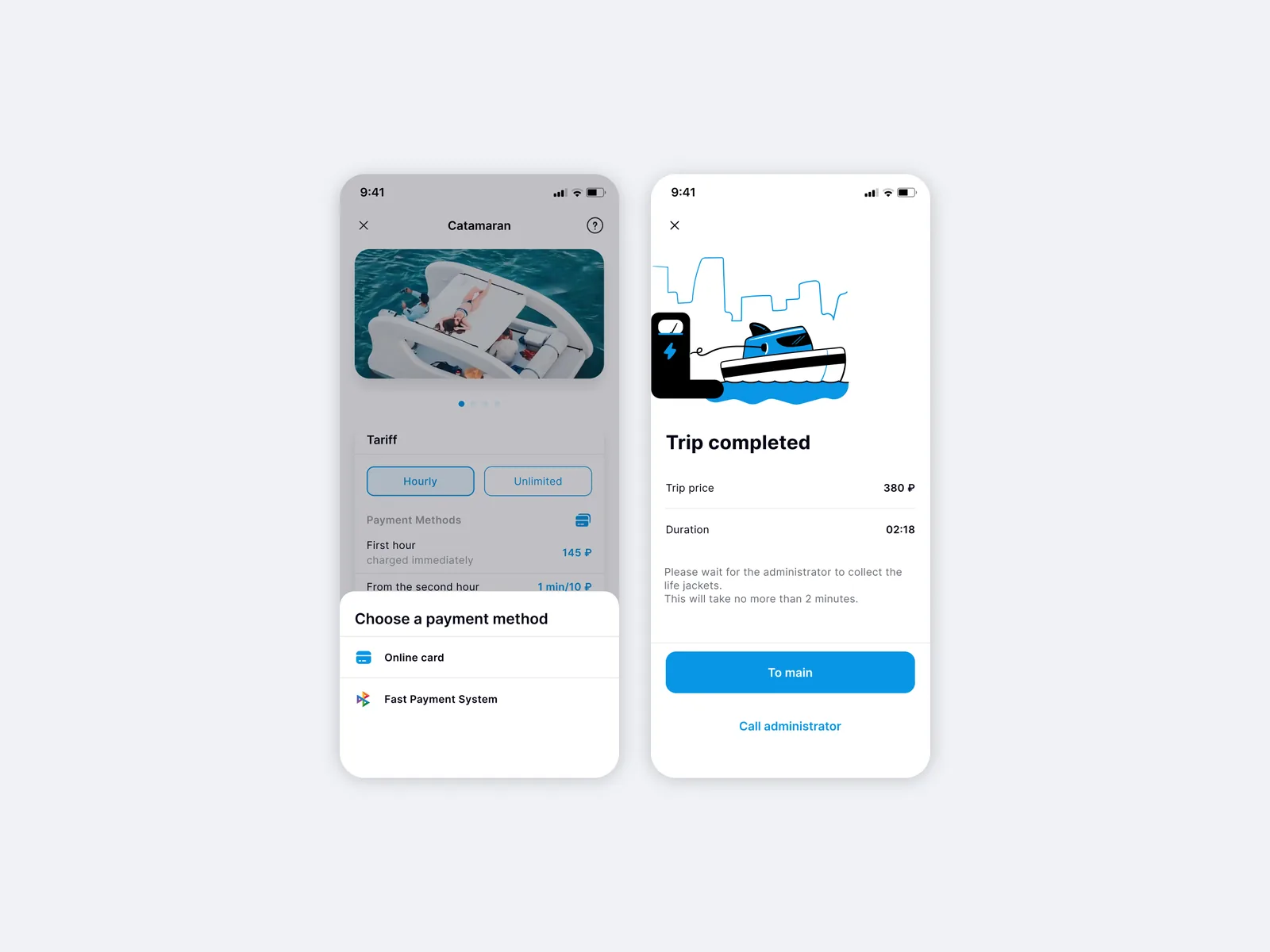
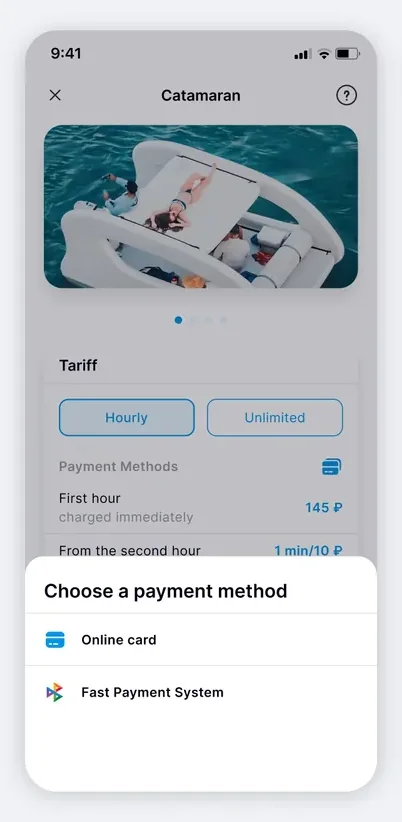
Payment is a single flow: “Choose a payment method” (card online or the Faster Payments System, SBP), then a “Payment” screen to pick a saved card or add a new one (Mir, Visa, Mastercard, number, expiry date, CVV).
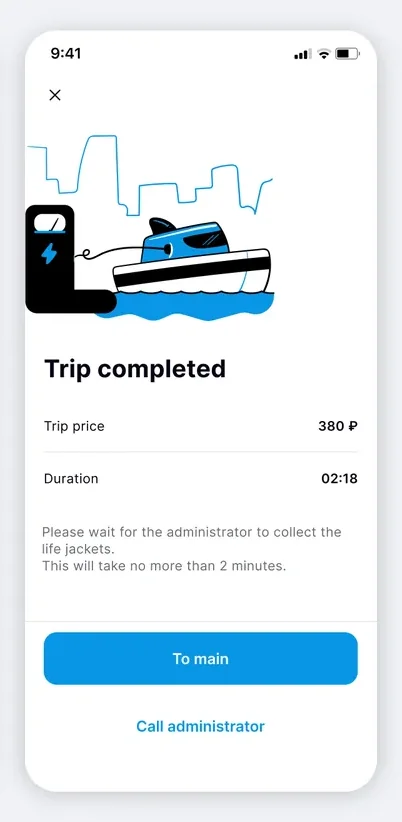
After the ride, a “Ride completed” screen shows the price and duration (02:18), with “Home” and “Call an attendant” buttons in case help is needed at the pier.
The app processes users’ personal data and ride data, so processing follows the requirements of the client’s jurisdiction.
The payment flow does not store bank card data: payment goes through an external payment gateway, and the back end works via a REST API and syncs with the 1C accounting system.
The app collects the user’s personal data: name, contacts and booking history. Geolocation data (the user’s coordinates) is used only to find the nearest boats and is not shared with third parties.
Personal data is processed under the requirements of the client’s jurisdiction and stored on the client’s servers, with role-restricted access.
One native Android app as a single point of watercraft rental for users.
The full journey, from choosing a boat to booking and payment, within one interface.
1C integration: the watercraft catalog, bookings and accounting sync automatically.
PHP back end plus a native Kotlin client: a reliable API and full access to Android system APIs.
Ready for Google Play publication: release artifacts built and Google Play checklists passed.
A typical MVP window for a native Android app with 1C is 16–24 weeks (an industry range, not a guarantee).
The cost depends on the number of integrations (accounting system, payment gateway, maps and GPS), the set of screens and the personal data processing requirements. We provide an exact estimate after analyzing the specification.
The app gives users full control: a catalog of available boats, an availability calendar, payment in one place and a booking history. There is no dependence on a manager answering the phone and no manual entry errors. For a rental business, this means real bookings at any time, without calls.
1C sends catalog updates (boats, prices, availability) via an API; the back end processes the queue and syncs the data. Bookings and payment confirmations go through the back end and do not reach 1C directly (separation of responsibilities). The integration type is agreed during the discovery phase.
Users’ personal data (name, phone number, booking history) is stored on the client’s servers under the requirements of the client’s jurisdiction. Payment details are processed through an external gateway without storing card data. We also provide template documents such as a personal data processing policy.
The typical range for a native Android app with a back end and 1C integration is 16–24 weeks, depending on the number of integrations and the complexity of the business logic. We fix the exact timeline after discovery.
Companies from retail, medtech, logistics and e-commerce that we helped build digital products.
The full spectrum of development — from native mobile apps to web platforms, AI and cloud. Pick a direction or order a turnkey project.
Native iOS & Android plus cross-platform Flutter and React Native — from MVPs to apps with millions of installs.
Learn moreNative Swift / SwiftUI iOS apps — with Apple Pay, Sign in with Apple, App Store Connect deployment pipelines.
Learn moreNative Kotlin / Jetpack Compose Android apps — Material 3, Google Play release pipelines, Firebase integration.
Learn moreSingle Dart codebase across iOS, Android, web and desktop — with native modules where needed.
Learn moreProduction web apps on React, Next.js, Vue and Node — SaaS dashboards, B2B portals, marketing-conversion stacks.
Learn moreREST, GraphQL and gRPC APIs — designed for partners, mobile clients and internal microservices.
Learn moreBespoke platforms for mid-market and enterprise teams — internal tools, vertical SaaS, mission-critical backends. Discovery to launch in 12–36 weeks.
Learn moreFocused MVPs in 12–20 weeks — one or two integrations, real users on day one, telemetry built-in.
Learn moreEnd-to-end ownership of a digital product — design, build, ship and continuous evolution.
Learn moreTool-using agents that plan, retrieve, act and self-evaluate — in customer service, ops automation, internal copilots.
Learn moreAWS, Azure and GCP architecture, Kubernetes, Terraform/Pulumi, CI/CD and observability — SRE-grade operations for product teams.
Learn moreTechnical SEO, Core Web Vitals, structured data, internal-link architecture — built into your engineering process.
Learn moreRelated cases
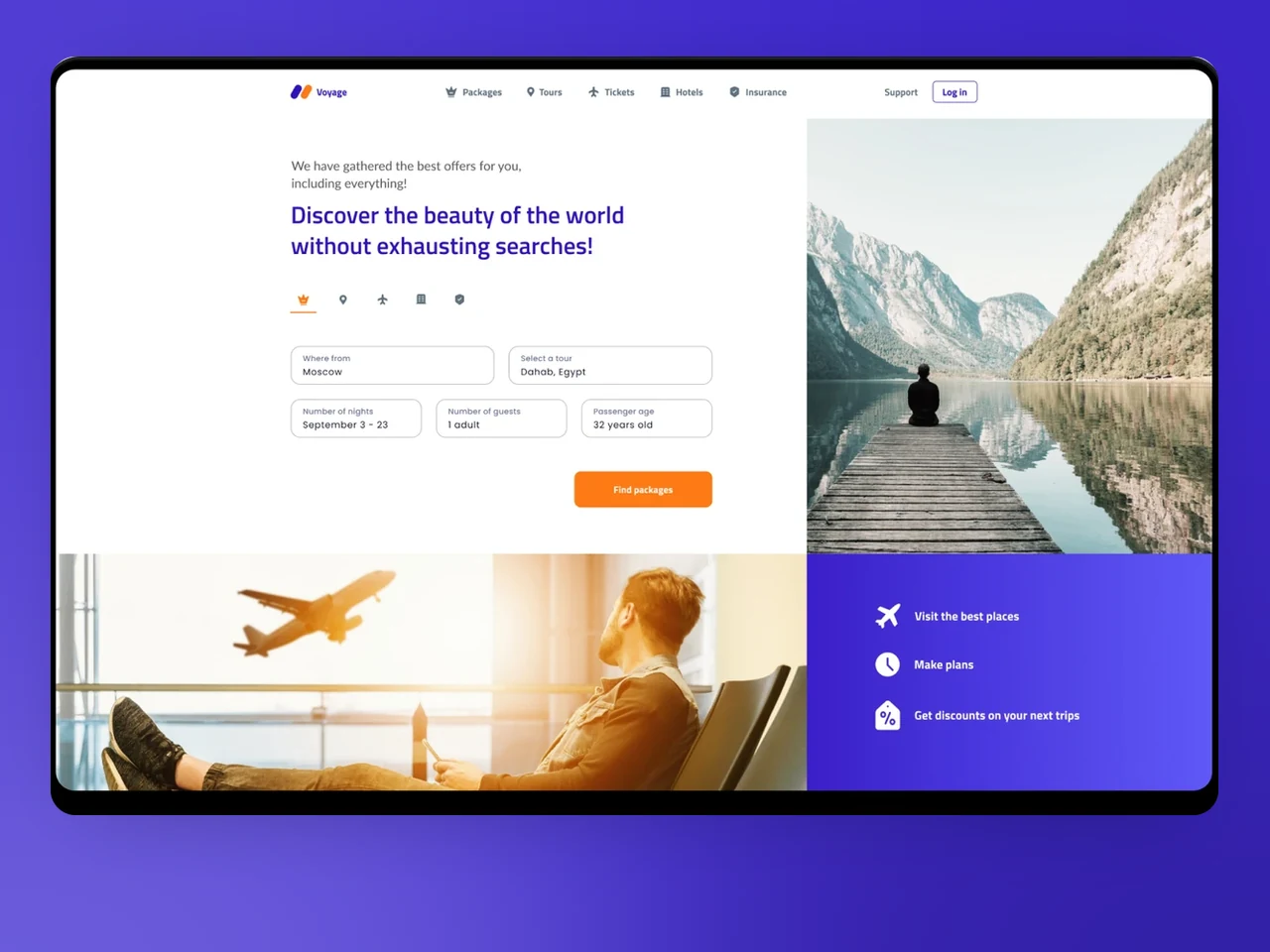
A tour builder that bundles flights, hotels, and insurance into one checkout, plus a supplier dashboard — built for travel businesses in the US & EU.
View case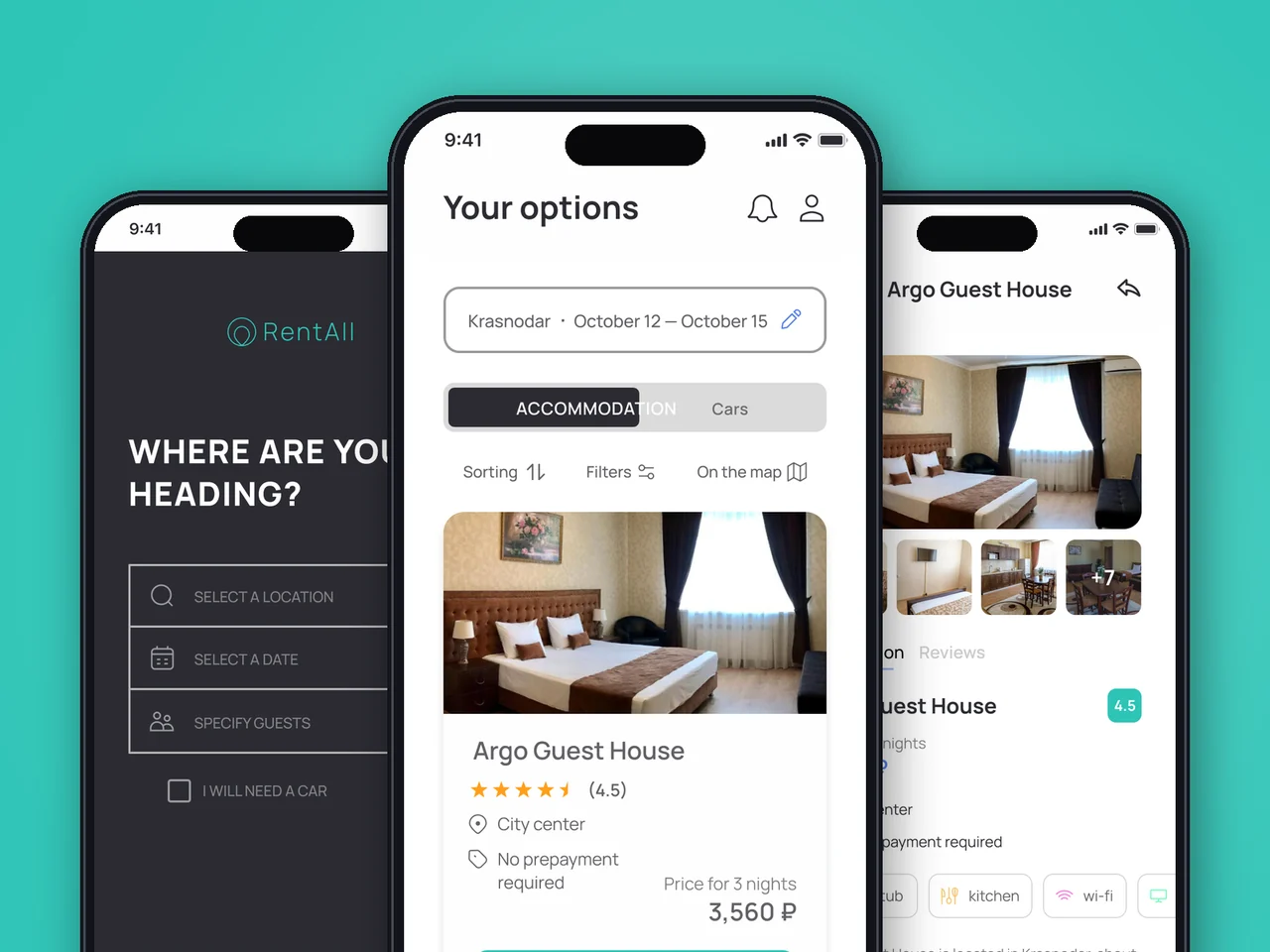
Mobile travel-rental marketplace with an admin panel — book housing and cars in one flow, built for iOS and Android across US & EU.
View case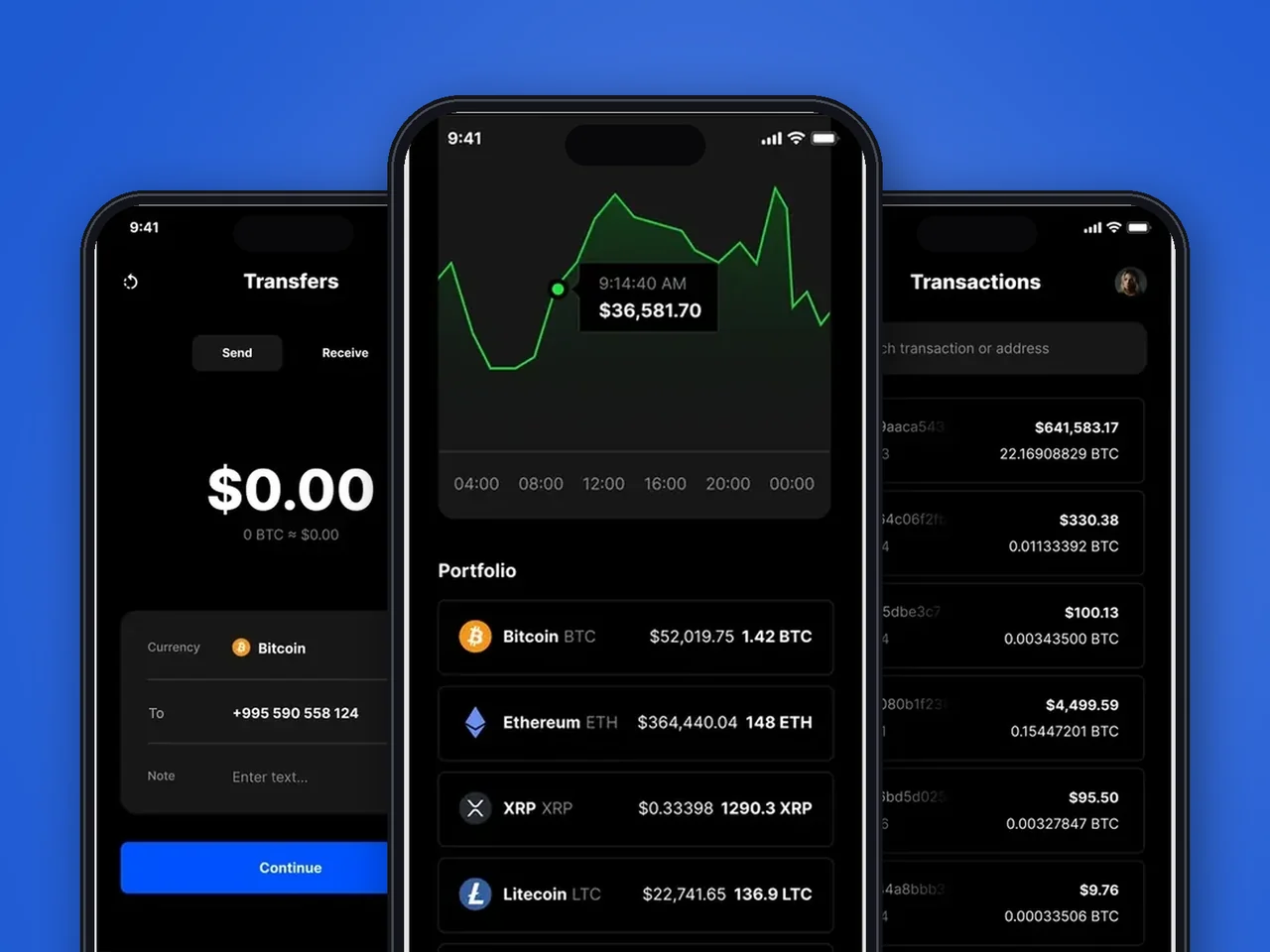
Flutter iOS + Android companion for a custodial platform — biometric unlock, P2P transfers, fiat-crypto bridge, in-app exchanger.
View case20 articles across 5 categories — engineering-led guides on AI, SaaS, MVP, compliance and mobile for US and EU product teams.

Performance-tested comparison of RN (New Architecture) and Flutter (Impeller) across hiring, time-to-market and EU/US compliance.
Read article
Real cost ranges by region (US onshore, Western EU, EU nearshore), team and feature scope. With a worked fintech example.
Read article
Data-driven framework for choosing iOS-first or Android-first in 2026 — US & EU market share, ARPU, review timelines, EU DMA.
Read articleTell us how your rentals are booked, paid for and tracked today, and we will help you move the whole flow into a mobile app. Let’s discuss how a similar solution could work for your business.
Share a few details and a senior consultant will reply within one business day.
Email: sales@yusmpgroup.com
Phone: +374 44 871 811
Offices: KAMAR Business Center, Vazgen Sargsyan St. 2, Yerevan, Armenia · Remote — East-Coast US overlap (9 AM–1 PM ET)