


Balance and bundles
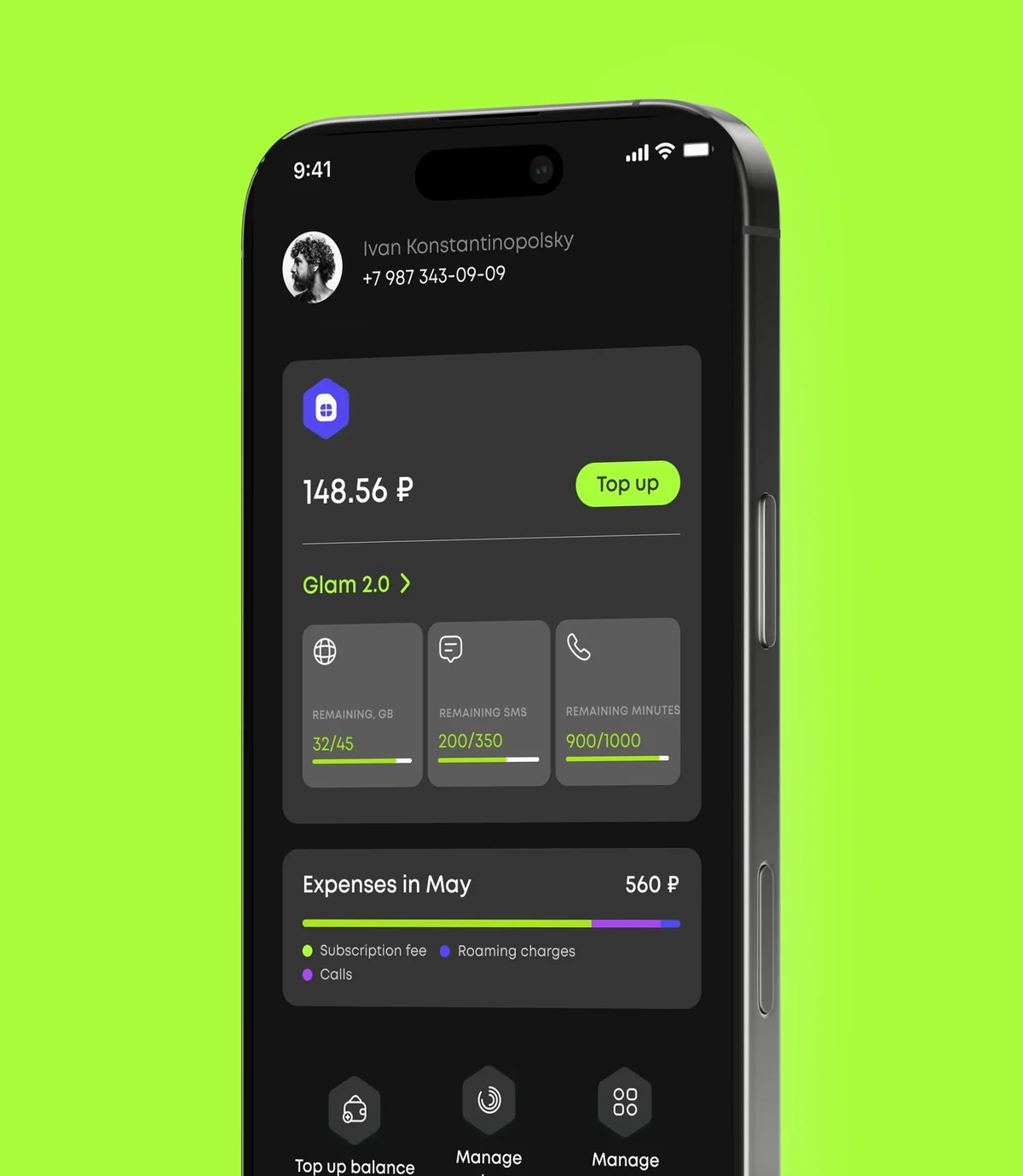
Account balance and remaining GB, texts and minutes with progress bars on the home screen.
Telecom · iOS + Android
A native self-service account for iOS and Android that covers all of a subscriber’s basic needs, from changing plans to paying for services. Balance and bundles on one screen, top-ups via SBP and bank card, a spending breakdown and plan management. Stack: Kotlin, Swift, Laravel.
In short: what the product is and who we built it for.
The client is a major enterprise player in the telecom market with an established corporate identity and well-tuned business processes. The company needed two native apps, for iOS and Android, that would blend seamlessly into the existing brand and become the subscriber’s single point of self-service.
The key goal was not just to ship an app but to lay the foundation for long-term growth, with easy updates and fast adaptation to changing business requirements.
The app handles subscribers’ personal data and payment information, so every operation has to run over encrypted, secure protocols. Security here is not an option but a baseline requirement.
The second challenge was a shifting scope and timeline: requirements arrived unevenly, changed often and had to be delivered in tight windows. At the same time, the client needed full transparency, seeing development progress in real time and keeping control over decisions.
How we built the product, from architecture to process.
We worked in Scrum: two-week sprints, regular demos for the client, daily stand-ups and continuous integration of feedback. This rhythm let us handle shifting requirements and gave the client full transparency: they saw progress in real time and kept the final say.
The mobile clients are native, Swift for iOS and Kotlin for Android, for a responsive interface and reliable payment flows. Business logic and the API are built on Laravel, and operations with personal and payment data run over secure, encrypted protocols.
Tools chosen to fit the product’s goals.
A subscriber account works with sensitive data: the account number, payment details and transaction history. Native apps in Swift (iOS) and Kotlin (Android) give direct access to the platforms’ security APIs: Keychain/Keystore, biometric authentication and payment card tokenization. At the time of development, cross-platform solutions (React Native, Flutter) required extra bridging layers to integrate with the carrier’s native payment APIs, which would have complicated maintenance and security audits.
Separate codebases make it possible to follow the current App Store and Google Play requirements for payment apps precisely; these are updated regularly and are often platform-specific.
Key capabilities that solved the business problem.
Account balance and remaining GB, texts and minutes with progress bars on the home screen.
SBP without entering card details, bank card, QR code and autopay.
View and change the plan in one tap.
Spending by month and category with a pie chart.
Internet, messaging apps and options with remaining allowance and validity.
24/7 chat with the support team.
Key product screens, step by step.
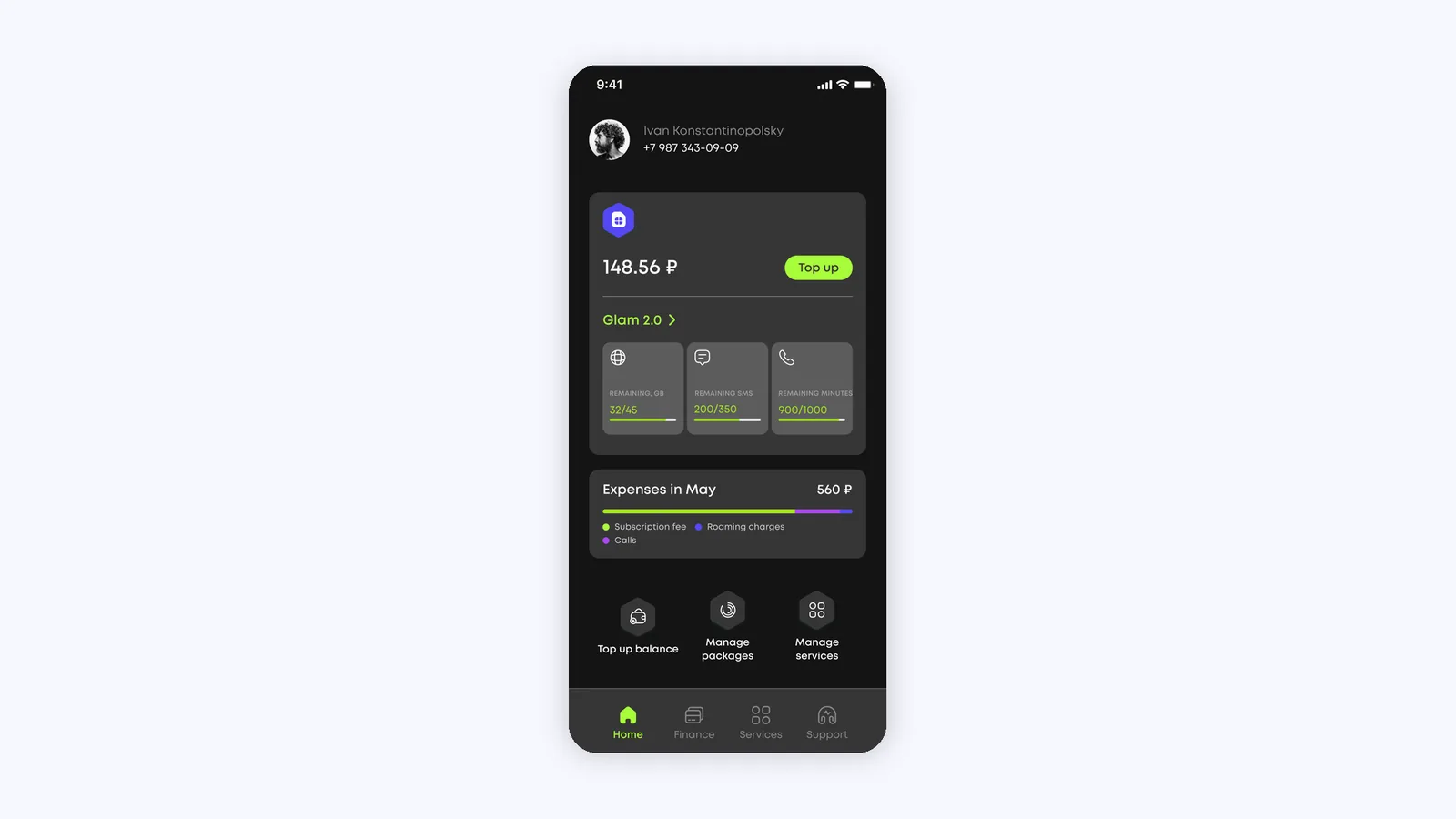
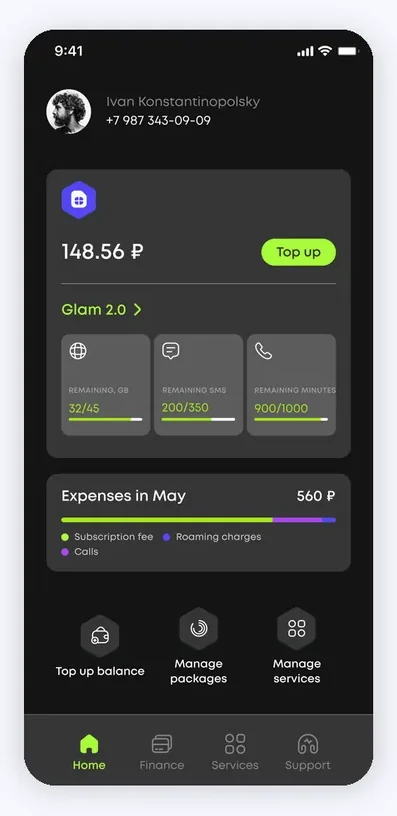
A splash screen with the brand slogan “Bringing you closer. Always.” gives way to the home screen, which brings together everything important: the subscriber’s name and number, the balance with a Top up button, and the plan name.
Below are allowance cards (GB, texts, minutes) with progress bars, a “Spending in May” block broken down by category, and quick actions: top up the balance, manage bundles and services.
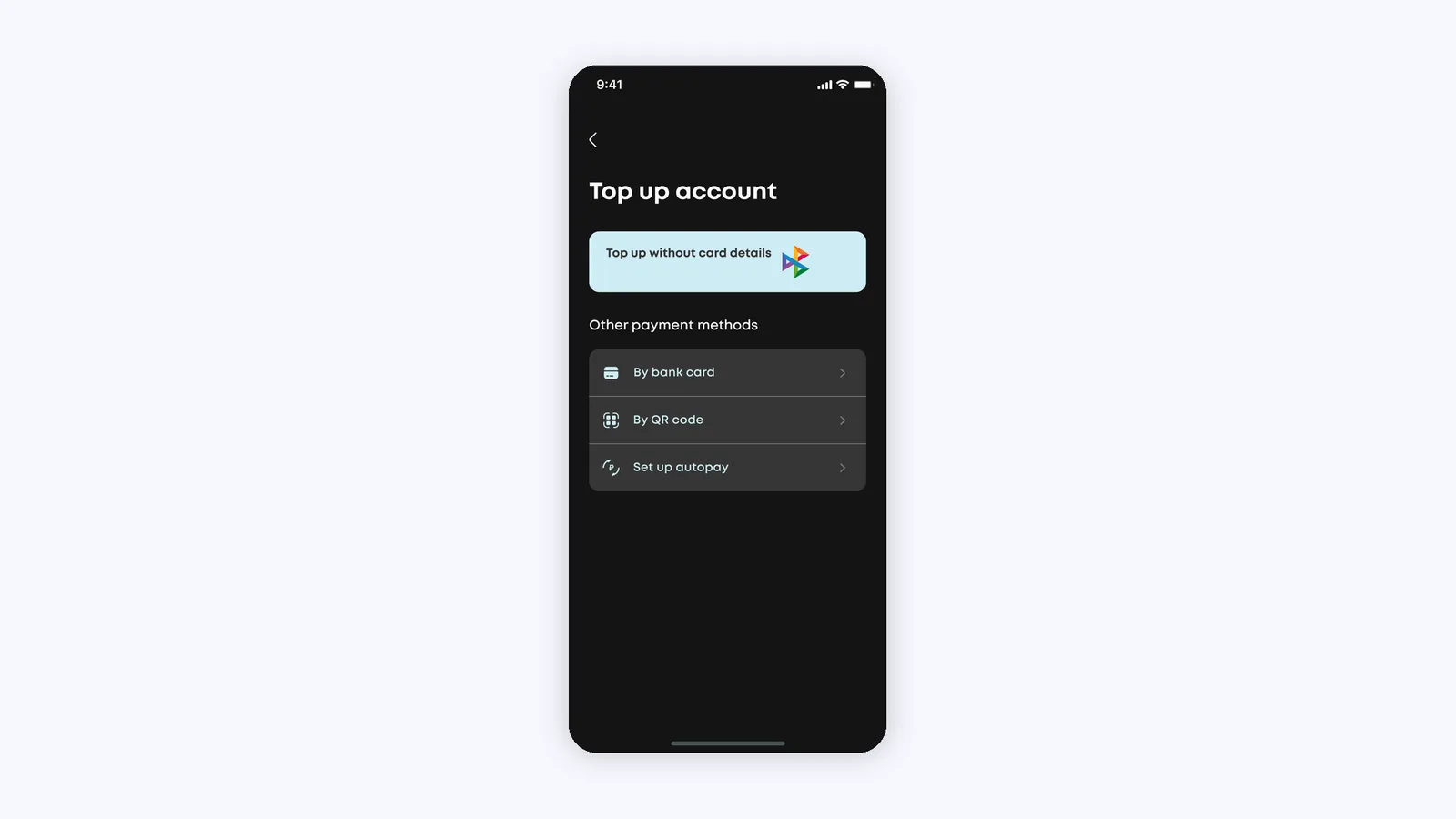
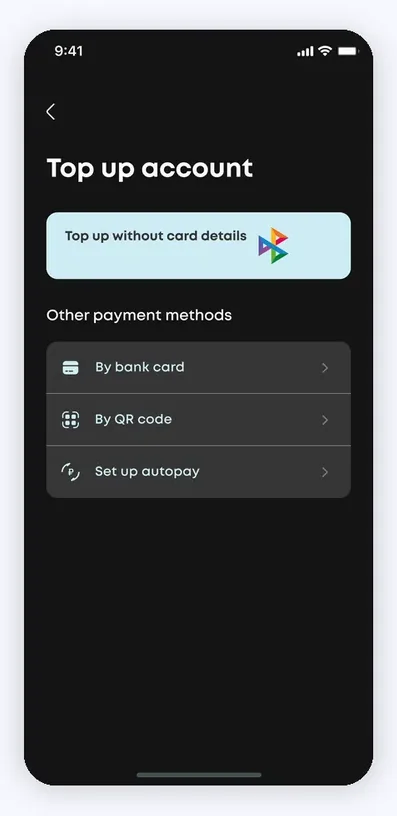
The top-up screen offers payment via SBP without entering card details, along with other methods: bank card, QR code and autopay setup.
When paying by card, the subscriber sees the phone number, the amount within the allowed range, a saved MasterCard and the option to add a new card. All payment operations run over secure protocols.
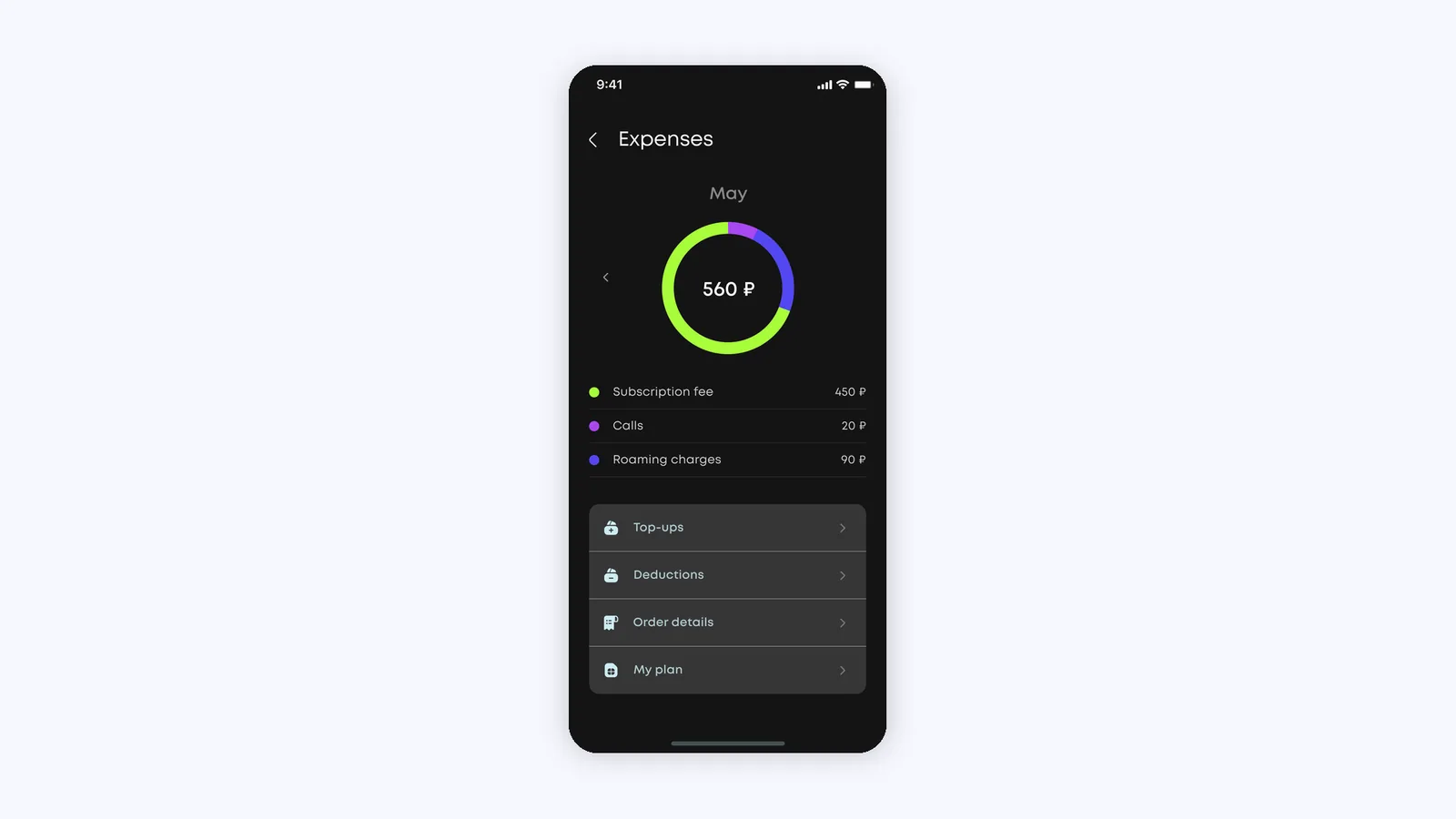
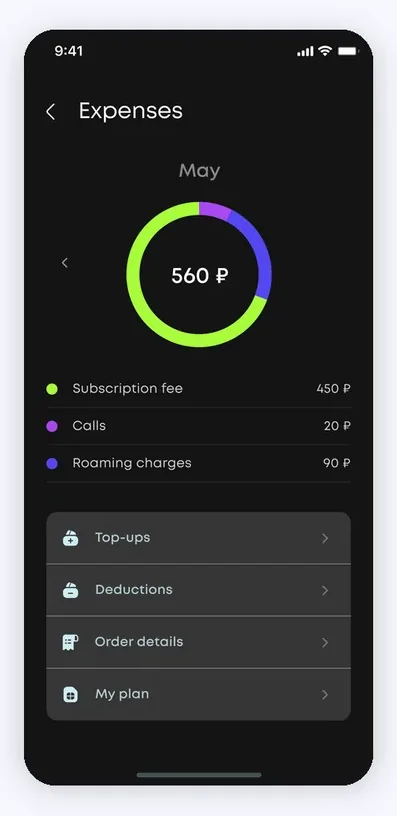
The Spending section shows the month’s total as a large figure in the center of a pie chart, with a breakdown by category below: subscription fee, calls, roaming and internet bundles.
Months are switched with left and right arrows, and quick links lead to top-ups, charges, ordering a detailed statement and viewing the plan.
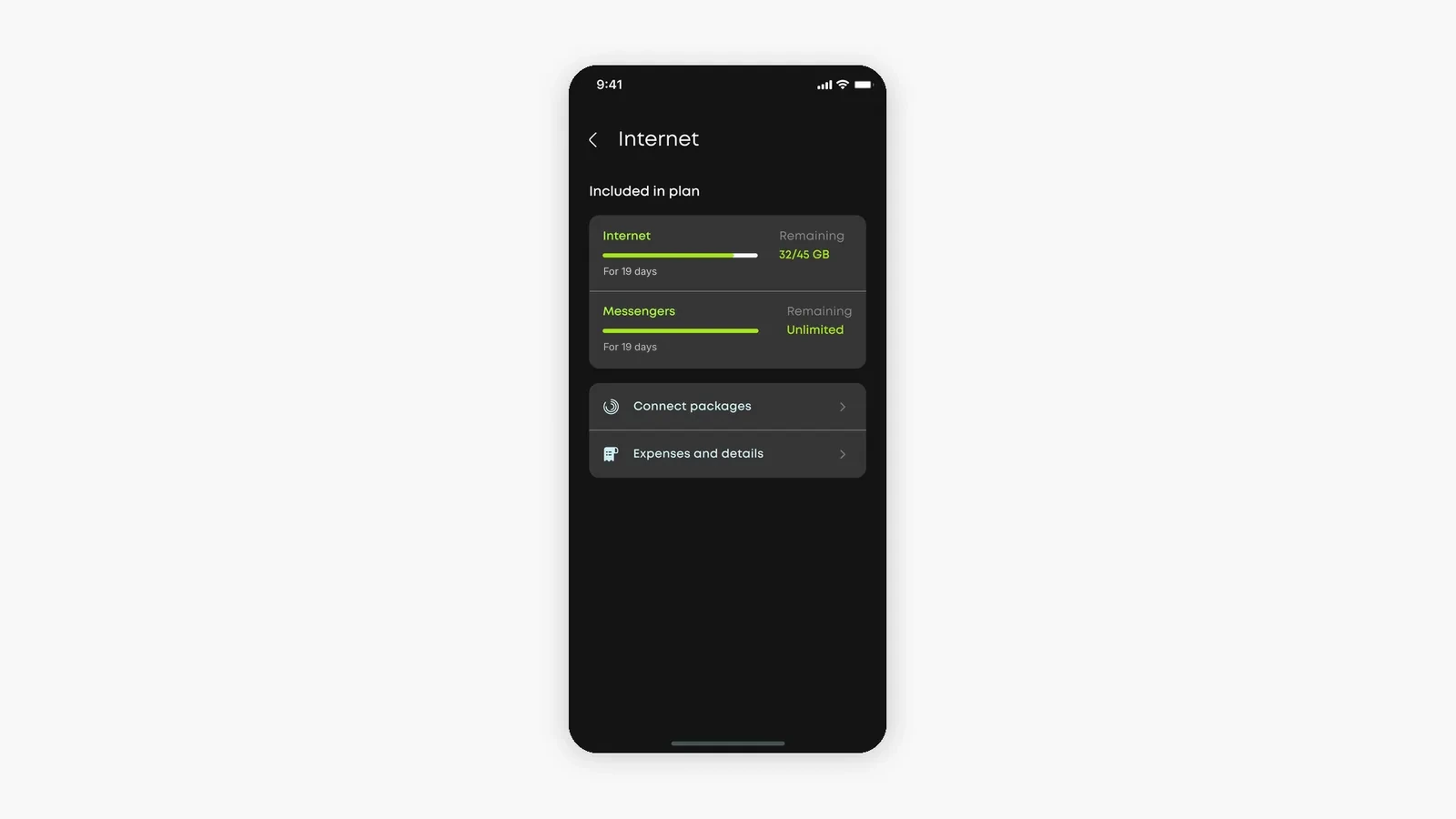
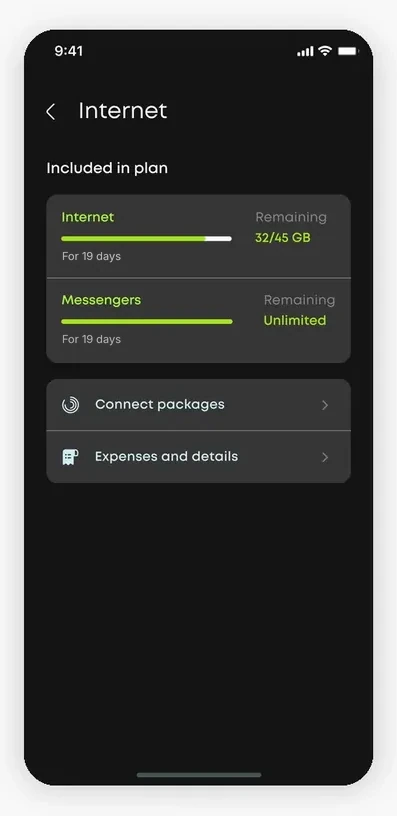
The Internet screen shows what the plan includes: remaining gigabytes with a progress bar and validity date, plus unlimited messaging apps.
From here the subscriber can add extra bundles or go to spending and the detailed statement. Option management is gathered in one clear place.
The app works with subscribers’ personal data and payment information, so every operation, from sign-in to payment, runs over encrypted, secure protocols. Security is built into the architecture rather than added on top.
The scalable architecture lets the product keep evolving: adding features, updating the interface and adapting to the changing requirements of a telecom business without a rewrite.
Payment operations go through the carrier’s payment gateway, with no intermediate storage of card data on the app side.
Subscriber data is processed under the requirements of the client’s jurisdiction and stored on locally hosted servers, with role-restricted access.
2 native apps for iOS and Android: identical functionality, separate stores.
One-tap plan changes right in the app, with no need to visit an office.
Cashless payment by bank card, Apple Pay and Google Pay.
24/7 online support in a built-in chat, without switching to third-party messengers.
A service builder for add-ons: subscribers enable and disable options themselves.
Development runs in two-week Scrum sprints, so changes ship without stopping the product.
Change plans, top up the balance by card and mobile wallets, configure add-on services in a service builder and chat with support 24/7.
Yes. Payment by bank card, Apple Pay and Google Pay is implemented with transaction protection.
Data is transmitted over secure, encrypted protocols and processed under the requirements of the client’s jurisdiction.
Natively on iOS and Android.
The two native apps were developed, tested and published in four months, and the product continues to evolve.
Companies from retail, medtech, logistics and e-commerce that we helped build digital products.








The full spectrum of development — from native mobile apps to web platforms, AI and cloud. Pick a direction or order a turnkey project.
Native iOS & Android plus cross-platform Flutter and React Native — from MVPs to apps with millions of installs.
Learn moreNative Swift / SwiftUI iOS apps — with Apple Pay, Sign in with Apple, App Store Connect deployment pipelines.
Learn moreNative Kotlin / Jetpack Compose Android apps — Material 3, Google Play release pipelines, Firebase integration.
Learn moreSingle Dart codebase across iOS, Android, web and desktop — with native modules where needed.
Learn moreProduction web apps on React, Next.js, Vue and Node — SaaS dashboards, B2B portals, marketing-conversion stacks.
Learn moreREST, GraphQL and gRPC APIs — designed for partners, mobile clients and internal microservices.
Learn moreBespoke platforms for mid-market and enterprise teams — internal tools, vertical SaaS, mission-critical backends. Discovery to launch in 12–36 weeks.
Learn moreFocused MVPs in 12–20 weeks — one or two integrations, real users on day one, telemetry built-in.
Learn moreEnd-to-end ownership of a digital product — design, build, ship and continuous evolution.
Learn moreTool-using agents that plan, retrieve, act and self-evaluate — in customer service, ops automation, internal copilots.
Learn moreAWS, Azure and GCP architecture, Kubernetes, Terraform/Pulumi, CI/CD and observability — SRE-grade operations for product teams.
Learn moreTechnical SEO, Core Web Vitals, structured data, internal-link architecture — built into your engineering process.
Learn moreRelated cases
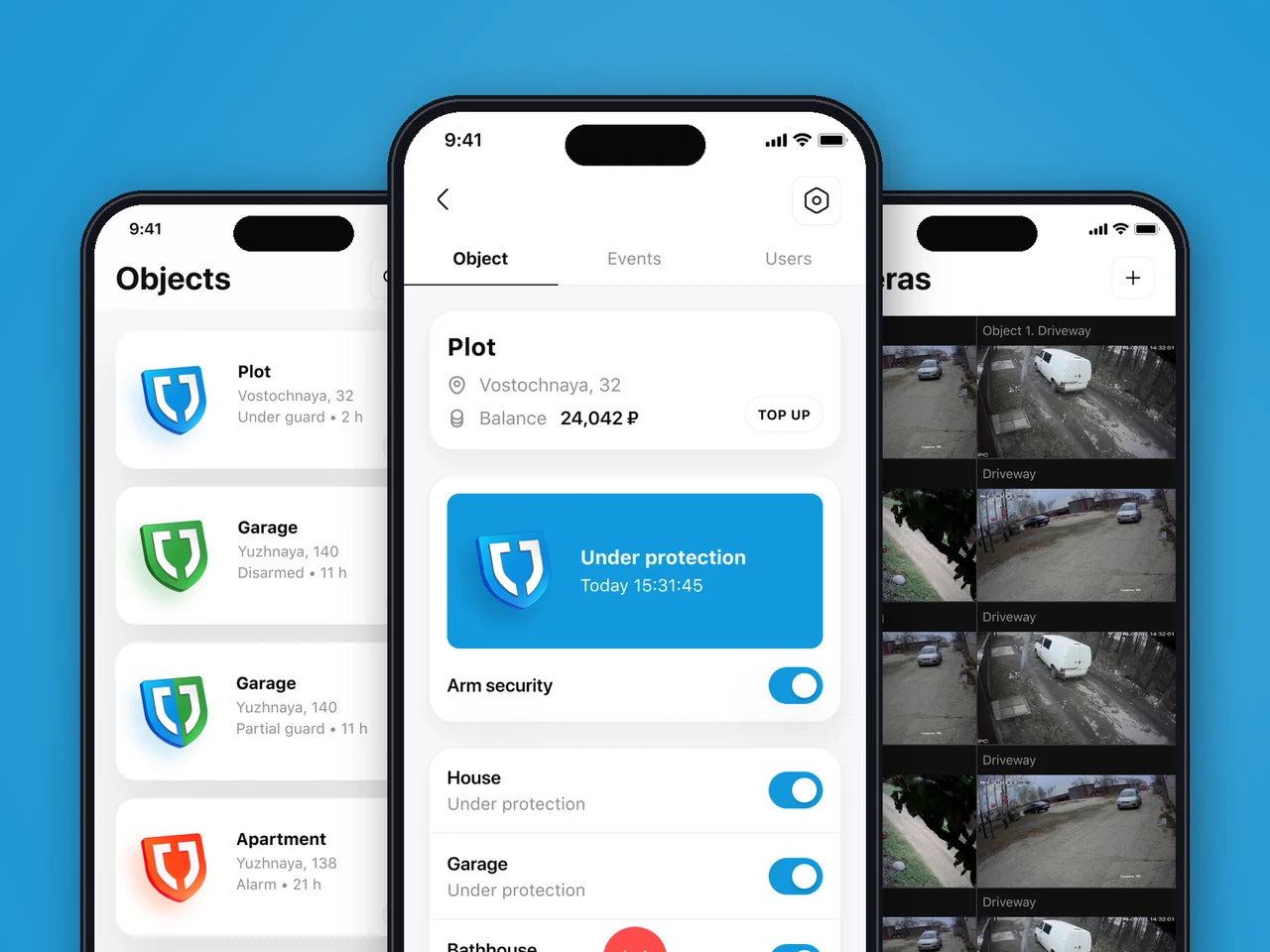
Unified iOS & Android app for remote alarm, embedded video and smart-home control across the US & EU — zonal entitlement, role-based access.
View case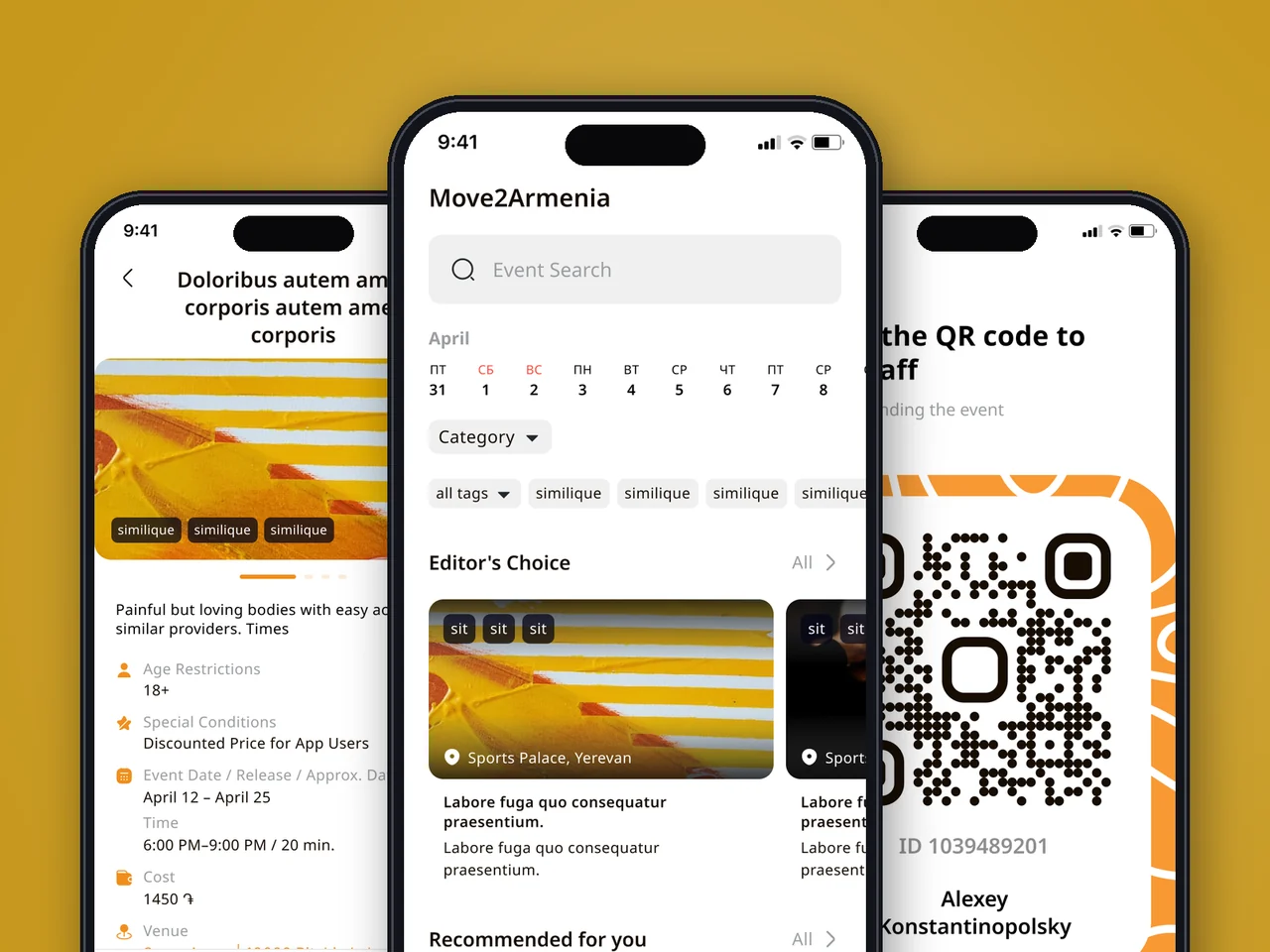
Native events, booking, and ticketing app with QR entry — events discovery for Armenia, engineered to US & EU client standards.
View case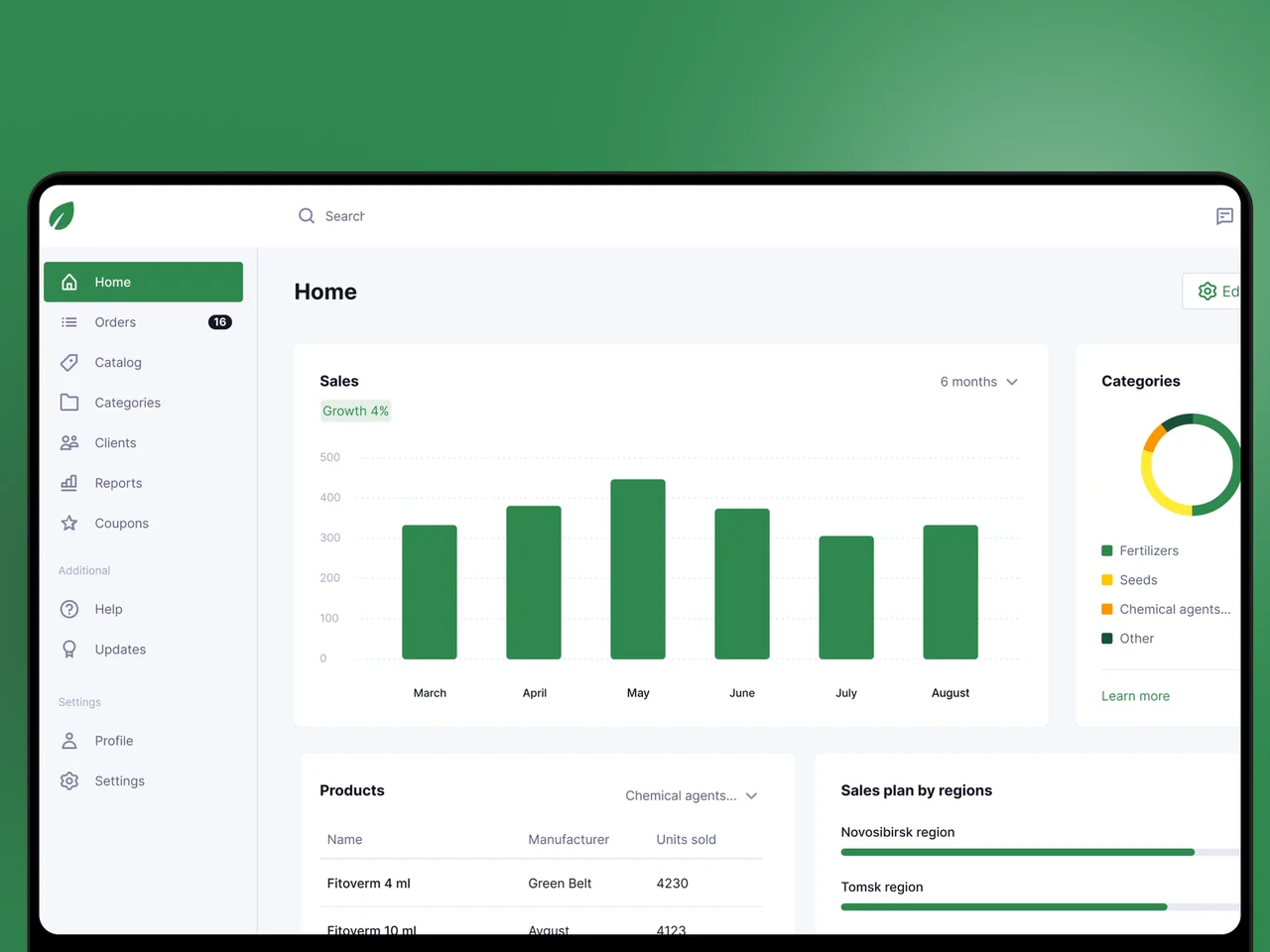
Offline-first iOS & Android field-sales app for an agricultural distributor — structured catalog, deal reporting, plan vs actual.
View case20 articles across 5 categories — engineering-led guides on AI, SaaS, MVP, compliance and mobile for US and EU product teams.

Performance-tested comparison of RN (New Architecture) and Flutter (Impeller) across hiring, time-to-market and EU/US compliance.
Read article
Real cost ranges by region (US onshore, Western EU, EU nearshore), team and feature scope. With a worked fintech example.
Read article
Data-driven framework for choosing iOS-first or Android-first in 2026 — US & EU market share, ARPU, review timelines, EU DMA.
Read articleTell us which services and payment methods your customers need, and we will help you build secure native apps that fit your brand. Let’s discuss how a similar solution could work for your business.
Share a few details and a senior consultant will reply within one business day.
Email: sales@yusmpgroup.com
Phone: +374 44 871 811
Offices: KAMAR Business Center, Vazgen Sargsyan St. 2, Yerevan, Armenia · Remote — East-Coast US overlap (9 AM–1 PM ET)