


Step-by-step checklist
The process is broken into stages with a time standard, a description and hints for the operator.
IndTech · Web + Android app
CheckList is a corporate ecosystem that digitizes process control in manufacturing: an offline Android app for operators and two web panels for administrators and supervisors. It replaces paper reporting, records every stage with a timer and photo and runs on the plant’s internal network without constant internet access.
In short: what the product is and who we built it for.
CheckList is not a standalone app but a unified ecosystem for digital production control. The operator at the reactor works in the Android app, running the process step by step and recording each stage with a timer and a photo. The administrator and supervisor see the same shift in web panels in real time, with no paper logs or calls to the shop floor.
We built the product for an industrial environment where the internet is unstable and the cost of an error is high. That is why the mobile app works offline, data stays within the plant’s closed network, and every device is tied strictly to its own equipment.
The client needed to digitize the control of industrial reactors. Records used to be kept in paper logs, which led to human error, delays in getting current information, difficulty analyzing data and a lack of transparency at every stage of production.
The main goals: automate data collection for every stage, eliminate paper reporting and minimize the risk of data loss and falsification, provide real-time transparency and create a centralized administration system.
How we built the product, from architecture to process.
We broke the technological process into discrete stages and made them the core of the product: each step is a card with a timer, a time standard, a description and mandatory photo capture. This makes an operation reproducible and verifiable instead of dependent on the operator’s memory.
The architecture is split into three applications around a shared backend: the operator’s Android client in Kotlin with offline mode, an administration web panel and a supervisor web panel in React. Server logic runs on PHP Laravel. Each device is bound to specific equipment by a unique ID, so data cannot be substituted and reactors cannot be mixed up.
Tools chosen to fit the product’s goals.
For an industrial environment with strict reliability and offline requirements, the choice of stack follows from specific needs.
Offline-first vs cross-platform. Flutter and React Native require a constant connection for synchronization or complex bridges to native APIs. Kotlin makes it possible to keep all working data in a local database and sync it in batches when the network appears, which is critical for shop floors with unstable Wi-Fi.
Key capabilities that solved the business problem.
The process is broken into stages with a time standard, a description and hints for the operator.
Each stage is recorded with a timer and a mandatory photo, creating an audit trail for the shift.
The app works without the internet on the shop’s internal network and syncs data once a connection is available.
The supervisor panel shows the status of all reactors, progress and emergency stops in real time.
Management of users, roles (employee, supervisor), reactors and their processes.
Delays against plan, errors, emergency stops and shift history for every reactor.
Key product screens, step by step.
The administrator web panel is the system’s control center. This is where users are created, employee and supervisor roles are assigned, and records are searched and filtered by role.
The panel defines who works in the system and with what access, from the operator at the reactor to the supervisor overseeing the shift.
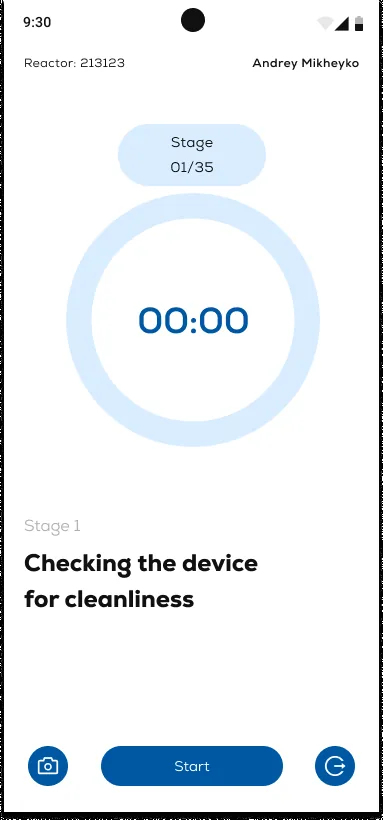
The operator opens the shift in the Android app at the first stage: a large timer, a “stage 01/35” counter and a link to a specific reactor by its number.
Below the timer are the name and description of the current step (“Checking the vessel for cleanliness”). The shift begins with the “Start” button, and a photo records completion of the stage.
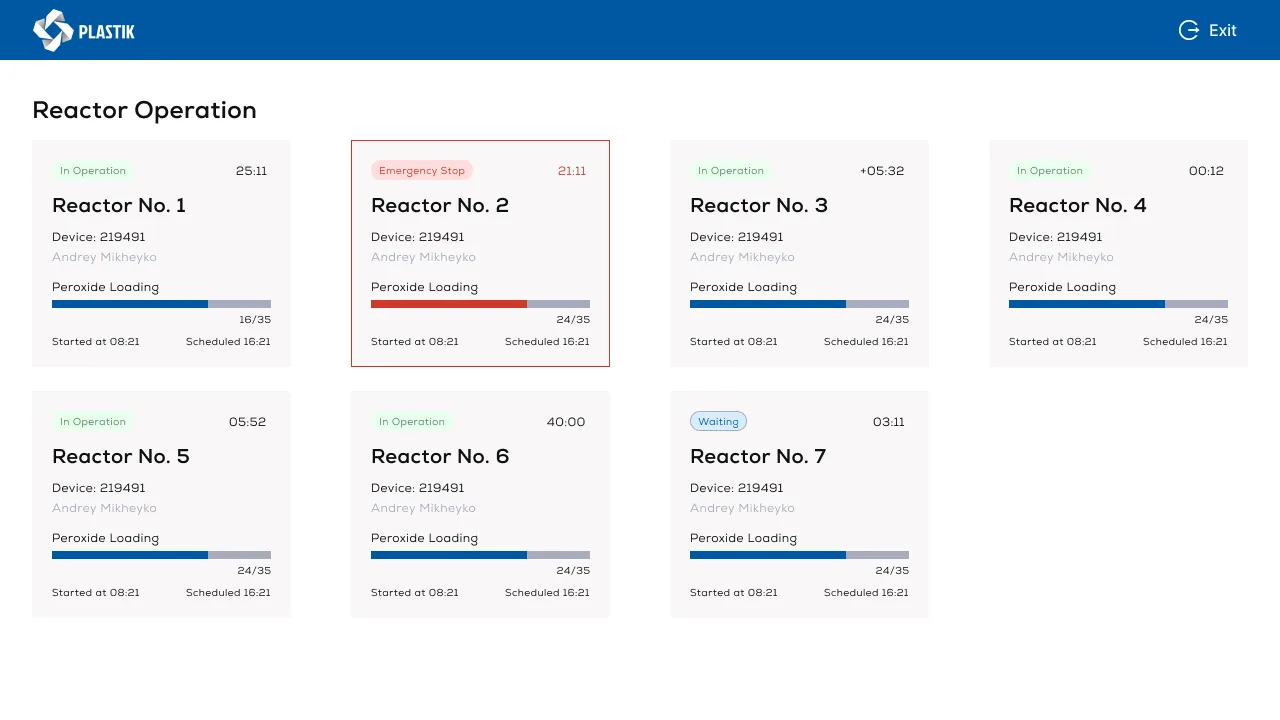
The supervisor panel brings all reactors onto one screen: status (“in operation”, “waiting” or “emergency stop”), current process, loading progress and time.
Emergency cards are highlighted in red, so a problem reactor is visible immediately, without walking the shop floor or making calls.
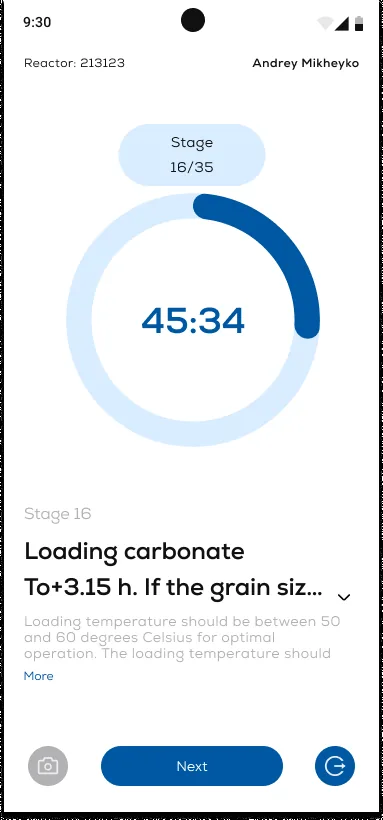
Throughout the shift the app guides the operator stage by stage: the timer counts the step time, and a “16/35” counter shows how much is done and how much remains.
Each stage comes with a detailed description and a time standard; if needed, the operator expands the full instruction text with the “More” button.
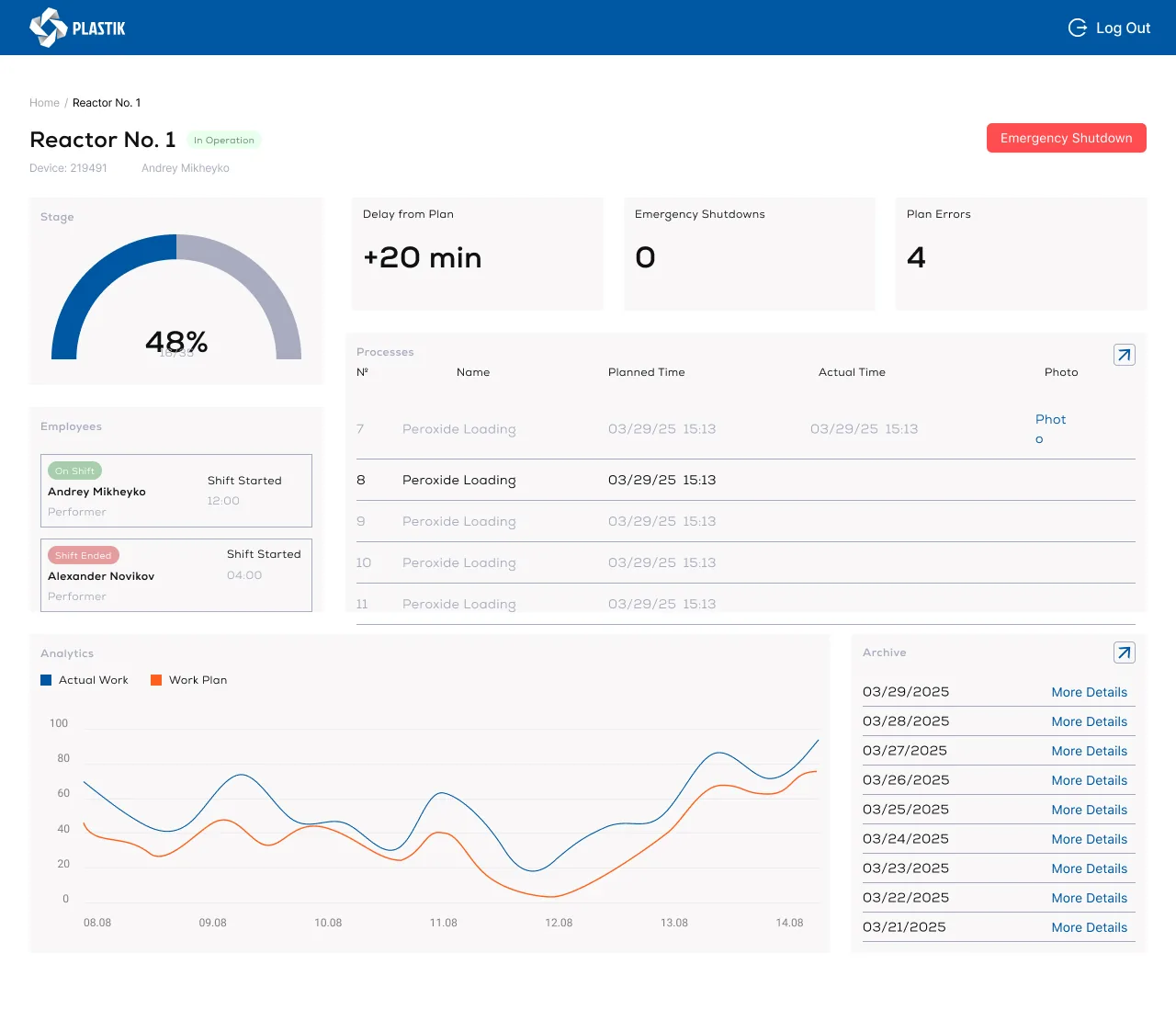
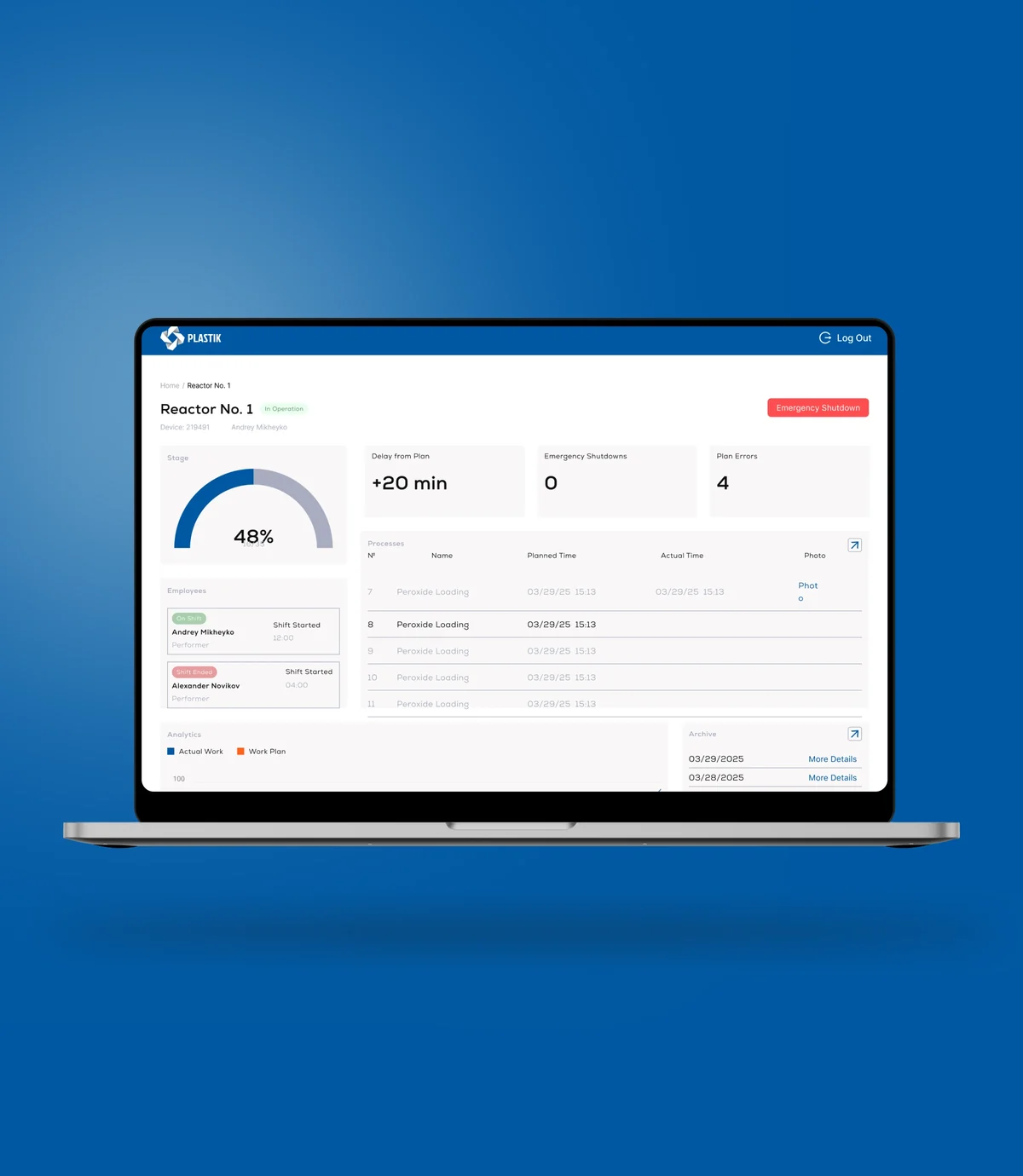
The supervisor opens a specific reactor and sees the entire shift: progress by stage, delay against plan, number of emergency stops and errors, shift crew and operators’ working time.
The same screen holds the process log with photos, an “actual vs plan” chart and an archive of past shifts by date.
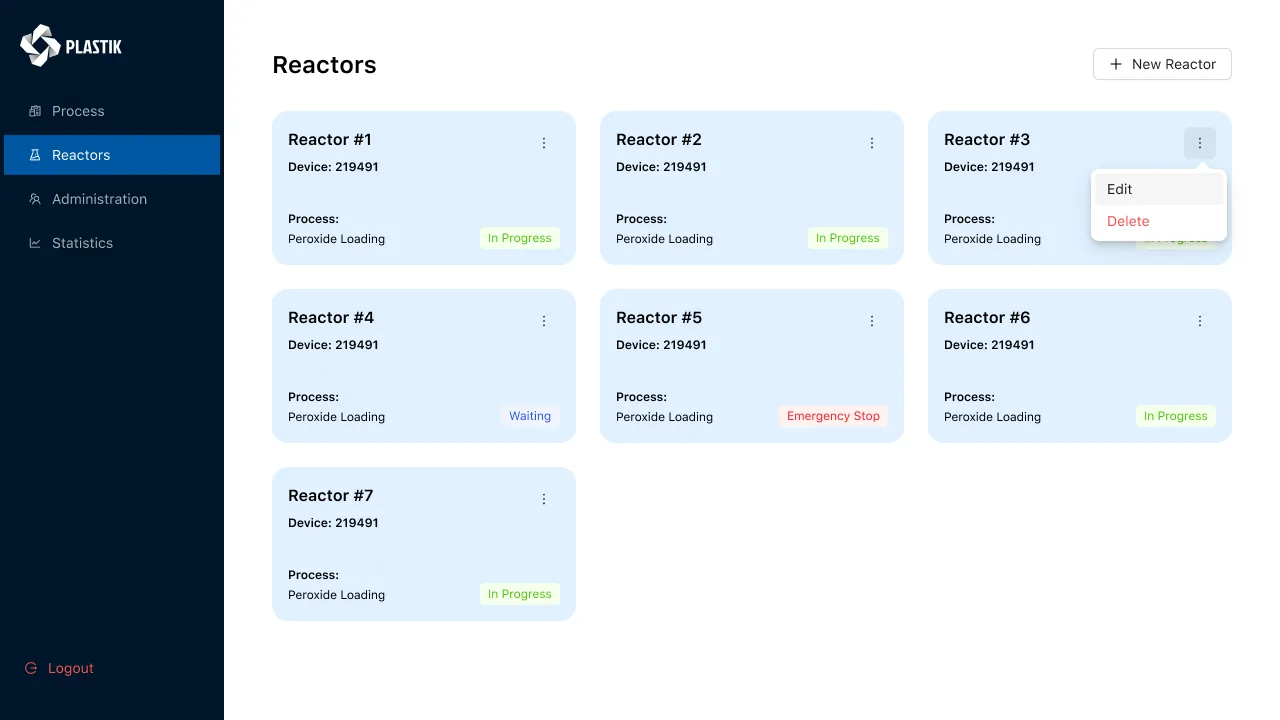
The “Reactors” section shows all equipment as tiles: number, device ID, current process and shift status.
Any card can be edited or deleted, and new equipment is added with the “New reactor” button, which is how the reactor fleet grows in the system.
On the reactor page, the administrator sets the name, binds a device by its unique ID and builds the technological process from stages.
Steps are numbered and ordered, from “Checking the vessel for cleanliness” to pH sampling. This is exactly the scenario the operator later follows in the app step by step.
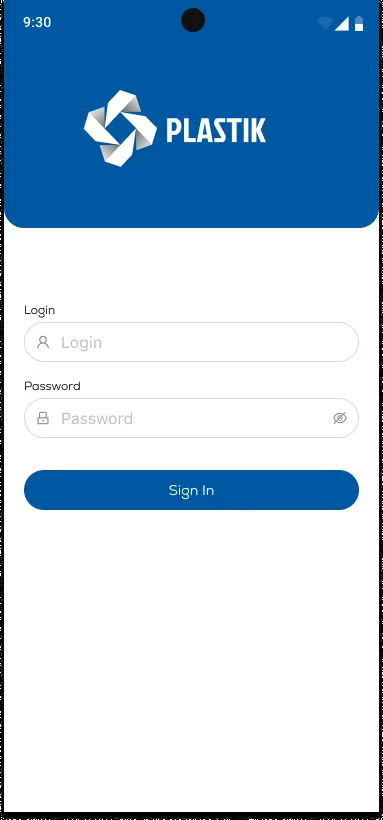
The app opens with a login and password screen under the plant’s branded header.
Sign-in links the operator to their account and role, and the device to the reactor assigned to it, which rules out data substitution.
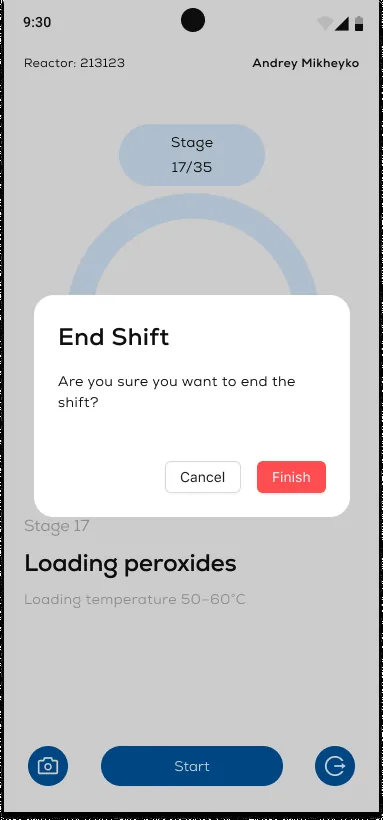
A shift can only be closed deliberately: the app asks for confirmation, “Are you sure you want to end the shift?”.
This way the operator cannot end the process by accident or lose data from unfinished stages; the shift is recorded in full and goes to the archive.
The system runs on the plant’s internal network, with no access to the external internet and with offline mode on the operator side.
Employees’ personal data is stored exclusively on the plant’s server within the closed network, in line with the requirements of the client’s jurisdiction.
The system operates in a closed industrial environment: the server is deployed on the plant’s local network, and there is no external access to operators’ data. Employees’ personal data (full names, staff numbers, photos) is processed only within the plant’s perimeter, with role-restricted access.
3 applications: an offline Android app for operators, an administrator web panel and a supervisor web panel.
Offline operation on the plant’s internal network, without a constant internet connection.
Paper reporting eliminated on the pilot reactors: every stage is recorded in the system.
A mandatory photo and timer on every process stage rule out data forgery.
A unique ID binding each Android device to specific equipment rules out mixed-up data.
The typical window for an industrial MVP with offline sync is 16–28 weeks (an industry range, not a guarantee for a specific project).
It means replacing paper logs and verbal operator reports with a digital recording system: every stage of work with the equipment is logged in the app with a timer, a photo and a link to a specific device. The administrator and supervisor see the data in real time in a web panel. This reduces the risk of errors, data falsification and manual transfer into summary spreadsheets.
Shop floors often have unstable Wi-Fi coverage or a policy that bans external internet in the process area. Offline mode lets the operator work as usual, and data syncs with the server the next time a connection is available. A local SQLite database ensures no records are lost.
Mandatory photos at every stage create an irrefutable audit trail: you cannot “skip” a stage or backdate a check-off without a photo. The timer records the actual time each step takes, which helps spot deviations from procedure and train operators on data rather than assumptions.
Employee data (full names, staff numbers, photos) is stored exclusively on the plant’s server within the closed network, with no transfer to third parties and no cloud storage. It is processed under the requirements of the client’s jurisdiction, with role-restricted access, and we provide templates for the client’s data processing documentation.
A typical industrial MVP with an offline Android app, two web panels and a Laravel backend takes 16–28 weeks. The range depends on the number of equipment types, the depth of integration with existing ERP systems and the scope of approval procedures on the client side. Actual CheckList timelines are not disclosed; the project fit within the industry range.
Companies from retail, medtech, logistics and e-commerce that we helped build digital products.







The full spectrum of development — from native mobile apps to web platforms, AI and cloud. Pick a direction or order a turnkey project.
Native iOS & Android plus cross-platform Flutter and React Native — from MVPs to apps with millions of installs.
Learn moreNative Swift / SwiftUI iOS apps — with Apple Pay, Sign in with Apple, App Store Connect deployment pipelines.
Learn moreNative Kotlin / Jetpack Compose Android apps — Material 3, Google Play release pipelines, Firebase integration.
Learn moreSingle Dart codebase across iOS, Android, web and desktop — with native modules where needed.
Learn moreProduction web apps on React, Next.js, Vue and Node — SaaS dashboards, B2B portals, marketing-conversion stacks.
Learn moreREST, GraphQL and gRPC APIs — designed for partners, mobile clients and internal microservices.
Learn moreBespoke platforms for mid-market and enterprise teams — internal tools, vertical SaaS, mission-critical backends. Discovery to launch in 12–36 weeks.
Learn moreFocused MVPs in 12–20 weeks — one or two integrations, real users on day one, telemetry built-in.
Learn moreEnd-to-end ownership of a digital product — design, build, ship and continuous evolution.
Learn moreTool-using agents that plan, retrieve, act and self-evaluate — in customer service, ops automation, internal copilots.
Learn moreAWS, Azure and GCP architecture, Kubernetes, Terraform/Pulumi, CI/CD and observability — SRE-grade operations for product teams.
Learn moreTechnical SEO, Core Web Vitals, structured data, internal-link architecture — built into your engineering process.
Learn moreRelated cases
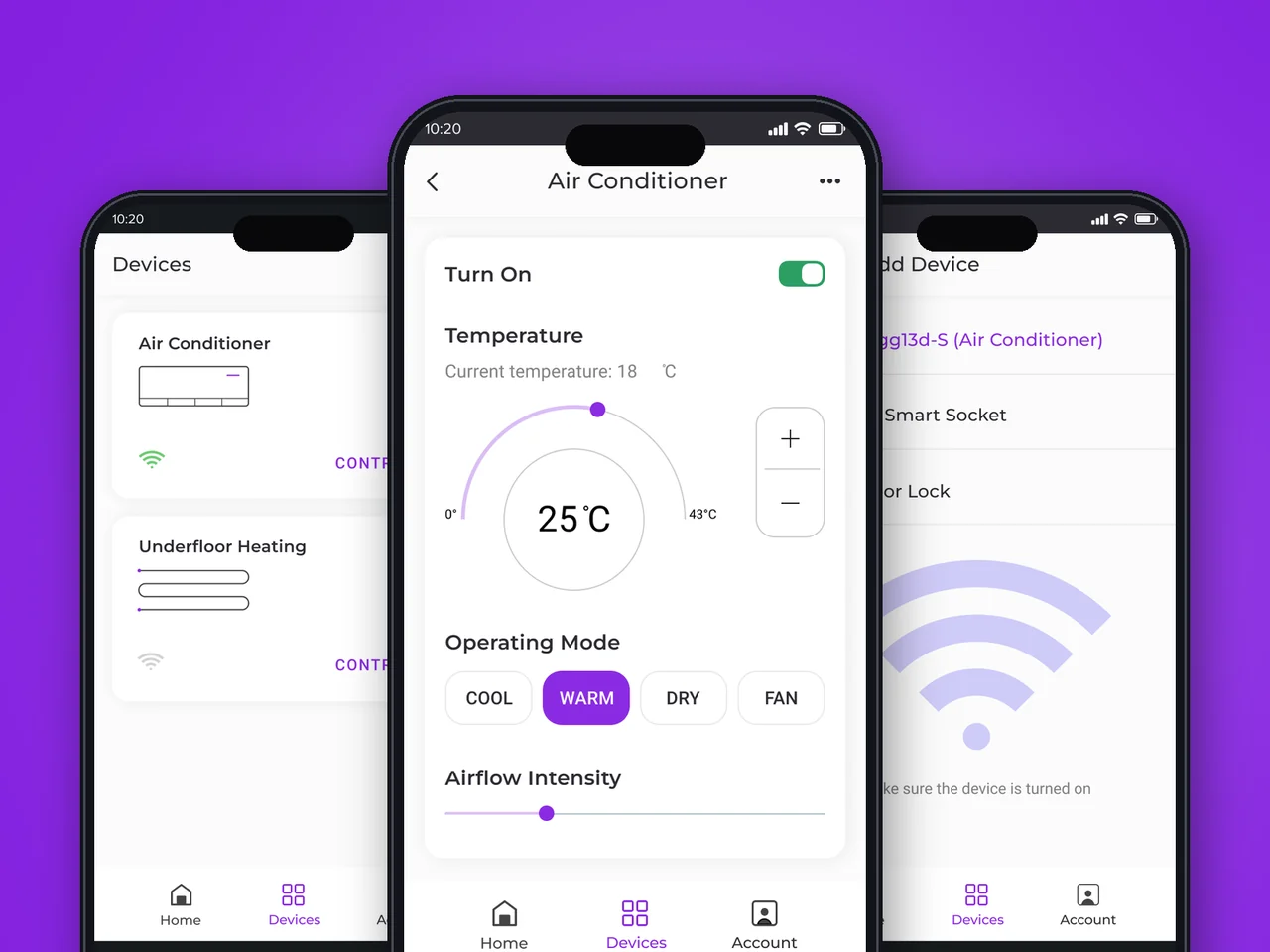
Native iOS & Android app for remote HVAC and underfloor-heating control — presets, scenarios, and one-tap modes for connected homes in the US & EU.
View case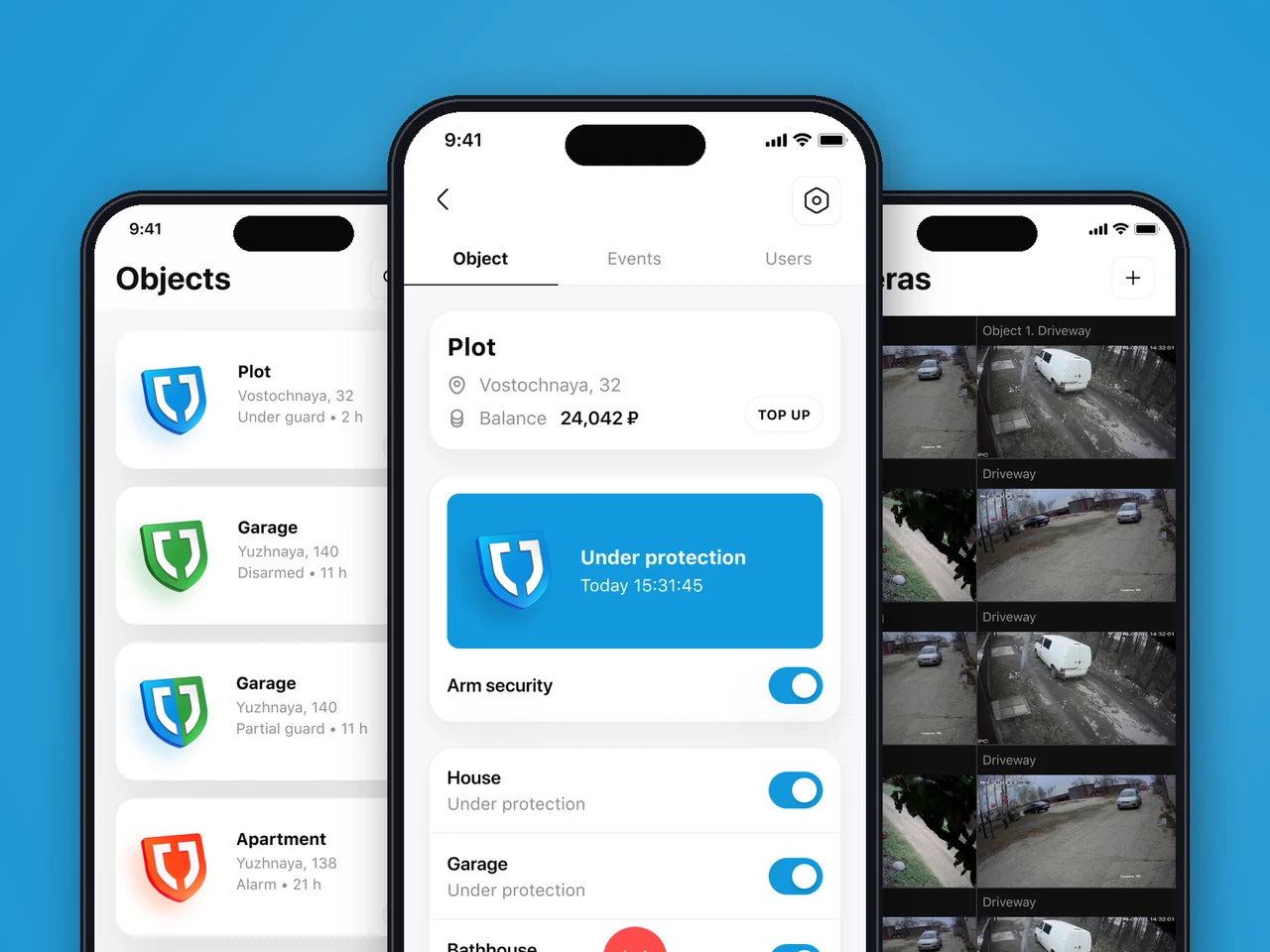
Unified iOS & Android app for remote alarm, embedded video and smart-home control across the US & EU — zonal entitlement, role-based access.
View case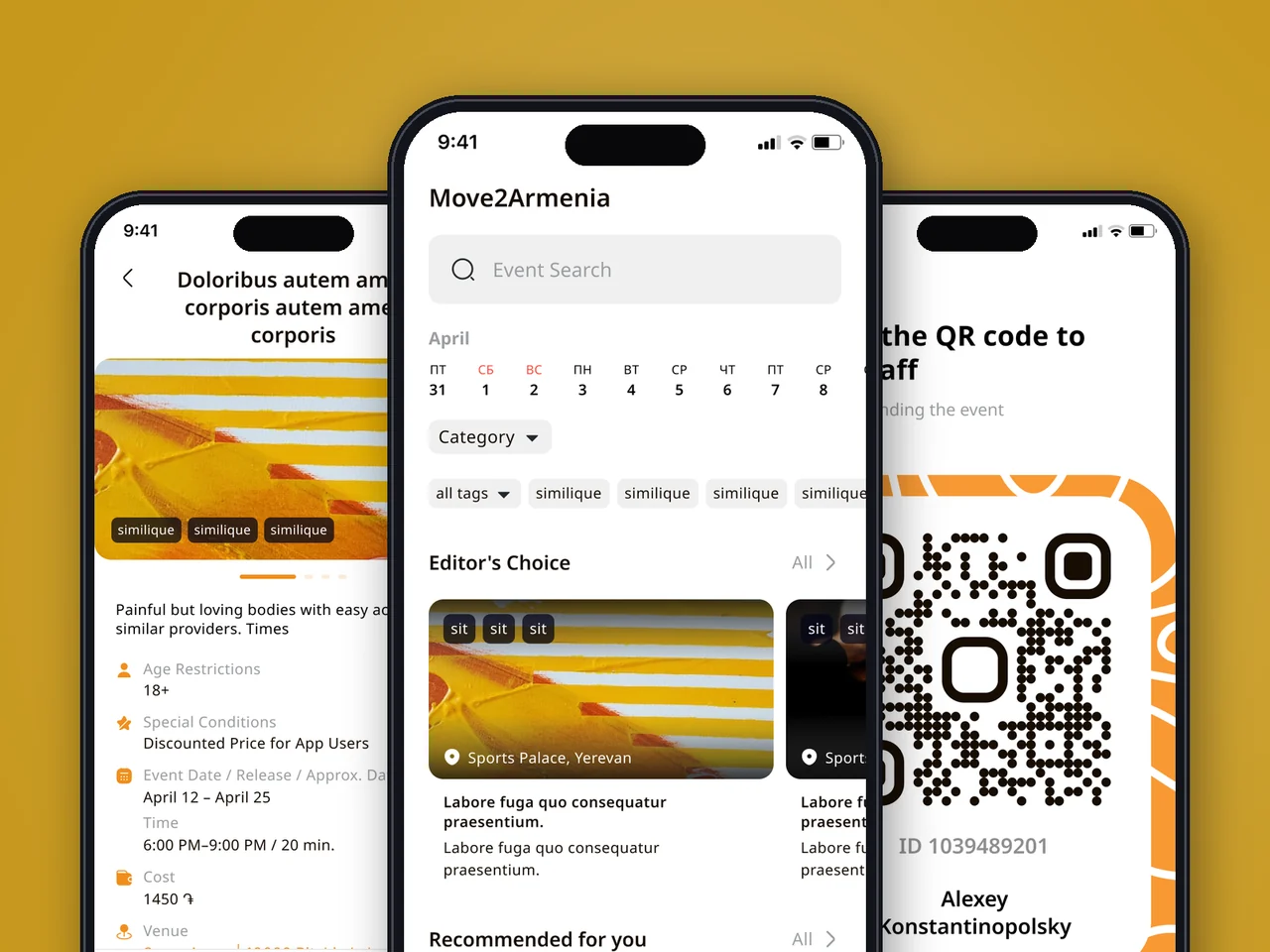
Native events, booking, and ticketing app with QR entry — events discovery for Armenia, engineered to US & EU client standards.
View case20 articles across 5 categories — engineering-led guides on AI, SaaS, MVP, compliance and mobile for US and EU product teams.

Performance-tested comparison of RN (New Architecture) and Flutter (Impeller) across hiring, time-to-market and EU/US compliance.
Read article
Real cost ranges by region (US onshore, Western EU, EU nearshore), team and feature scope. With a worked fintech example.
Read article
Data-driven framework for choosing iOS-first or Android-first in 2026 — US & EU market share, ARPU, review timelines, EU DMA.
Read articleStill running your shop floor on paper logs? Tell us about your processes, and we will help digitize them with offline-ready apps that work inside your network.
Share a few details and a senior consultant will reply within one business day.
Email: sales@yusmpgroup.com
Phone: +374 44 871 811
Offices: KAMAR Business Center, Vazgen Sargsyan St. 2, Yerevan, Armenia · Remote — East-Coast US overlap (9 AM–1 PM ET)