


Multiple projects at once
Run several sites at the same time, each with its own tasks, photo gallery and progress.
ConTech · iOS + Android + web panel
A construction site work control service that automates building projects with native mobile apps for iOS and Android and an admin web panel. It replaces paper reports and gives transparency on labor hours and work progress. Stack: PHP Laravel, React, Flutter.
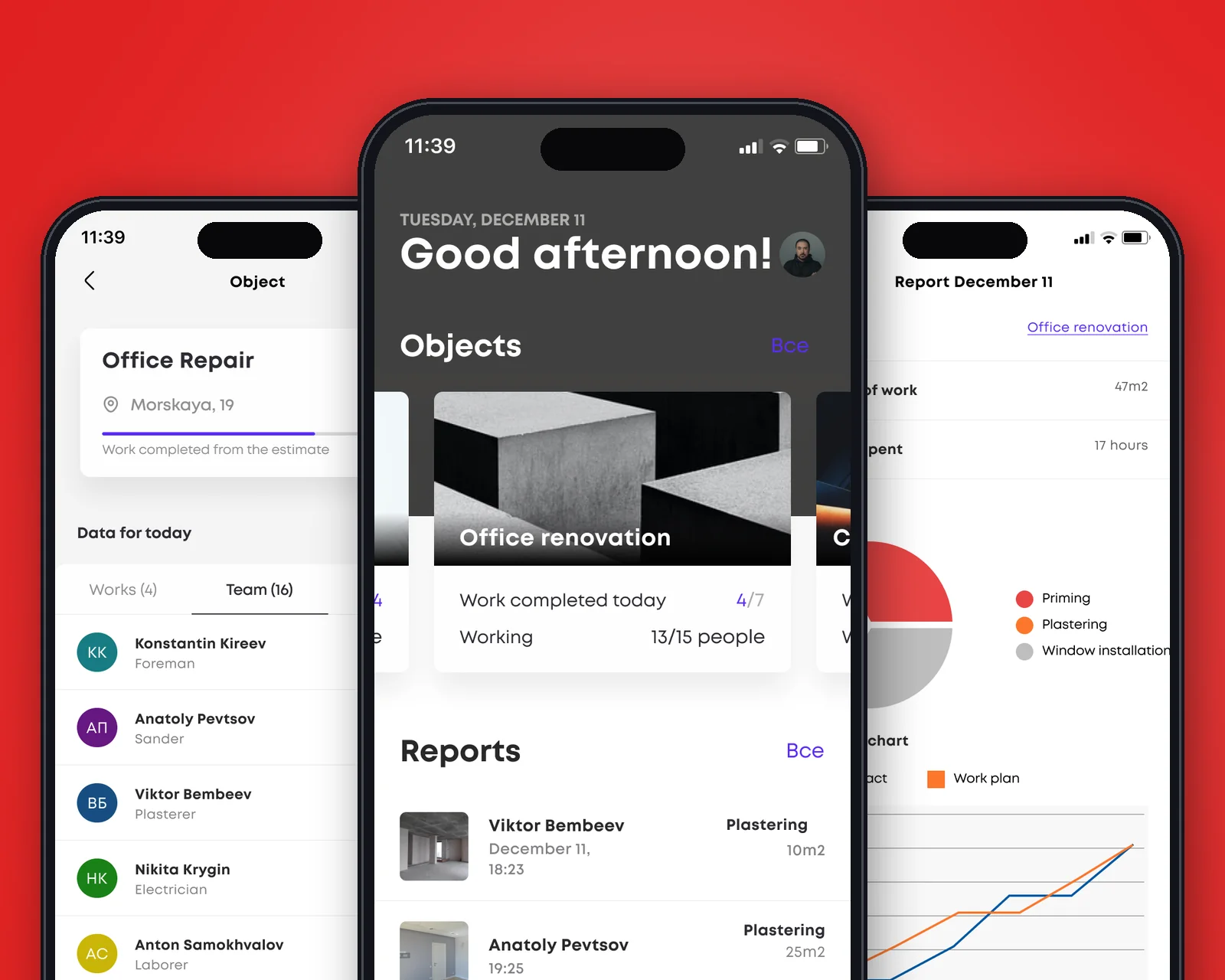
In short: what the product is and who we built it for.
The service for a construction company is a single system for controlling work on site: two native mobile apps for the people on the ground and a web panel for management. Workers log their time and attach photo and video reports right from their phones, crew leads and site managers coordinate crews on the spot, and the administrator monitors all sites remotely and compares actual progress with the plan.
We built the product for a real construction site, where an honest picture of progress matters. That is why it is based on photo evidence of every completed stage, permissions split across four roles and clear analytics on labor hours, task statuses and deadlines.
The construction company was facing growing volumes and inefficient processes. Paper reporting did not provide an up-to-date picture: tasks were assigned and delegated to crews manually, and it was hard to control work at every stage.
The main goals were to set up timely control of work, make reporting convenient for crew leads and site managers, reconcile actual work with planned targets and remove paper reports from the process.
How we built the product, from architecture to process.
We broke the construction process down by role and built the product around an honest report from the site: workers log time and attach photos and videos right from their phones, crew leads make sure reports arrive on time, site managers track expenses and overtime, and the administrator assigns tasks remotely and compares actual progress with the plan.
The architecture is split into native mobile clients and a web panel on top of a shared back end. The iOS and Android apps are built with Flutter from a single codebase, the admin web panel with React and the server logic with PHP Laravel. The system stays unified, and data from all sites comes together in one place.
Tools chosen to fit the product’s goals.
The target audience, workers, crew leads and site managers, does not sit at a desktop during the working day. A web panel is enough for management and analytics, but field staff need to work from a smartphone: quickly, without downtime and in areas with unstable connectivity.
Flutter makes it possible to build one app for iOS and Android from a single codebase without sacrificing performance or interface responsiveness. The alternative, two separate native apps, doubles the cost of development and maintenance.
Key capabilities that solved the business problem.
Run several sites at the same time, each with its own tasks, photo gallery and progress.
Work is split into tasks with statuses, showing what is in progress, what is done and what is behind schedule.
Reports straight from the site via phone: photos and videos give an honest picture of quality and timing.
Logging working time and overtime for correct payroll and budget control.
Administrator, site manager, crew lead and worker, each with their own tools and access.
Analytics by status and work area, plus a plan vs. actual chart for every site.
Key product screens, step by step.
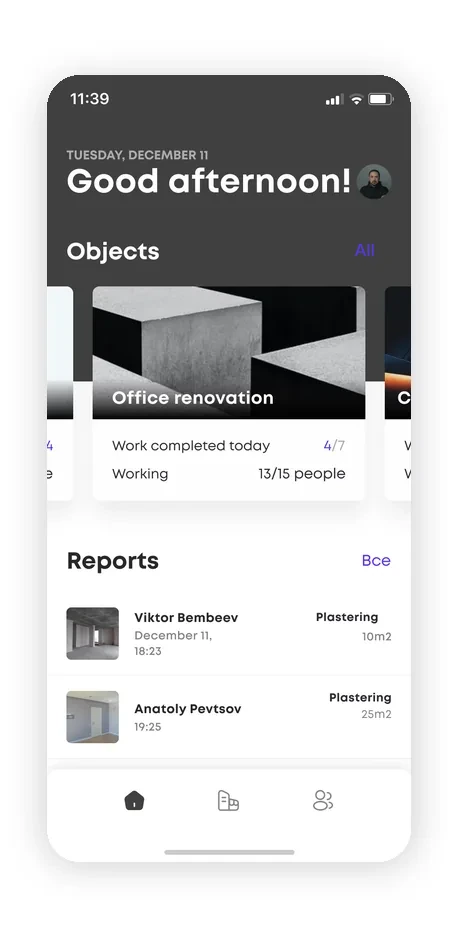
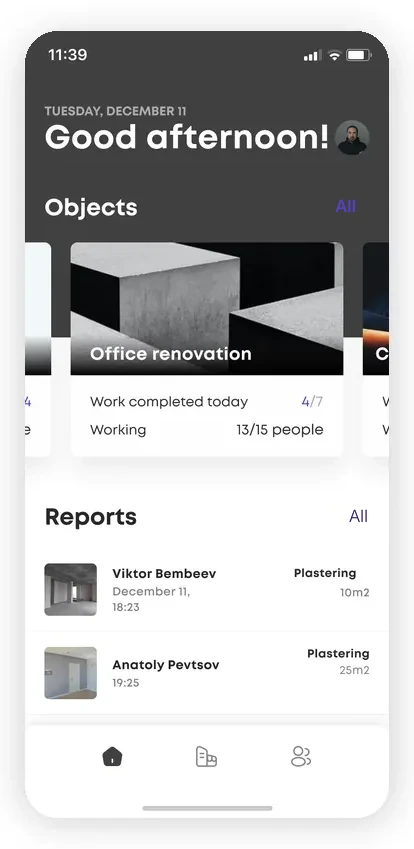
The app’s home screen brings everything together: site cards (“Office renovation”) with metrics such as “work completed today 4/7” and “on site 13/15 people”.
Below is a live feed of reports from the crew: who did what, the type of work and the volume in m² with a photo thumbnail. A manager on site sees progress without walking the entire site.
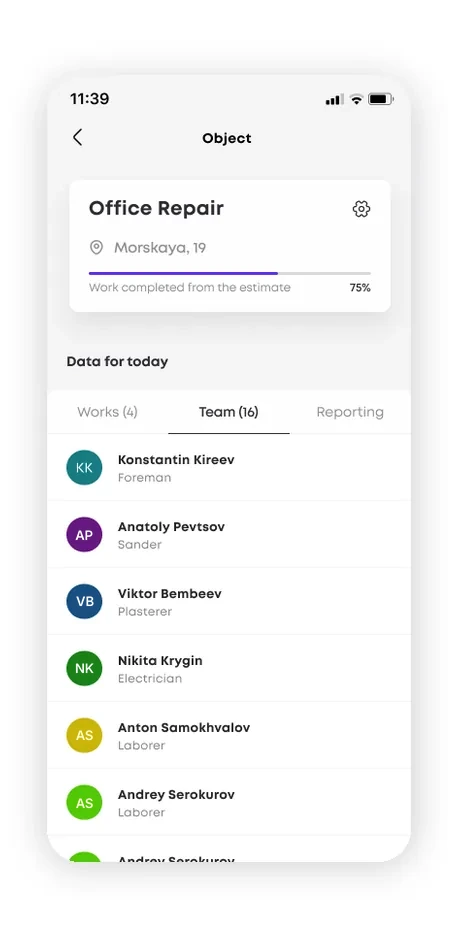
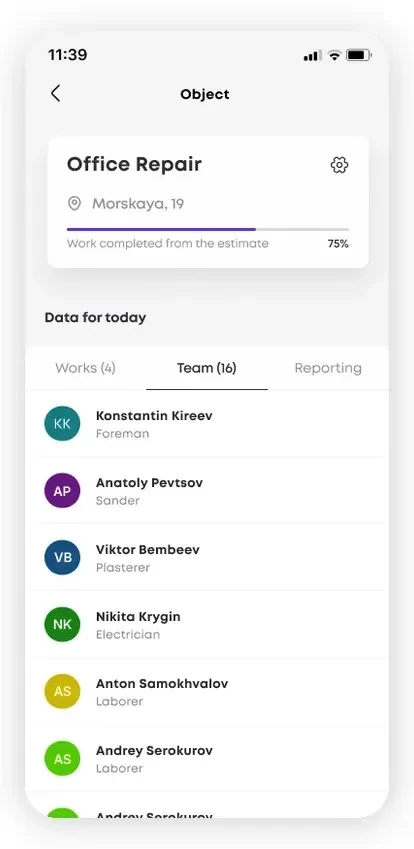
Inside a site you see the address, overall progress (“work completed from the estimate 75%”) and data for the selected day. The “Work”, “Crew” and “Reporting” tabs switch the view of the site.
The work list shows actual vs. plan for each type of work: plastering 23/45 m², priming 45/45 m², window installation 4/4. It is immediately clear where the job is on schedule and where it is falling behind.
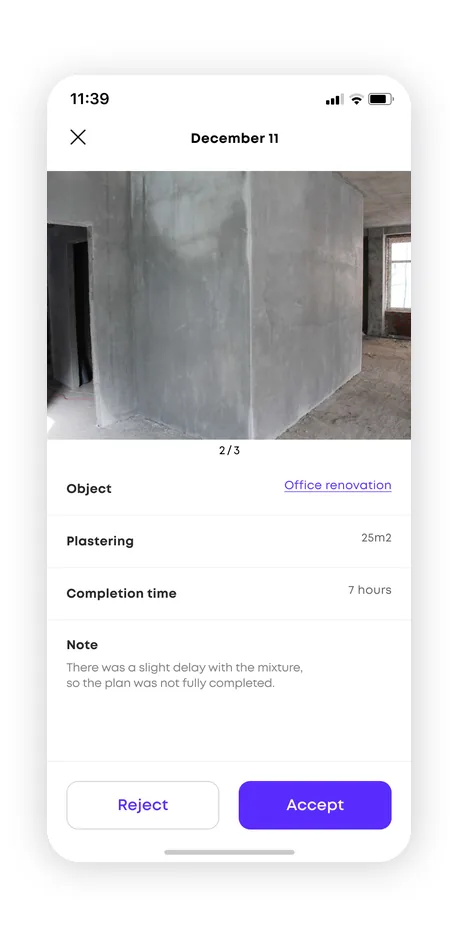
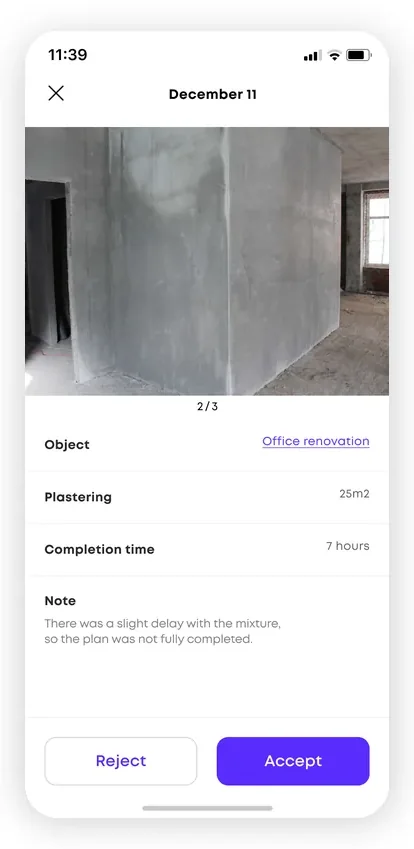
The report card for December 11 opens with a photo gallery of the completed work (1/3) taken on site, the linked site, the volume “Plastering 25 m²” and a completion time of 7 hours.
There is a “Note” field where the worker can describe details of the job, and the site manager makes the call with the “Reject” or “Accept” buttons, turning photo evidence into an honest report on progress.
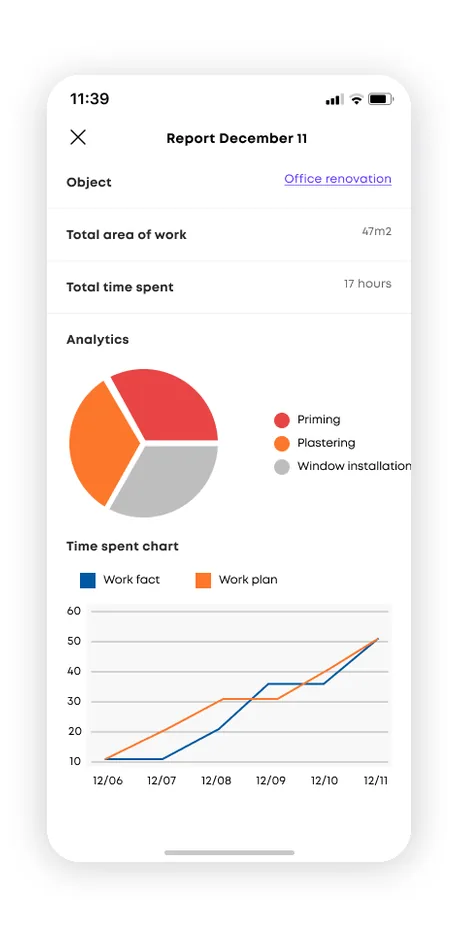
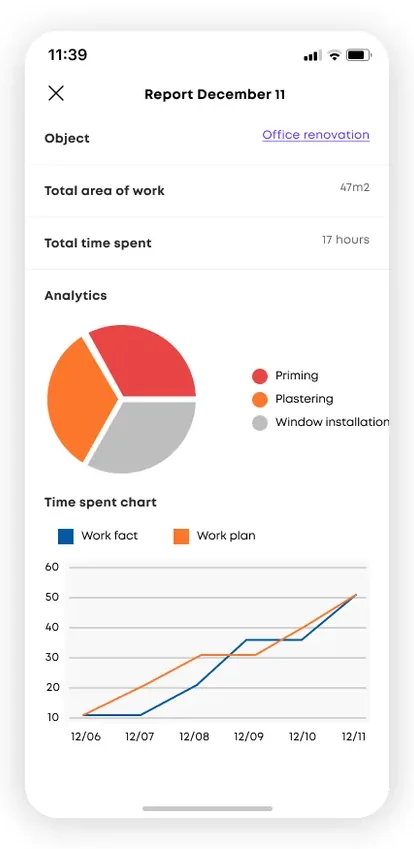
The daily summary report collects the site’s totals: a total work area of 47 m² and a total of 17 hours spent. A pie chart splits the volume by type of work: priming, plastering and window installation.
The time spent chart overlays “actual work” on “planned work” by date, clearly showing where the crew is ahead of schedule and where it is behind planned targets.
The admin logic connects the roles into one process: the administrator monitors all sites remotely, assigns tasks to site managers, reviews reporting and configures participants’ access to projects.
The site manager manages crews, deadlines and budget and tracks expenses and overtime, while the crew lead organizes work on the ground and coordinates communication between the crew and the site manager.
Management works in the admin web panel on top of the shared back end, where data from all sites, reporting and plan vs. actual comparisons come together.
The server logic and API are built with PHP Laravel and the panel interface with React, so projects, tasks and access can be managed from a single window.
The mobile part is native for iOS and Android from a single Flutter codebase, giving people on site a familiar and fast interface on any phone.
Time logging, attaching photo and video reports and assigning tasks all work right from the site, and all data is uploaded to the shared system from the phone.
Photo and video evidence straight from the site is the core of the product: every completed stage is confirmed with materials from the worker’s phone. This gives an honest picture of progress, helps control quality and deadlines and removes paper reports from the process.
The service processes employees’ personal data: names, photo content from sites and work records. Privacy is built into the service’s architecture rather than added afterwards.
Employee data is processed under the requirements of the client’s jurisdiction and stored on locally hosted servers, with role-restricted access.
2 native apps (iOS and Android) built with Flutter from a single codebase, plus an admin web panel (Laravel, React).
Projects with tasks, statuses and a photo gallery: crews see which work is done, and management sees all sites at once.
Task breakdown with statuses: the administrator assigns tasks, the crew lead distributes them to workers, and workers close and comment on them.
Photo and video evidence straight from the site: every report is backed by real materials.
Visual analytics by status: the share of completed, overdue and rejected tasks for each site.
4 roles: administrator, site manager, crew lead and worker, each with their own permissions and tools.
Assign tasks to crews, track statuses, capture photo evidence of work on site, provide project analytics and separate employee roles.
Natively on iOS and Android, with an admin web panel for management.
Attaching photos and videos straight from the site gives an honest report on progress and helps control quality and deadlines.
Administrator, site manager, crew lead and worker, each with their own set of permissions and tools.
It depends on the feature set; a typical MVP fits within the industry range, and we give an exact estimate after discussing the task.
Companies from retail, medtech, logistics and e-commerce that we helped build digital products.









The full spectrum of development — from native mobile apps to web platforms, AI and cloud. Pick a direction or order a turnkey project.
Native iOS & Android plus cross-platform Flutter and React Native — from MVPs to apps with millions of installs.
Learn moreNative Swift / SwiftUI iOS apps — with Apple Pay, Sign in with Apple, App Store Connect deployment pipelines.
Learn moreNative Kotlin / Jetpack Compose Android apps — Material 3, Google Play release pipelines, Firebase integration.
Learn moreSingle Dart codebase across iOS, Android, web and desktop — with native modules where needed.
Learn moreProduction web apps on React, Next.js, Vue and Node — SaaS dashboards, B2B portals, marketing-conversion stacks.
Learn moreREST, GraphQL and gRPC APIs — designed for partners, mobile clients and internal microservices.
Learn moreBespoke platforms for mid-market and enterprise teams — internal tools, vertical SaaS, mission-critical backends. Discovery to launch in 12–36 weeks.
Learn moreFocused MVPs in 12–20 weeks — one or two integrations, real users on day one, telemetry built-in.
Learn moreEnd-to-end ownership of a digital product — design, build, ship and continuous evolution.
Learn moreTool-using agents that plan, retrieve, act and self-evaluate — in customer service, ops automation, internal copilots.
Learn moreAWS, Azure and GCP architecture, Kubernetes, Terraform/Pulumi, CI/CD and observability — SRE-grade operations for product teams.
Learn moreTechnical SEO, Core Web Vitals, structured data, internal-link architecture — built into your engineering process.
Learn moreRelated cases
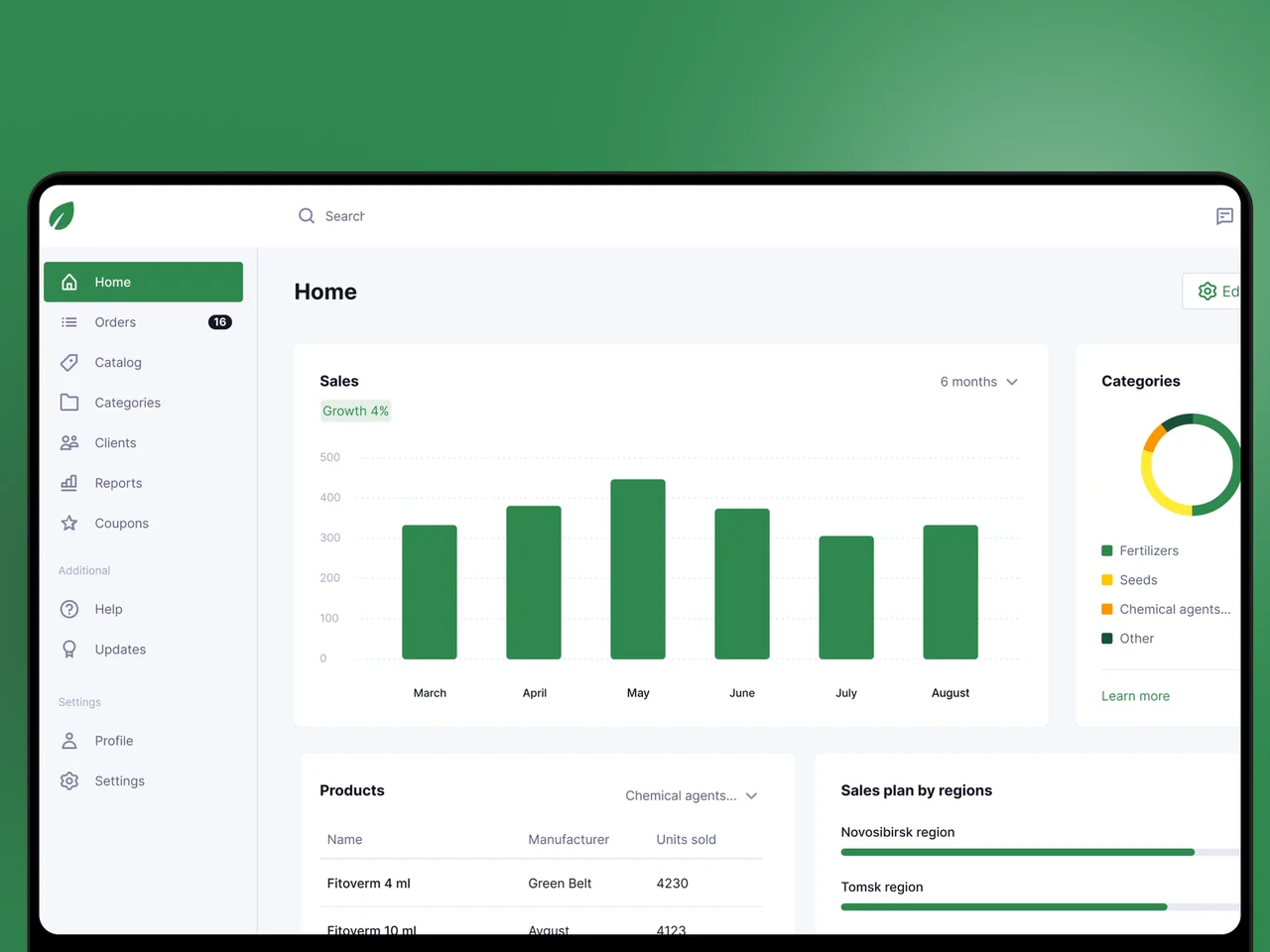
Offline-first iOS & Android field-sales app for an agricultural distributor — structured catalog, deal reporting, plan vs actual.
View case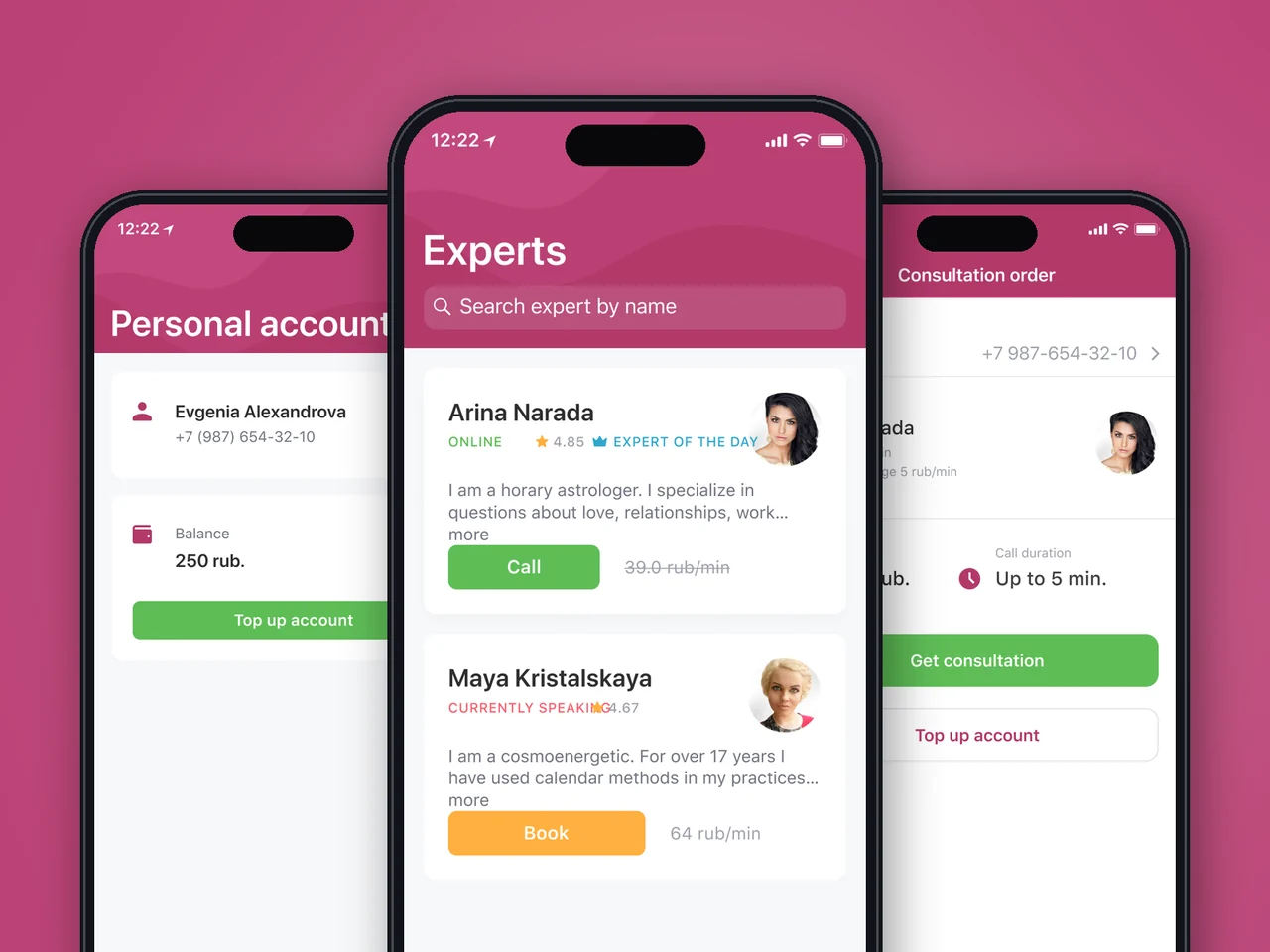
Flutter Android app mirroring a web consultation service: expert catalog, instant callback, per-minute billing and wallet. Released on Google Play in 3 months.
View case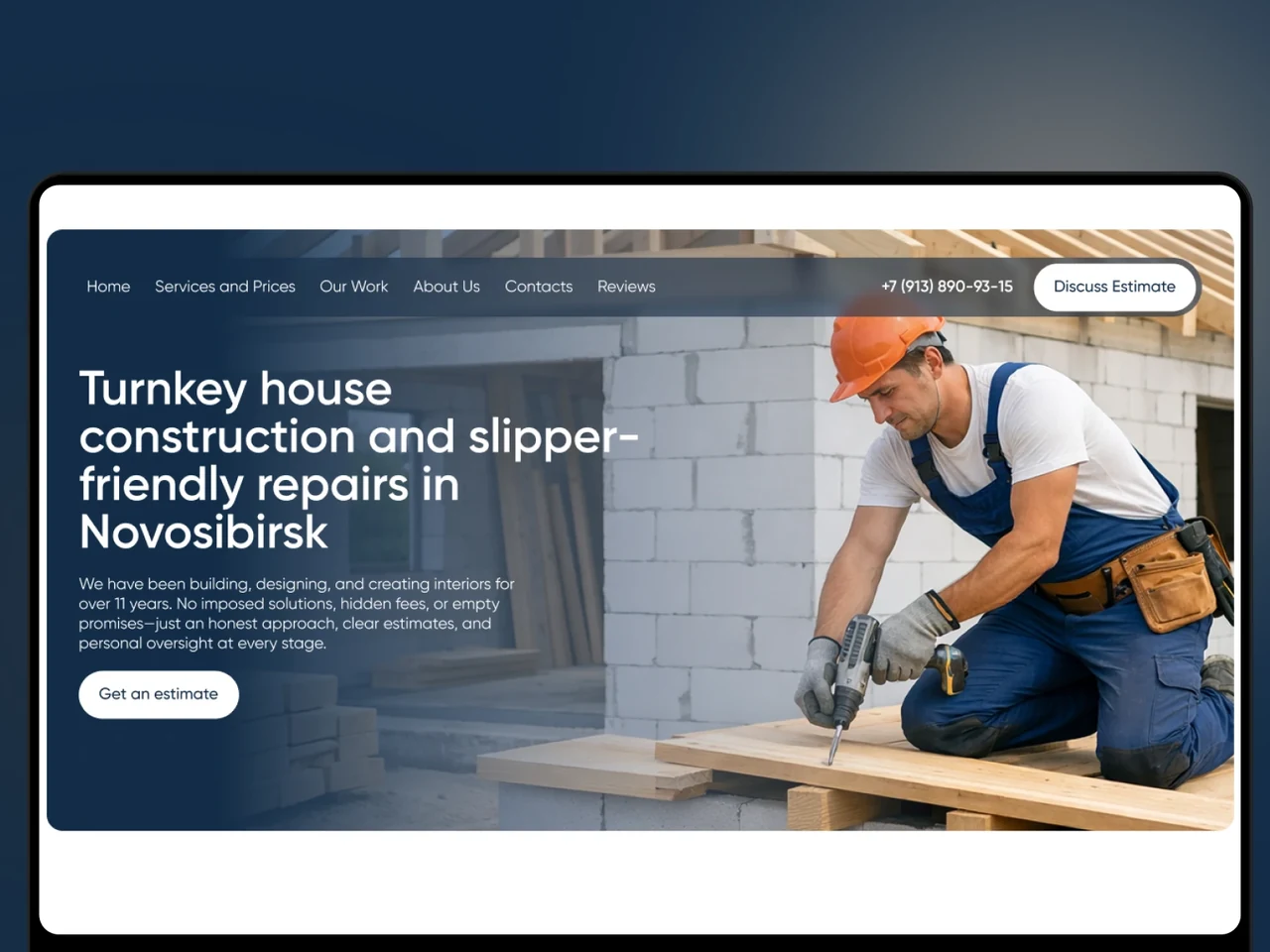
A Tilda website for a Novosibirsk builder that turns traffic into estimate requests: per-m² pricing, real projects, an object map and verified reviews.
View case20 articles across 5 categories — engineering-led guides on AI, SaaS, MVP, compliance and mobile for US and EU product teams.

Performance-tested comparison of RN (New Architecture) and Flutter (Impeller) across hiring, time-to-market and EU/US compliance.
Read article
Real cost ranges by region (US onshore, Western EU, EU nearshore), team and feature scope. With a worked fintech example.
Read article
Data-driven framework for choosing iOS-first or Android-first in 2026 — US & EU market share, ARPU, review timelines, EU DMA.
Read articleTell us how your crews report and how you track progress today, and we will help you replace paper with apps for the field and a clear panel for management. Let’s discuss how a similar service could work for your company.
Share a few details and a senior consultant will reply within one business day.
Email: sales@yusmpgroup.com
Phone: +374 44 871 811
Offices: KAMAR Business Center, Vazgen Sargsyan St. 2, Yerevan, Armenia · Remote — East-Coast US overlap (9 AM–1 PM ET)